

/
Appointment Reminder
/
How do I mark an appointment reminder as a Sensitive Appointment for Slots, Clinicians or Clinics?
How do I mark an appointment reminder as a Sensitive Appointment for Slots, Clinicians or Clinics?
September 7, 2022
The Slot Type Exclusion section within the Exclusions, has a unique function to use with enabled appointment reminders. This is the ability to mark an appointment as a Sensitive appointment.
This is ideal for a sensitive type of appointment a patient might prefer to keep private. By enabling it, it will disable the appointment from appearing on the main page of the myGP app when booked, and will also stop reminders from being sent.
To action this, please do the following:
- Log in to your myGP Connect system
- Click on Settings on the left-hand side menu
- Click on Exclusions
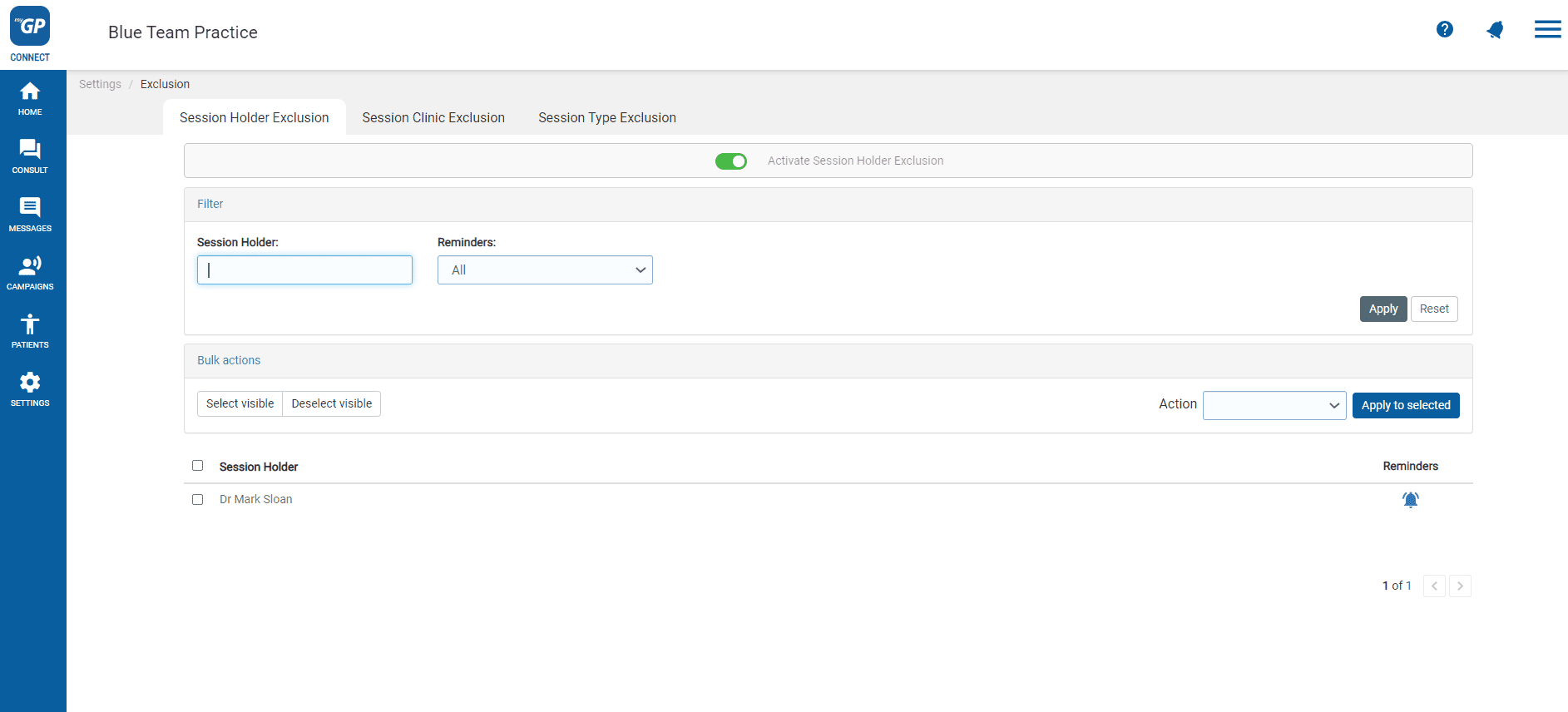
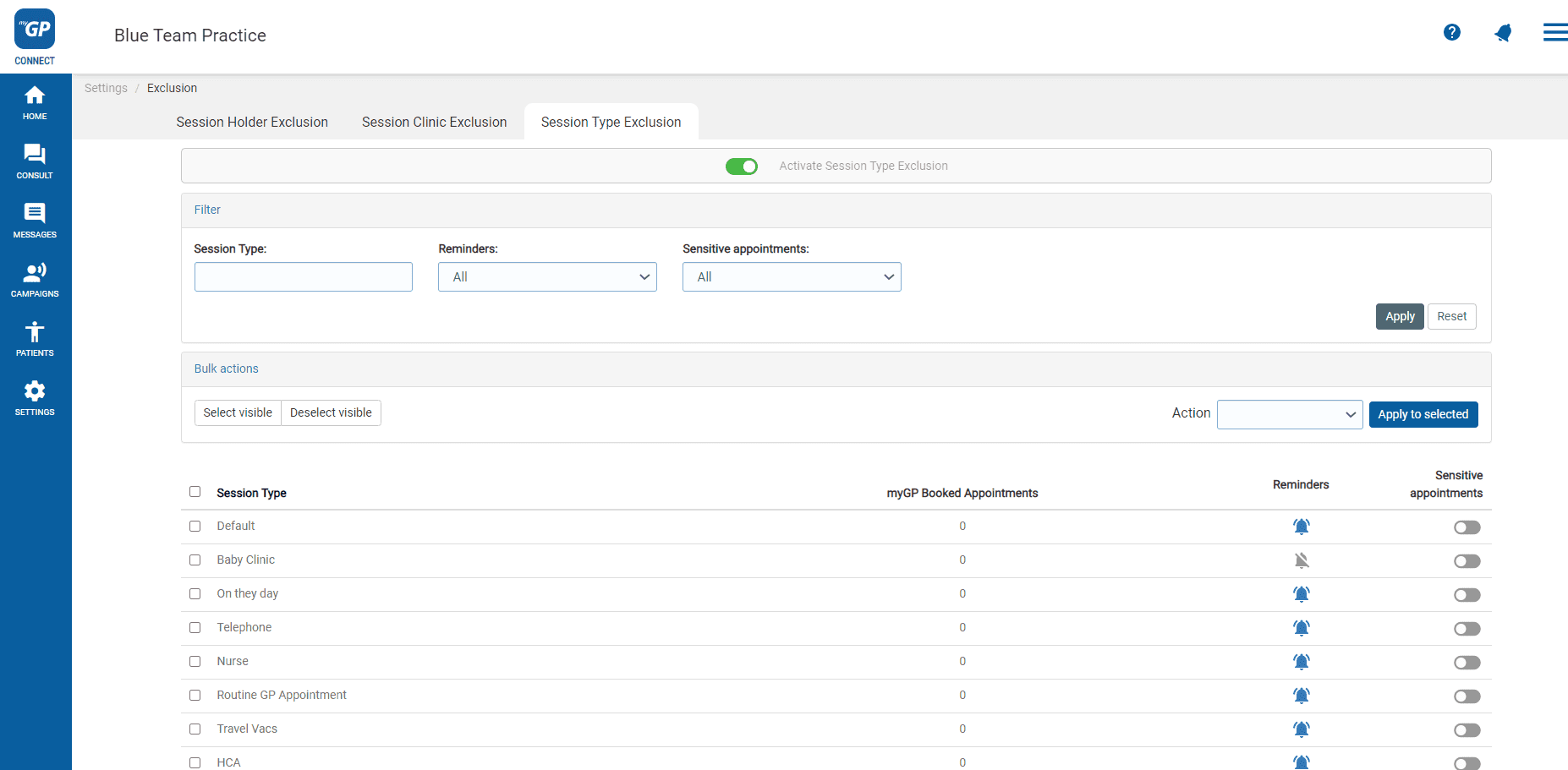
- Go to Slot Type Exclusion tab
- Refer to the Slot Type from the below list
- Refer to the right column named Sensitive appointments
- Click the switch and flick to Blue, signifying it as enabled
Please Note: if you are sending out a Call/Recall campaign and the Slot Type is marked as Sensitive in Exclusions, it will not appear in the list of available Slot Types when building the campaign.


© 2026 iPLATO. All rights reserved
Practice Area
/
Appointment Reminder
/
How do I mark an appointment reminder as a Sensitive Appointment for Slots, Clinicians or Clinics?
How do I mark an appointment reminder as a Sensitive Appointment for Slots, Clinicians or Clinics?
September 7, 2022
The Slot Type Exclusion section within the Exclusions, has a unique function to use with enabled appointment reminders. This is the ability to mark an appointment as a Sensitive appointment.
This is ideal for a sensitive type of appointment a patient might prefer to keep private. By enabling it, it will disable the appointment from appearing on the main page of the myGP app when booked, and will also stop reminders from being sent.
To action this, please do the following:
- Log in to your myGP Connect system
- Click on Settings on the left-hand side menu
- Click on Exclusions
- Go to Slot Type Exclusion tab
- Refer to the Slot Type from the below list
- Refer to the right column named Sensitive appointments
- Click the switch and flick to Blue, signifying it as enabled
Please Note: if you are sending out a Call/Recall campaign and the Slot Type is marked as Sensitive in Exclusions, it will not appear in the list of available Slot Types when building the campaign.
© 2026 iPLATO. All rights reserved
/
Appointment Reminder/
How do I mark an appointment reminder as a Sensitive Appointment for Slots, Clinicians or Clinics?
How do I mark an appointment reminder as a Sensitive Appointment for Slots, Clinicians or Clinics?
September 7, 2022
The Slot Type Exclusion section within the Exclusions, has a unique function to use with enabled appointment reminders. This is the ability to mark an appointment as a Sensitive appointment.
This is ideal for a sensitive type of appointment a patient might prefer to keep private. By enabling it, it will disable the appointment from appearing on the main page of the myGP app when booked, and will also stop reminders from being sent.
To action this, please do the following:
- Log in to your myGP Connect system
- Click on Settings on the left-hand side menu
- Click on Exclusions
- Go to Slot Type Exclusion tab
- Refer to the Slot Type from the below list
- Refer to the right column named Sensitive appointments
- Click the switch and flick to Blue, signifying it as enabled
Please Note: if you are sending out a Call/Recall campaign and the Slot Type is marked as Sensitive in Exclusions, it will not appear in the list of available Slot Types when building the campaign.
© 2026 iPLATO. All rights reserved