

What does the Medical Issues request look like for patient in Triage?
March 11, 2021
Watch video
To add this digital front door to your practice home page, follow the steps in our helpful guide.
Once you have set up your triage system, add it to your practice home page


© 2026 iPLATO. All rights reserved
Practice Area
What does the Medical Issues request look like for patient in Triage?
March 11, 2021
Watch video
To add this digital front door to your practice home page, follow the steps in our helpful guide.
Once you have set up your triage system, add it to your practice home page
© 2026 iPLATO. All rights reserved
/
Triage overview/
What does the Medical Issues request look like for patient in Triage?
What does the Medical Issues request look like for patient in Triage?
March 11, 2021
This is the user flow the patient will experience:
Watch video
If a patient chooses the Medical Issue triage option, they will be brought to the following screens:
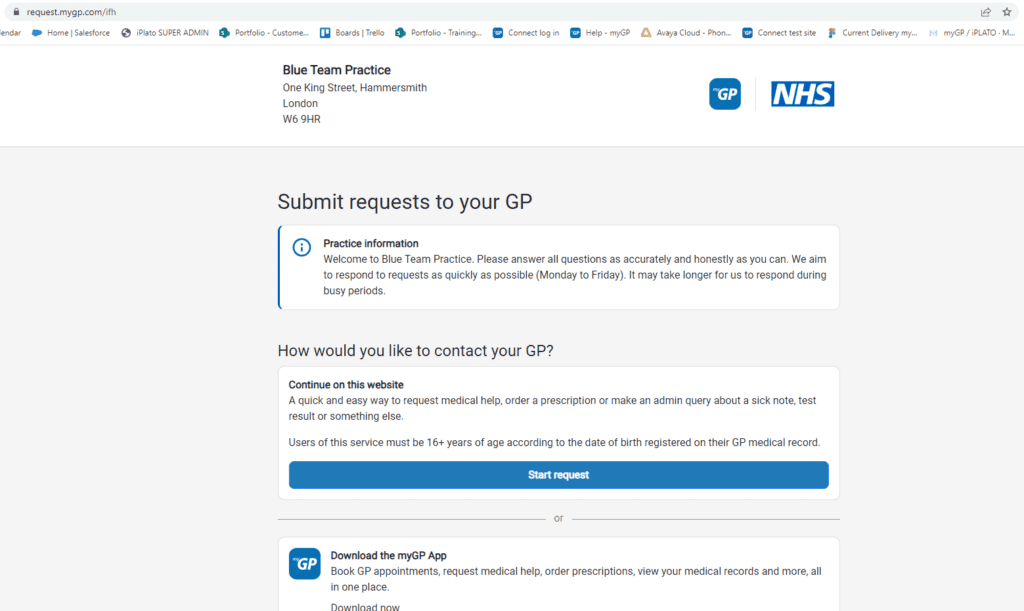
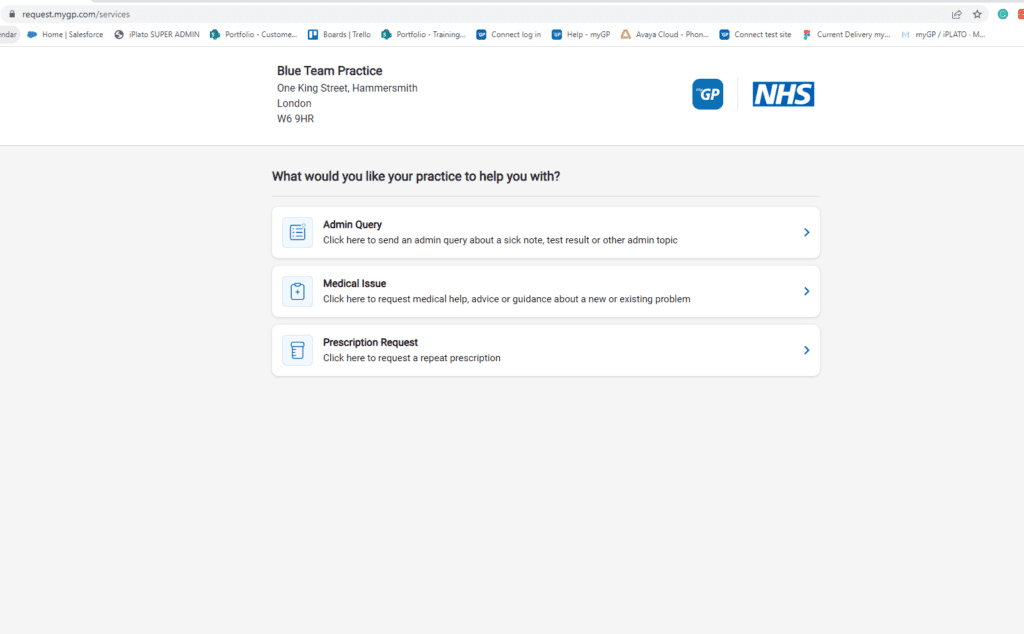
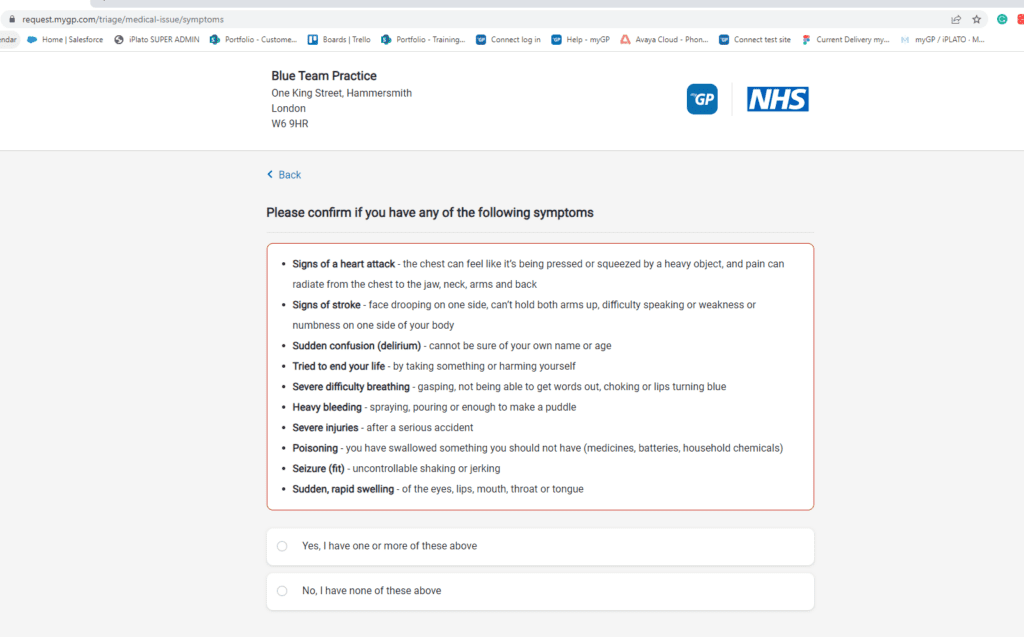
- If a patient chooses a medical query, they will be asked to check their symptoms.
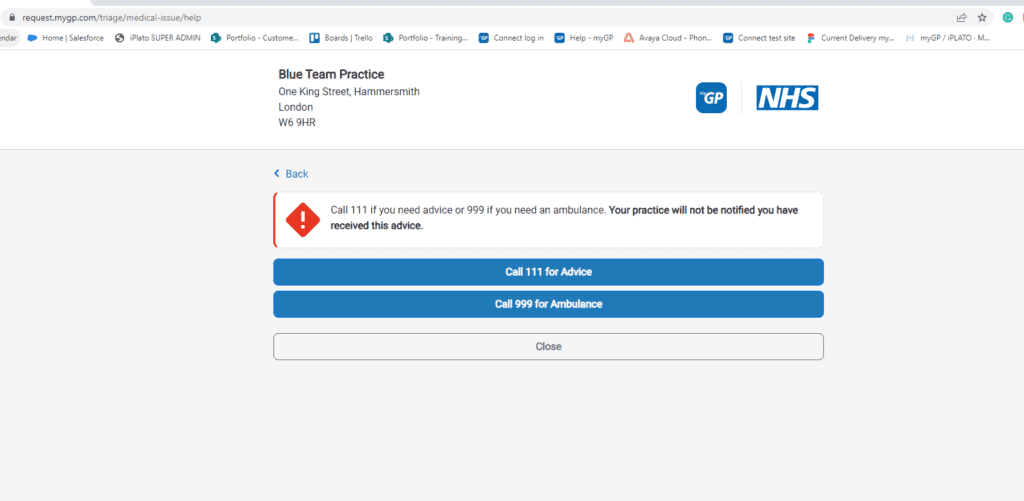
- If they have chosen Yes for urgent medical issues, they will be presented with this screen.
If the patient has chosen No, they will see the following screen:
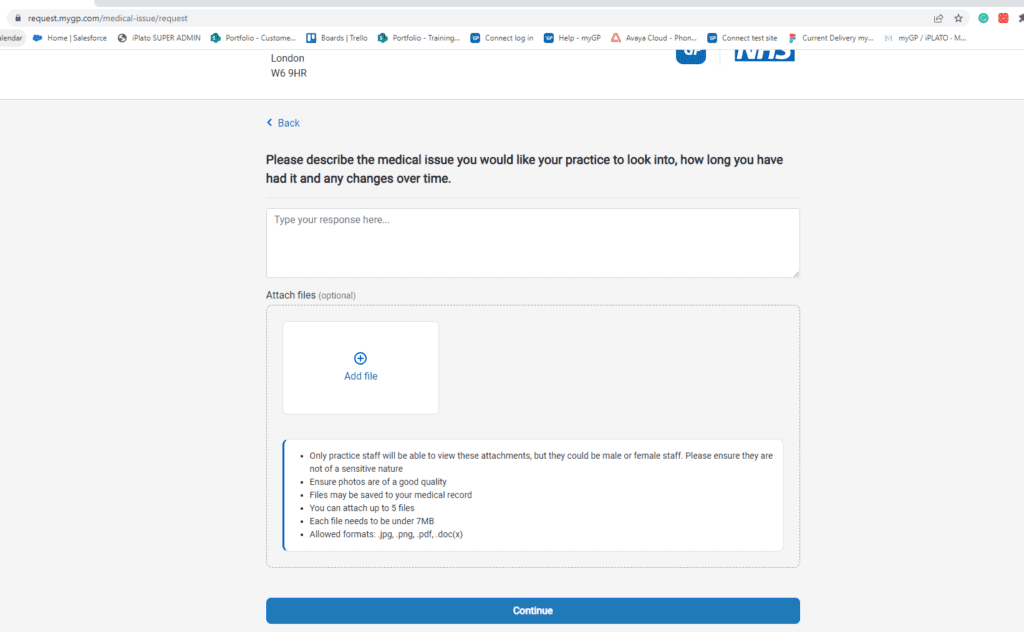
- Once they have entered their details they will have a chance to check the information they are submitting.
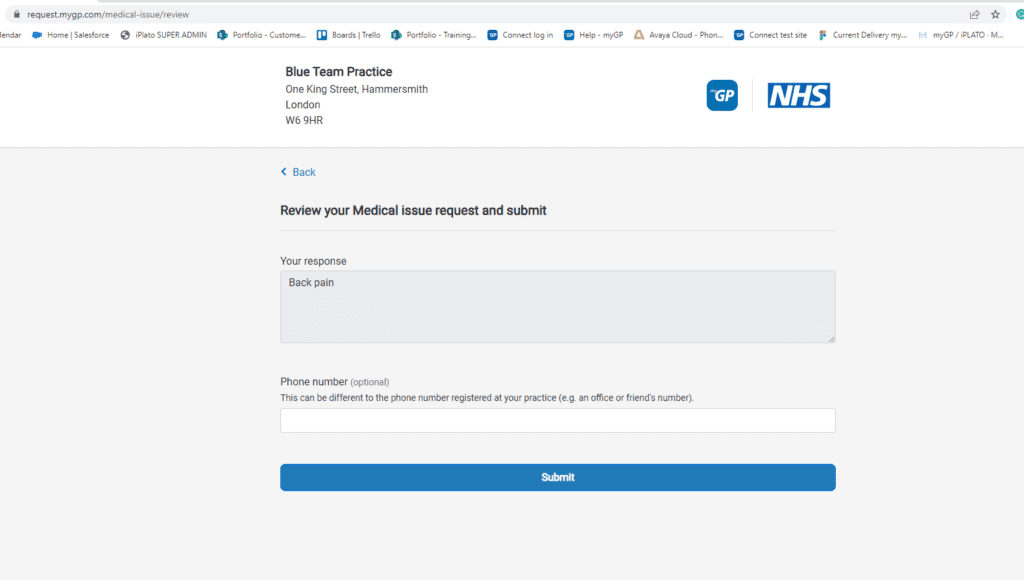
- Once submitted, the patient will see a confirmation that the request was sent.
What happens next?
The request will be sent to practice as an email:
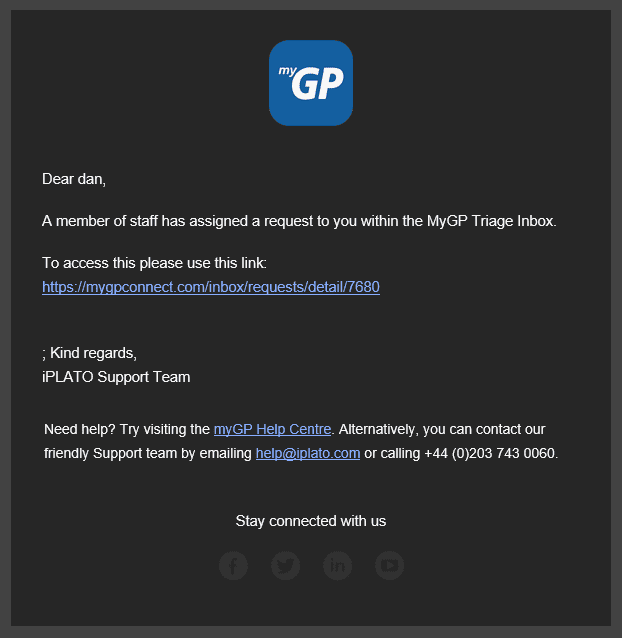
- The link will open the iPLATO Connect platform, and the user at the practice can then log in to action the query.
- Click here for information on how to handle a triage request.
Please Note: the average time to deal with this type of request is 2 days.
© 2026 iPLATO. All rights reserved