

What does the Admin Enquiry request look like for a patient in Triage?
March 10, 2021
Watch video
To add this digital front door to your practice home page, follow the steps in our helpful guide.
Once you have set up your triage system, add it to your practice home page


© 2026 iPLATO. All rights reserved
Practice Area
What does the Admin Enquiry request look like for a patient in Triage?
March 10, 2021
Watch video
To add this digital front door to your practice home page, follow the steps in our helpful guide.
Once you have set up your triage system, add it to your practice home page
© 2026 iPLATO. All rights reserved
/
Triage overview/
What does the Admin Enquiry request look like for a patient in Triage?
What does the Admin Enquiry request look like for a patient in Triage?
March 10, 2021
If the Admin Enquiry option is enabled within myGP Triage, the patient will have the option to contact the practice via online services for several different subjects.
This is the user flow the patient will experience:
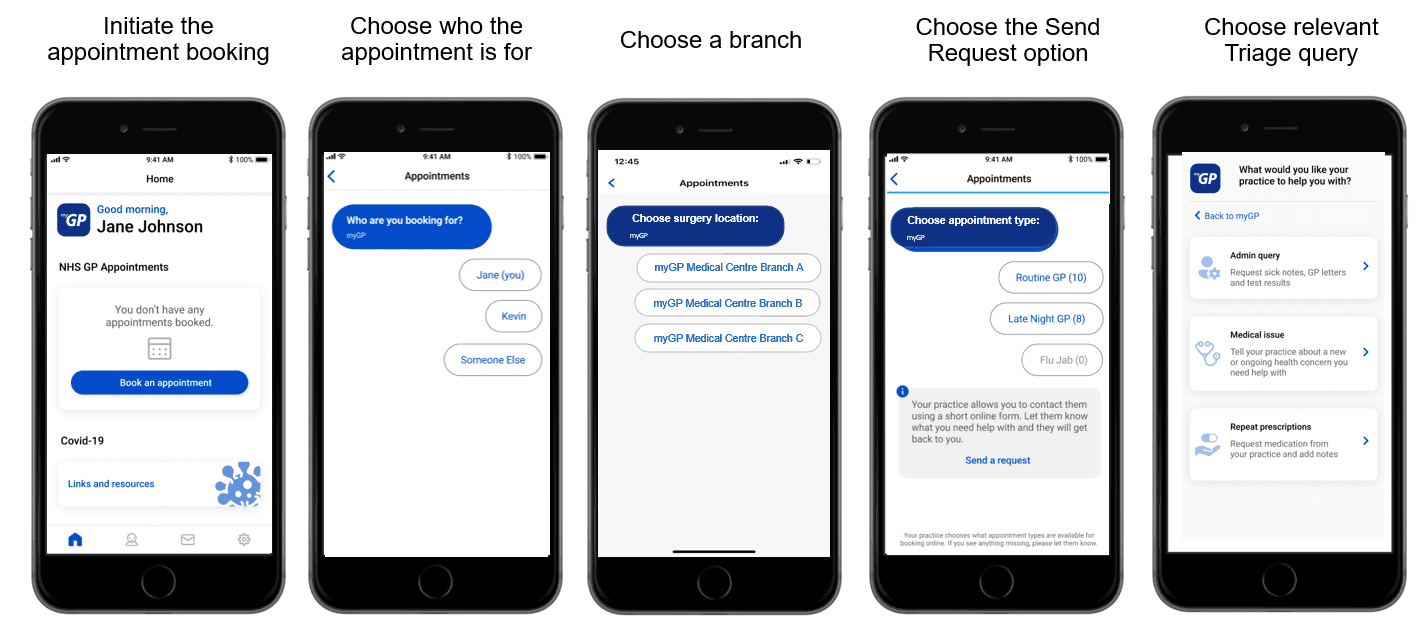
If a patient chooses Admin Query, they will be brought to this next screen:
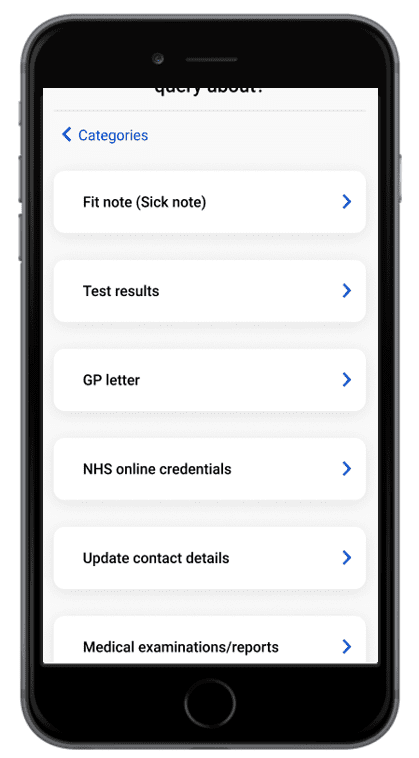
From this point, the patient will be able to access the following options:
- Fit Note (Sick Note): request a Sick Note via online triage
- Test Results: request a follow up on test results via online triage
- GP letter: request an official doctor’s letter via online triage
- NHS Online Credentials: ask a query concerning NHS online credentials
- Update Contact Details: send updates of patient contact to practice
- Medical Examinations/Reports: request a follow up on medical documents
Any requests sent through will be sent as an email to the practice:
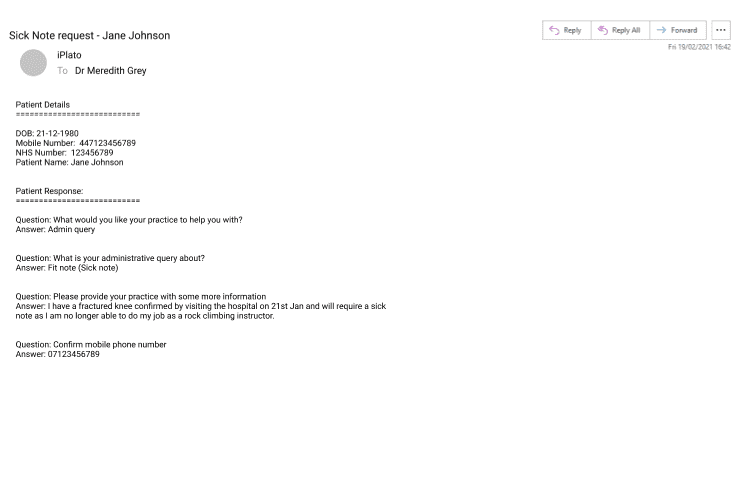
Please Note: the average time to deal with this type of request is 5 days.
© 2026 iPLATO. All rights reserved