

Quick reply to a Triage request
October 30, 2023
Watch video
To add this digital front door to your practice home page, follow the steps in our helpful guide.
Once you have set up your triage system, add it to your practice home page


© 2026 iPLATO. All rights reserved
Practice Area
Quick reply to a Triage request
October 30, 2023
Watch video
To add this digital front door to your practice home page, follow the steps in our helpful guide.
Once you have set up your triage system, add it to your practice home page
© 2026 iPLATO. All rights reserved
Quick reply to a Triage request
October 30, 2023
Want to send a quick SMS reply to a patient when you receive their triage request in iPLATO?
Follow the video or the screenshots below.
Watch video
Follow the steps below to send a quick SMS back to a patient after they submit a triage request.
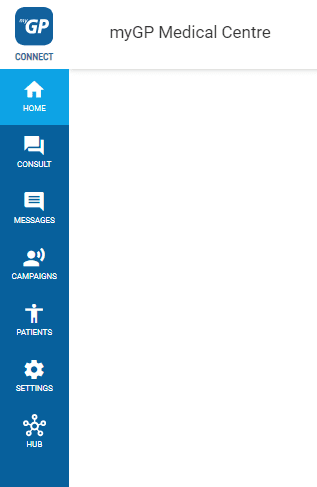
- Go to the Messages menu on the left-hand side of the screen and select Triage Requests.
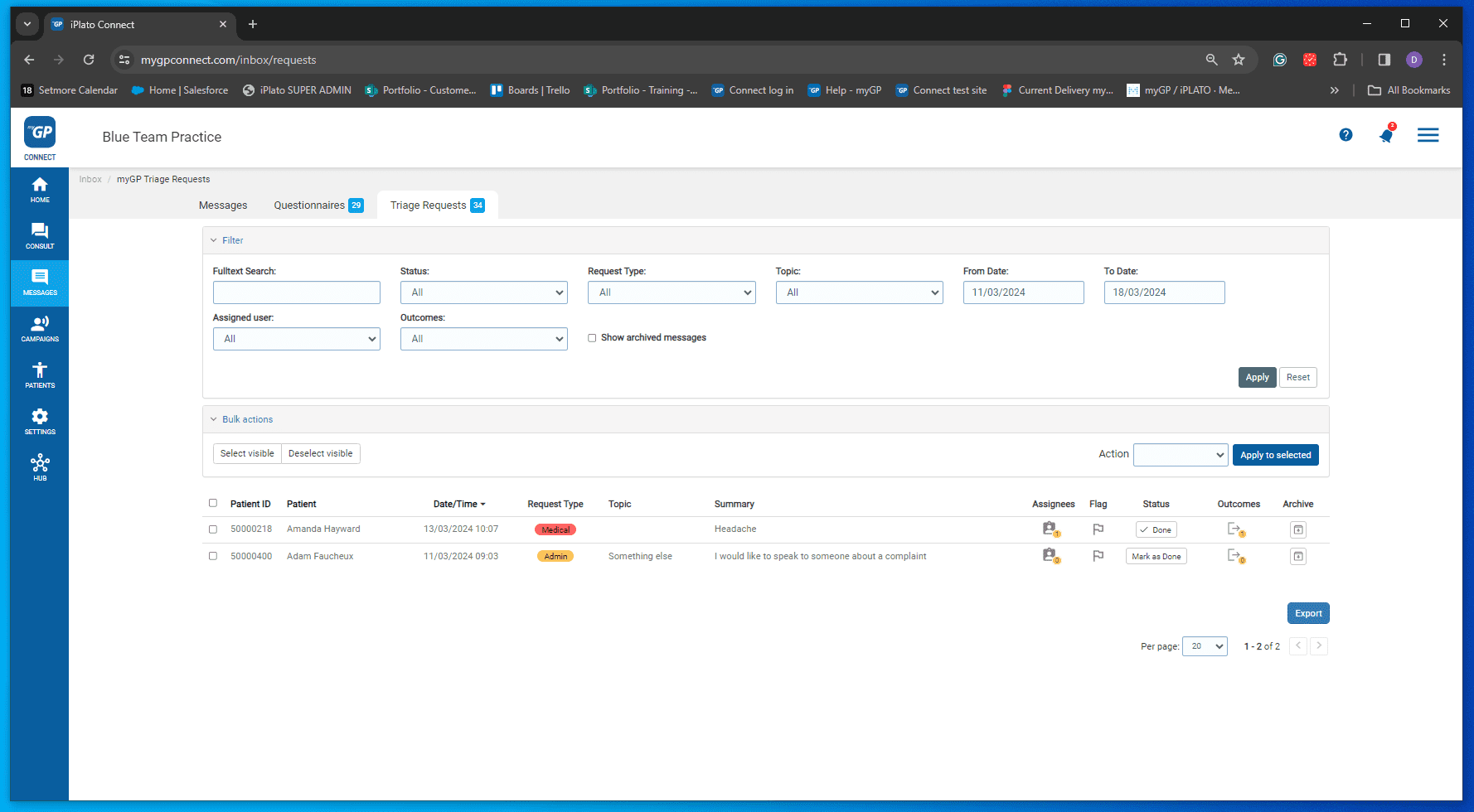
- You will see the current triage requests.
- Select the triage request you want to see in more detail, a new screen will pop up.
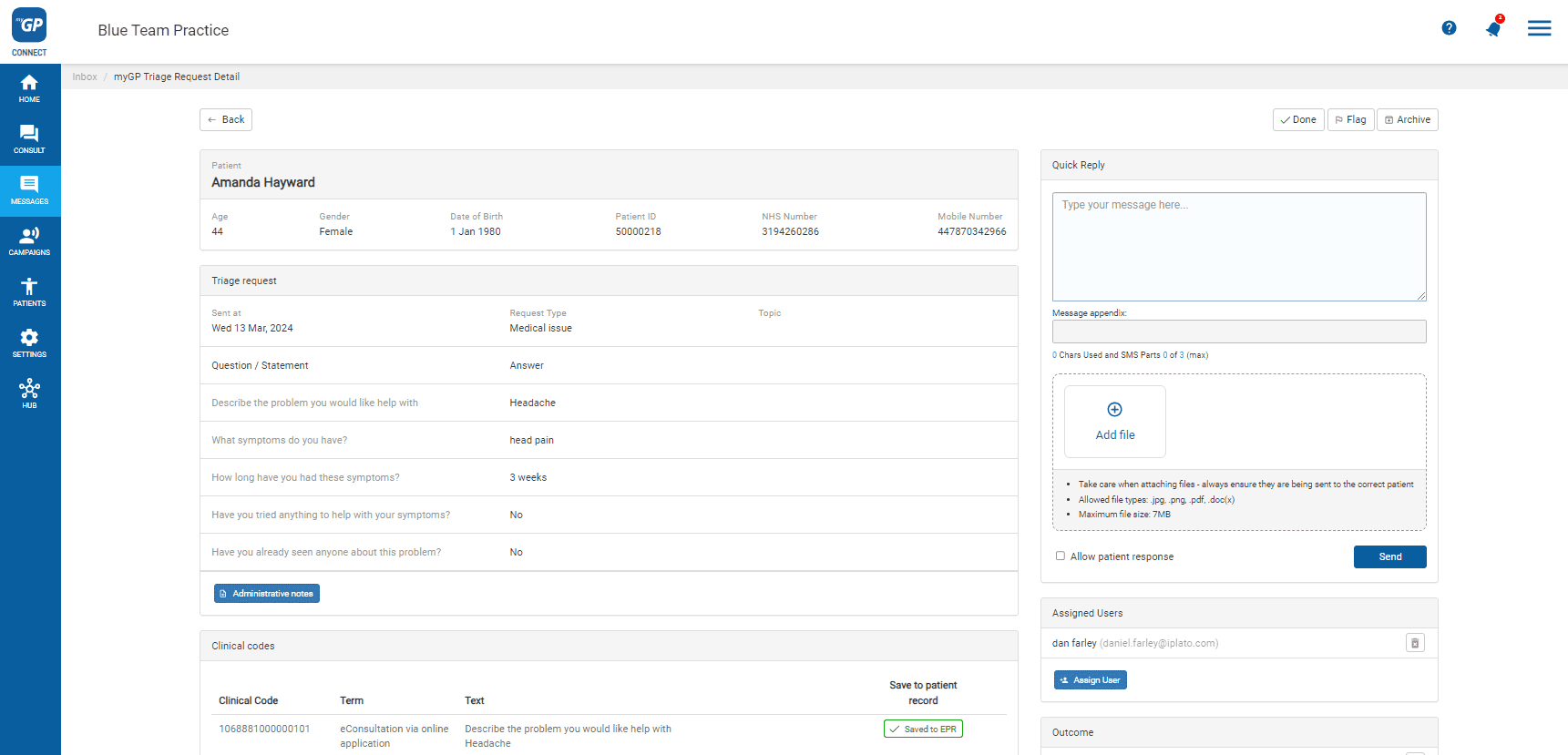
- In the top right-hand corner, you will see the Quick Reply box.
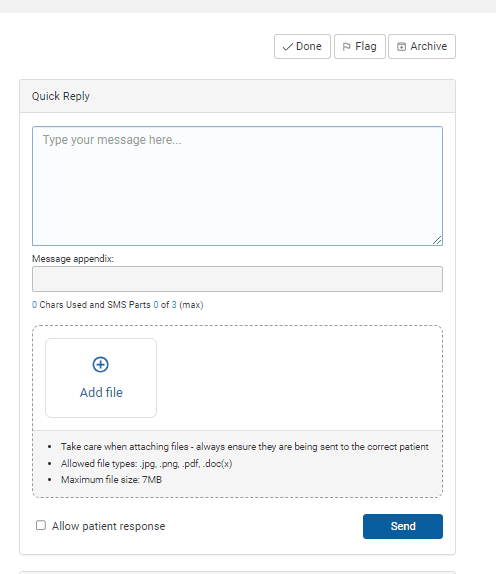
- Add your message and images (if needed), and if you want the patient to be able to reply.
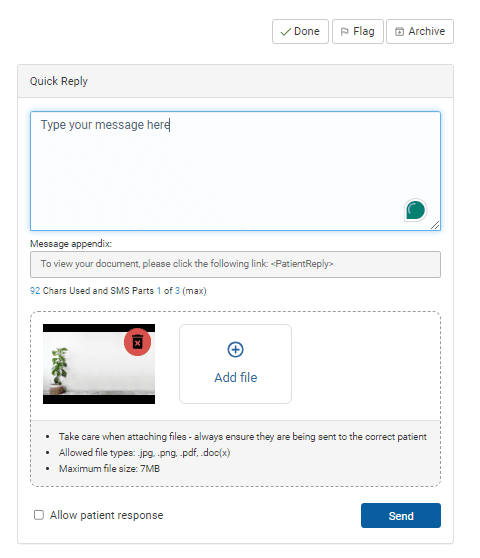
- Click Send, you are done.
Any SMS messages you send to your patient will save to your clinical system, you will also be able to see them in your Messages folders on your Connect system.
To see more on your messages folder, CLICK HERE.
© 2026 iPLATO. All rights reserved