

How to view attachments in myGP Triage inbox
July 27, 2023
Watch video
To add this digital front door to your practice home page, follow the steps in our helpful guide.
Once you have set up your triage system, add it to your practice home page


© 2026 iPLATO. All rights reserved
Practice Area
How to view attachments in myGP Triage inbox
July 27, 2023
Watch video
To add this digital front door to your practice home page, follow the steps in our helpful guide.
Once you have set up your triage system, add it to your practice home page
© 2026 iPLATO. All rights reserved
How to view attachments in myGP Triage inbox
July 27, 2023
If a patient has sent you an attachment in their Triage request, you will be able to view this in your iPLATO Connect system.
How to view the attachment
- Log into your iPLATO Connect platform
- Go to Messages>Triage requests
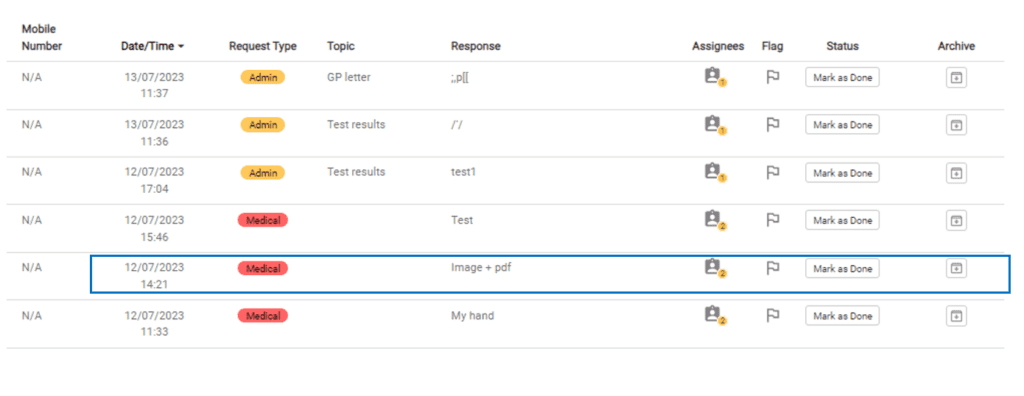
- Select the entry with an attachment
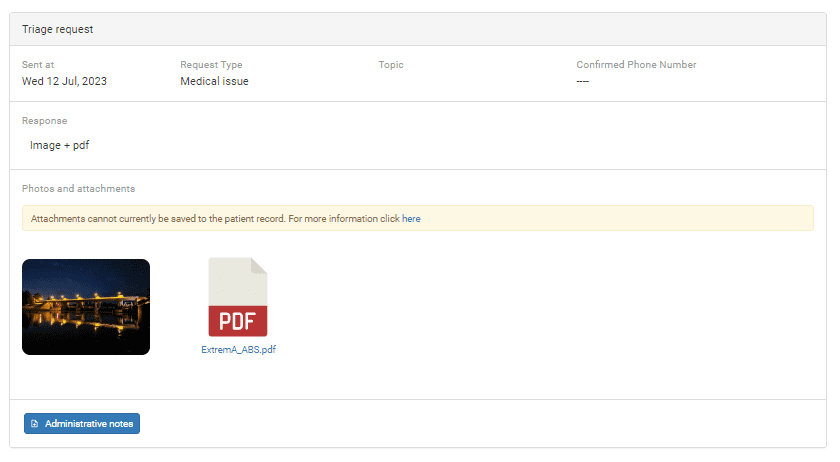
- You can now view and download the attachments
© 2026 iPLATO. All rights reserved