

How to un-archive a Triage Request?
January 10, 2023
Watch video
To add this digital front door to your practice home page, follow the steps in our helpful guide.
Once you have set up your triage system, add it to your practice home page


© 2026 iPLATO. All rights reserved
Practice Area
How to un-archive a Triage Request?
January 10, 2023
Watch video
To add this digital front door to your practice home page, follow the steps in our helpful guide.
Once you have set up your triage system, add it to your practice home page
© 2026 iPLATO. All rights reserved
How to un-archive a Triage Request?
January 10, 2023
Any Triage Requests can be archived in order to organise older enquires off the Triage inbox area. If a request has been archived but you wish for it to reappear, you can make it visible again.
In order to action this, please do the following steps:
- Log in to myGP Connect
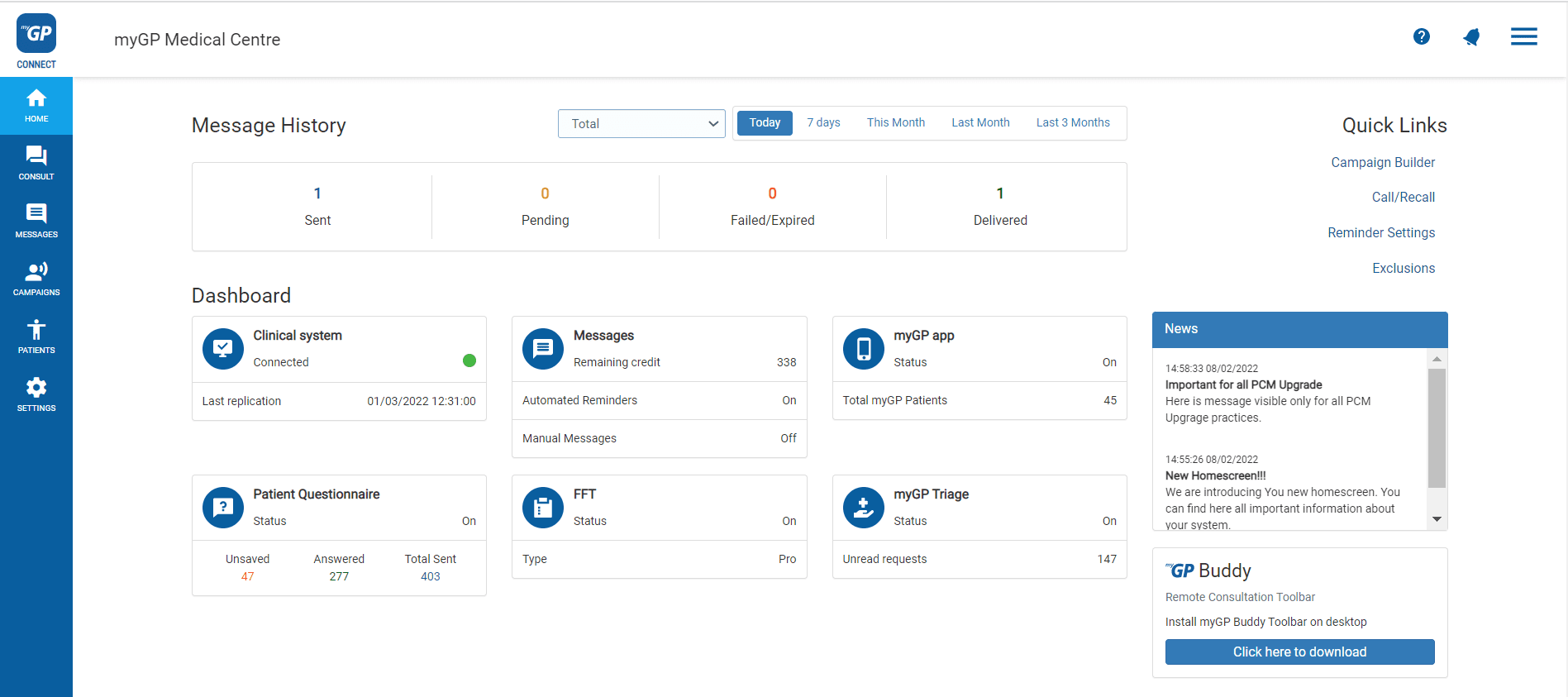
- From Home page click on the Messages tab
- Select Triage Request within the Inbox subsection
- This will bring you to the Triage Request page to monitor requests:
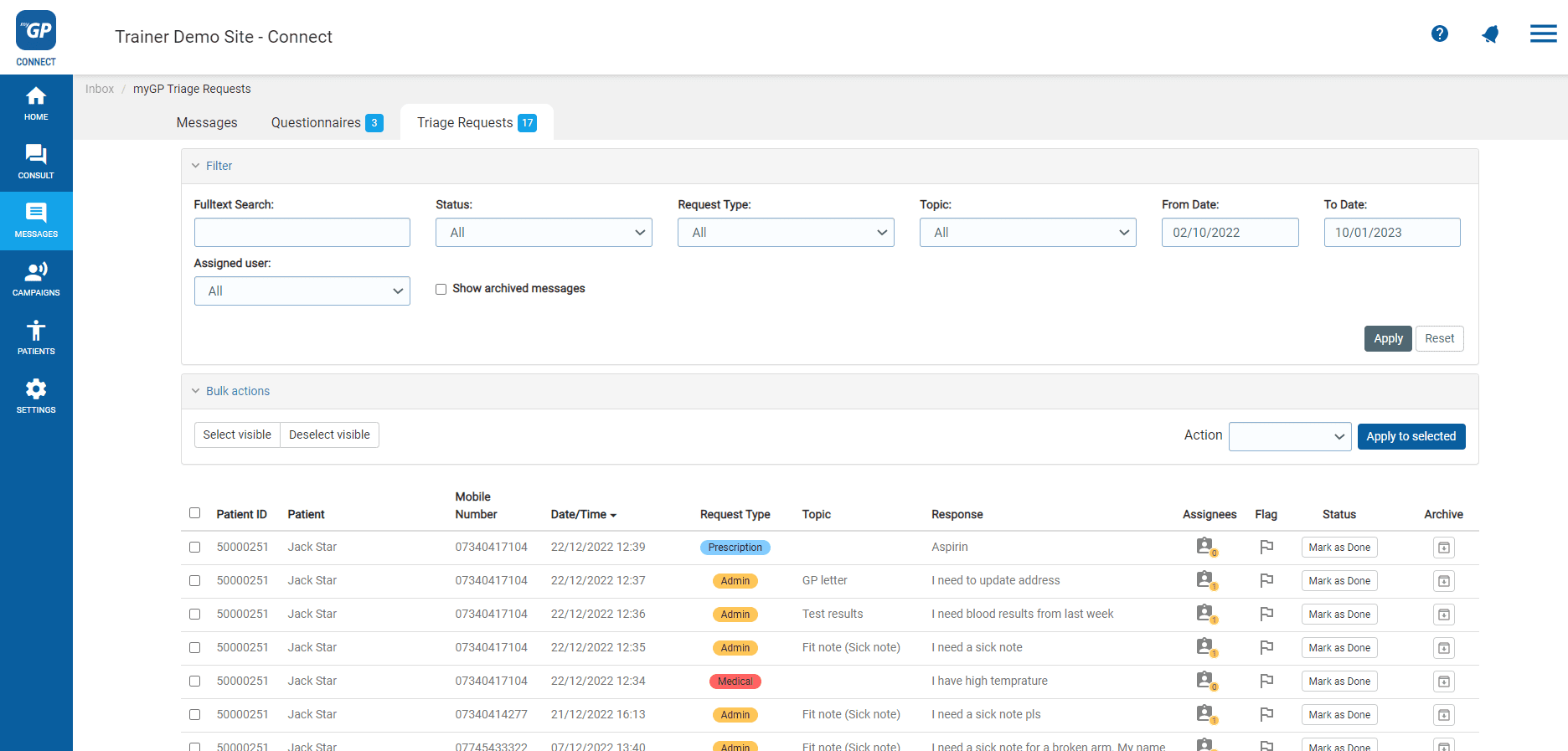
- Refer to the Show archived messages box in the upper filters
- Tick box, then press Apply
- Request will appear in the list again
In order to make the request permanently visible, click the Unarchive button from the Archive column of the request.
© 2026 iPLATO. All rights reserved