

How to disable Automated clinical coding?
August 16, 2022
Watch video
To add this digital front door to your practice home page, follow the steps in our helpful guide.
Once you have set up your triage system, add it to your practice home page


© 2026 iPLATO. All rights reserved
Practice Area
How to disable Automated clinical coding?
August 16, 2022
Watch video
To add this digital front door to your practice home page, follow the steps in our helpful guide.
Once you have set up your triage system, add it to your practice home page
© 2026 iPLATO. All rights reserved
How to disable Automated clinical coding?
August 16, 2022
Once triage is activated, you can enable all incoming patient requests to be automatically coded.
If it has been enabled and you wish to reverse this action, please follow these steps:
- Log into your myGP Connect system, go to the left-hand side menu bar and click on Settings
- Then press on myGP Triage at the top of the screen
- By default, you will be in the myGP Triage—Manual section
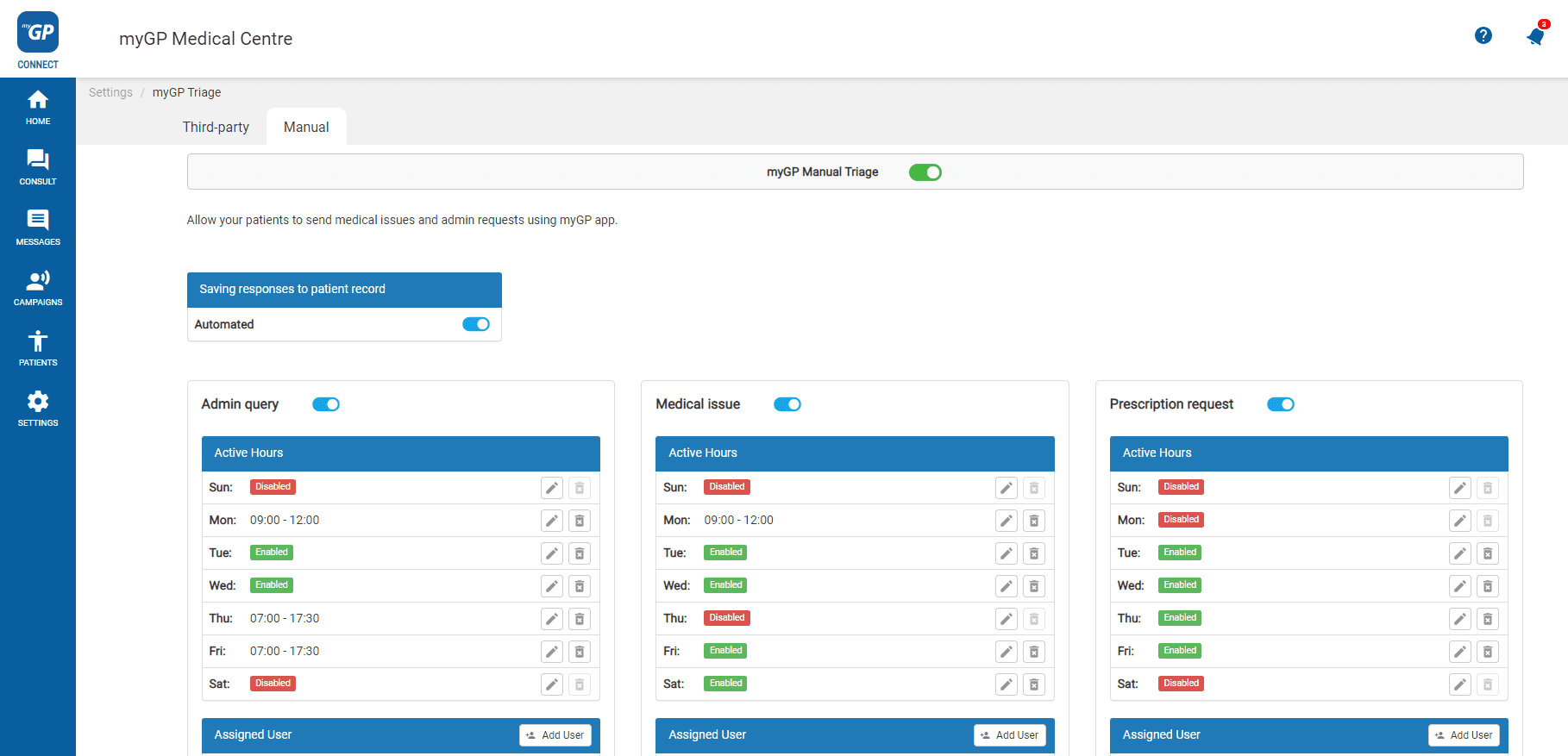
- Refer to Saving responses to patient record tile
- Click Automated switch
Automated coding has now been disabled for any active triage category.
© 2026 iPLATO. All rights reserved