

How to create a template for Coronavirus Vaccination Campaign
February 6, 2023
Please be aware you are not currently able to save an attachment from a patient directly into the patient record on your clinical system.
What to do if you want to save an attachment into the clinical system
- Save or Download the attachment.
- Manually save this into your clinical system.
- If you need help adding this to your clinical system, please contact your clinical systems technical support.
Will you be adding this feature later?
Yes, at a later point, you will be able to save attachments directly into your clinical system, we will let you know when this becomes available.


© 2026 iPLATO. All rights reserved
Practice Area
How to create a template for Coronavirus Vaccination Campaign
February 6, 2023
Please be aware you are not currently able to save an attachment from a patient directly into the patient record on your clinical system.
What to do if you want to save an attachment into the clinical system
- Save or Download the attachment.
- Manually save this into your clinical system.
- If you need help adding this to your clinical system, please contact your clinical systems technical support.
Will you be adding this feature later?
Yes, at a later point, you will be able to save attachments directly into your clinical system, we will let you know when this becomes available.
© 2026 iPLATO. All rights reserved
How to create a template for Coronavirus Vaccination Campaign
February 6, 2023
If you are having trouble logging into your account, we can help you out, and there are a few things you can try yourself too.
Have a look at the below links and click the one you need.
I have not received my 6-digit authentication code, what should I do?
- If your code does not come through promptly, you can click Request New Code to have it resent
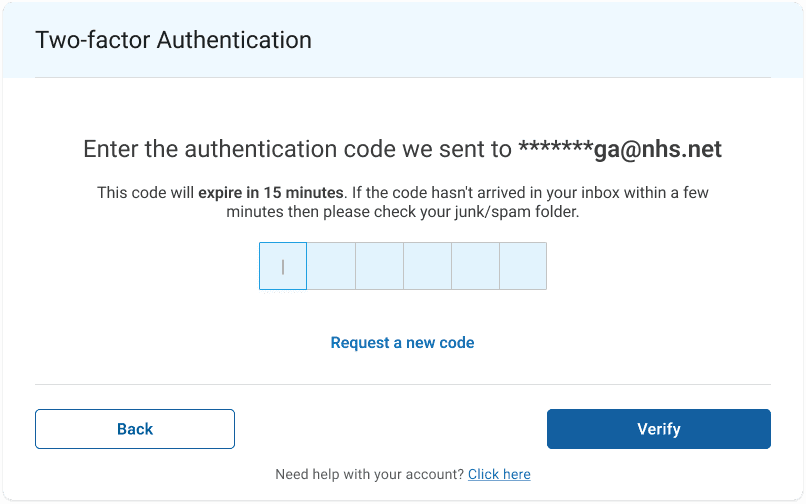
- If this does not work, try authenticating via an alternative method (EMAIL or SMS)
- If this still does not work, please contact our Support team by emailing them at help@iplato.com
I do not have my mobile number listed on my iPLATO account, can I still log in?
- Yes, you can log in using MFA via your email which will be listed on your iPLATO account.
- This will be your @NHS email address
- We suggest the next time you log in, add your Mobile Number to your profile as well, as SMS is the most efficient way to complete 2-Factor Authentication. To make changes to your User Profile and add a mobile number, CLICK HERE
It is saying my account is locked out, what does this mean?
- If your account is locked out, contact our Support team by emailing them at help@iplato.com
I need to reset my password / I forgot my password
- To reset your password, please follow the steps found on our Help Page here
What if none of these solves my problem?
- The best thing to do is contact our Support team by emailing them at help@iplato.com
© 2026 iPLATO. All rights reserved