

How to save a Questionnaire to clinical system?
August 20, 2021
Ever wish your patients would update their contact details with you before you dial and get ‘this number is not recognised’?
Well, now you can with the iPLATO Contact details questionnaire.
Below is a short video showing the patient journey when they receive the Contact details questionnaire.
Watch video
It is important to note that if your patient is using the myGP or NHS app, they will still receive this questionnaire even if they have changed their mobile number!
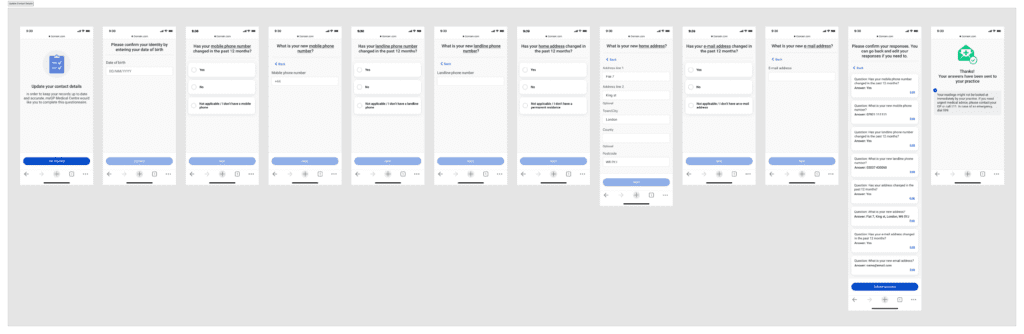
The questionnaire will ask about the patients:
- Mobile number
- Landline number:
- Home address:
- Email address:
Once this questionnaire is received, you can then update the new information in the clinical system.
The full journey is shown below.


© 2026 iPLATO. All rights reserved
Practice Area
How to save a Questionnaire to clinical system?
August 20, 2021
Ever wish your patients would update their contact details with you before you dial and get ‘this number is not recognised’?
Well, now you can with the iPLATO Contact details questionnaire.
Below is a short video showing the patient journey when they receive the Contact details questionnaire.
Watch video
It is important to note that if your patient is using the myGP or NHS app, they will still receive this questionnaire even if they have changed their mobile number!
The questionnaire will ask about the patients:
- Mobile number
- Landline number:
- Home address:
- Email address:
Once this questionnaire is received, you can then update the new information in the clinical system.
The full journey is shown below.
© 2026 iPLATO. All rights reserved
How to save a Questionnaire to clinical system?
August 20, 2021
All Patient Questionnaires will have the option to be saved to your clinical system for TPP/SystmOne and EMIS users.
These are the following method you can take:
Saving Response Automatically
If you choose to save the patient’s response automatically, please do the following steps:
- Create your Questionnaire message within New Message tab
- Follow user flow until Sending Options page:
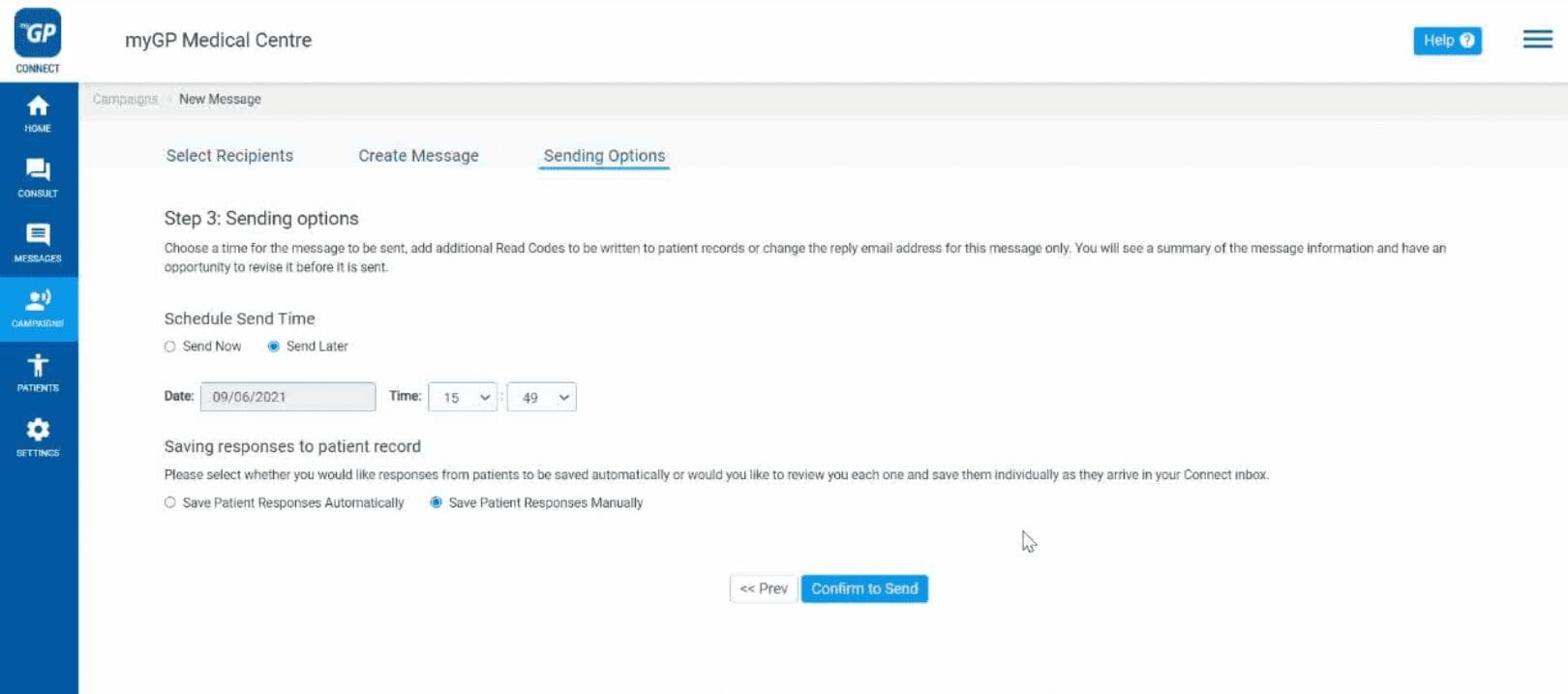
- Refer to the Saving responses to patient record section
- Select Save Patient Response Automatically
- This will then record automatically with the relevant clinical code linked to the type of Questionnaire
Saving Response Manually
If you choose to save the patient’s response manually, please do the following steps:
- Create your Questionnaire message within New Message tab
- Follow user flow until Sending Options page:
- Refer to the Saving responses to patient record section
- Select Save Patient Response Manually
This will then not send code to patient automatically. To manually save, please do the following actions:
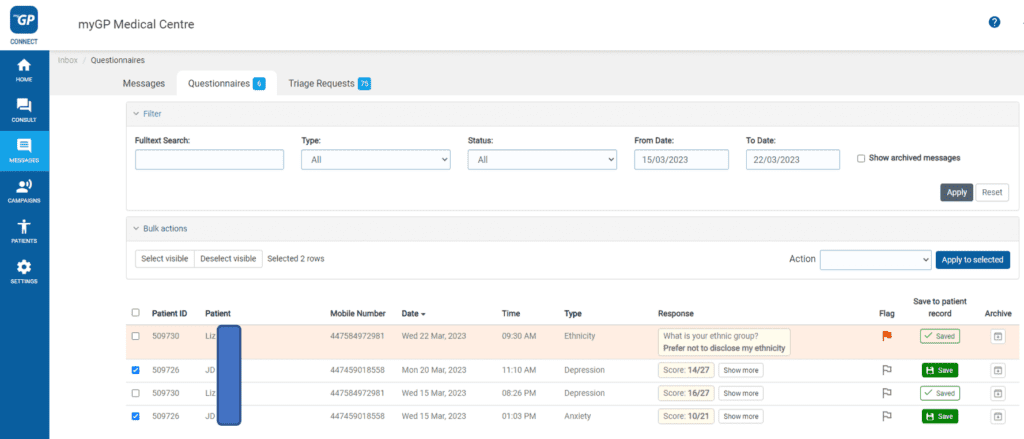
- Go to the left-hand side menu bar and click on Messages.
- Then press on Questionnaire at the top of the screen.
- The Questionnaire inbox will be displayed.

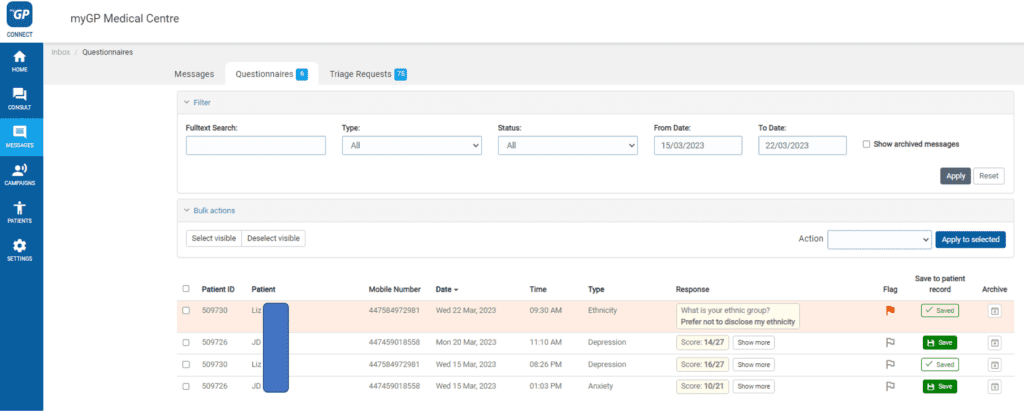
- Refer to the Save to patient record column
- Select Save
The patient questionnaire response will then be saved on patients’ records.
Saving patient responses in bulk
You can also save your patients’ responses in bulk if you have not chosen to have them saved automatically
- Select the ones you want to save or use the Select visible button if saving all records on the page
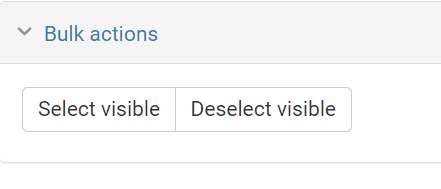
- Select the action you want to do from the Action drop-down list on the right
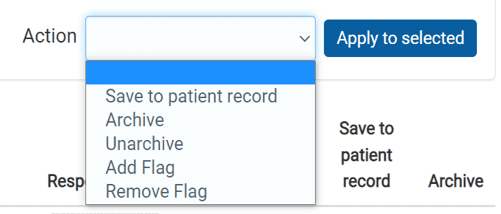
- Click Apply to selected
© 2026 iPLATO. All rights reserved