

How to use NHS Barcode with myGP App
September 15, 2020
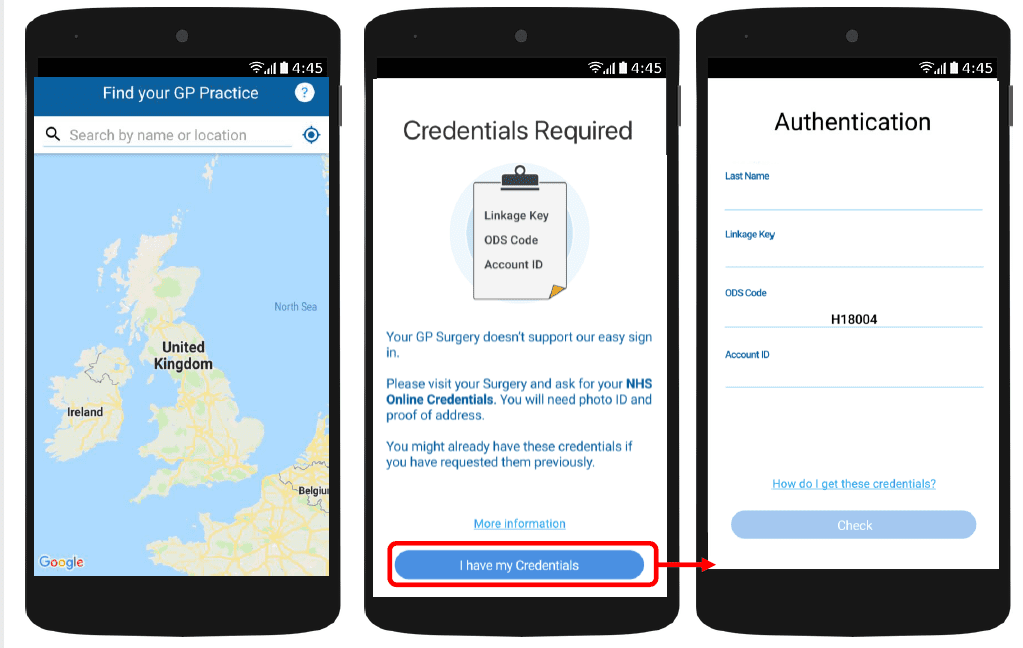
With myGP app Onboarding, after a patient searches for their practice and myGP picks up that they are not
part of the easy sign in (Practice using PCM/Connect). They then will be asked to use their NHS Online Credentials.
Once correctly entered, they can access the myGP app after the following steps:
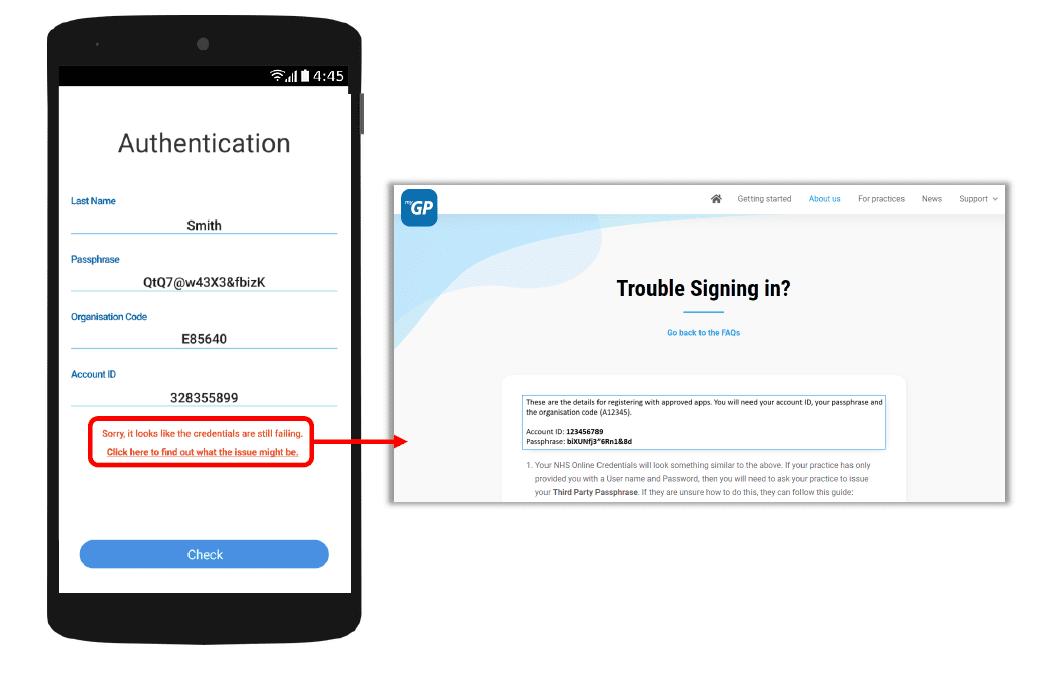
If they have issues entering details, the error response will link them to the myGP FAQ to provide further help.


© 2026 iPLATO. All rights reserved
Practice Area
How to use NHS Barcode with myGP App
September 15, 2020
With myGP app Onboarding, after a patient searches for their practice and myGP picks up that they are not
part of the easy sign in (Practice using PCM/Connect). They then will be asked to use their NHS Online Credentials.
Once correctly entered, they can access the myGP app after the following steps:
If they have issues entering details, the error response will link them to the myGP FAQ to provide further help.
© 2026 iPLATO. All rights reserved
How to use NHS Barcode with myGP App
September 15, 2020
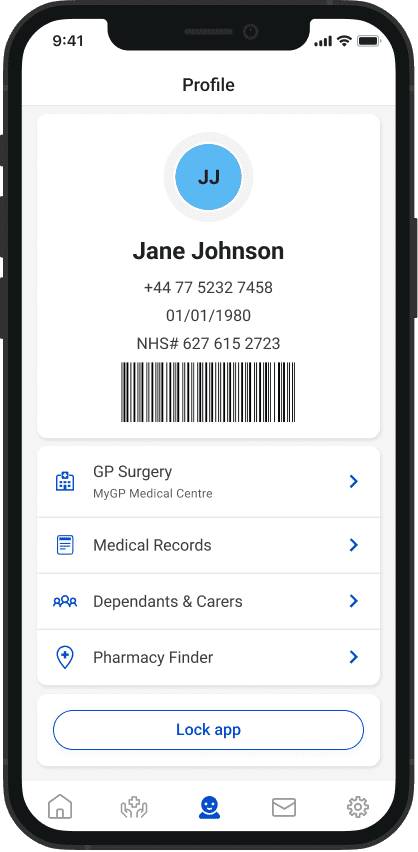
We have launched a new feature in the myGP app that allows patients to display a barcode of their NHS number within the app.
How the patient uses the barcode
The barcode will be displayed for patients using the Easy Onboarding capability (the app is enabled in your myGP Connect system).
When a patient wants to have their NHS number barcode scanned using their phone, patients simply need to:
- Open the myGP app
- Tap on the Profile button at the bottom of the app
- The barcode will be displayed (Android users may need to press the expand arrow under their details)
Supported barcode scanners
We are not able to recommend specific barcode scanner makes and models. We recommend for any scanners used, they are:
- able to scan barcodes on phone or glass screens
- compatible with your practice computers
- able to enter, or type, a scanned barcode number into a text field on practice computer
The barcode in the myGP app will be compatible with any scanner that is able to scan barcodes on phone/glass screens.
Using barcodes in flu vaccination programme
We are aware that many practices are using barcodes for their flu vaccination programmes and that the process will be different for every practice. We advise to consider how patients with barcodes on their smartphones (rather than on paper) can fit into your flu vaccination clinics and events.
The use of barcodes could be used in the following ways:
- To support the reduction in letter costs (by texting invites and advising patients to register for myGP, then bringing their smartphone to the vaccination)
- As a backup should patients forget their barcode letter (they can scan their phone instead)
- During drive-through vaccinations
- During walk-in vaccination clinics
The barcode vaccination method also advises that vaccinated patients are recorded in a spreadsheet or document (specific to batch number and arm injected) for batch processing. This helps by improving the patient vaccination time, and making administration easier by using the batch filing feature of your clinical systems.
Please Note: iPLATO is only able to provide guidance on the use of the barcode function in the app, we cannot train you on running a flu vaccine programme. If you require further guidance, please enquire with your CCG or local LMC.
© 2026 iPLATO. All rights reserved