

How to enable Teenage Consent
July 2, 2020
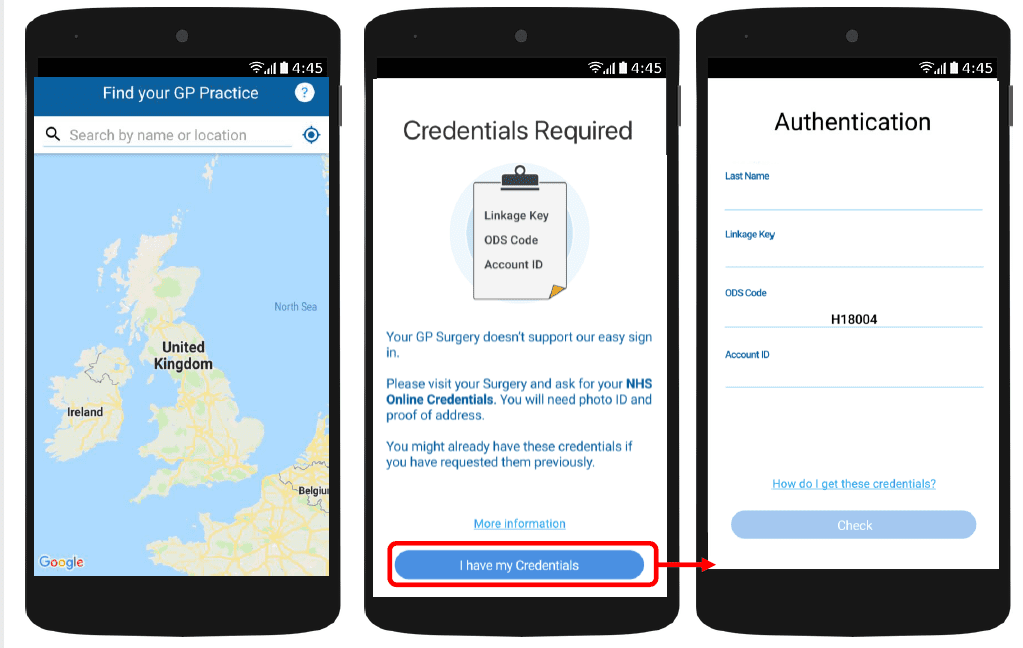
With myGP app Onboarding, after a patient searches for their practice and myGP picks up that they are not
part of the easy sign in (Practice using PCM/Connect). They then will be asked to use their NHS Online Credentials.
Once correctly entered, they can access the myGP app after the following steps:
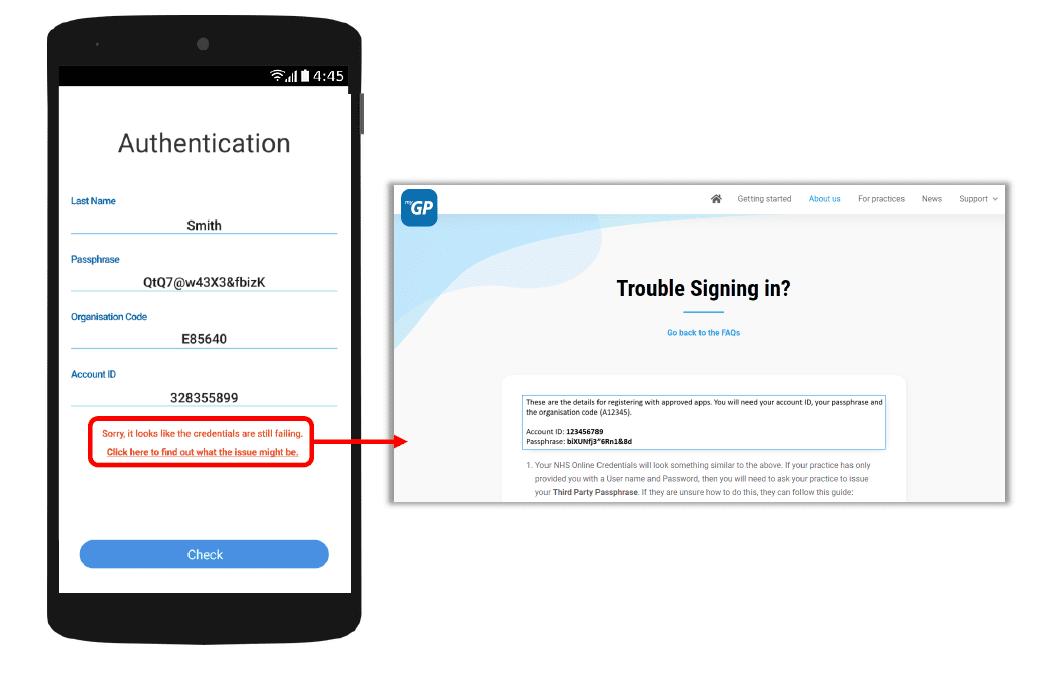
If they have issues entering details, the error response will link them to the myGP FAQ to provide further help.


© 2026 iPLATO. All rights reserved
Practice Area
How to enable Teenage Consent
July 2, 2020
With myGP app Onboarding, after a patient searches for their practice and myGP picks up that they are not
part of the easy sign in (Practice using PCM/Connect). They then will be asked to use their NHS Online Credentials.
Once correctly entered, they can access the myGP app after the following steps:
If they have issues entering details, the error response will link them to the myGP FAQ to provide further help.
© 2026 iPLATO. All rights reserved
How to enable Teenage Consent
July 2, 2020
Watch video
In order to enable the Teenage Consent option, please do the following steps:
- Log in to your myGP Connect system
- Click on Patients found on the left-hand side menu
- Click on Patient List
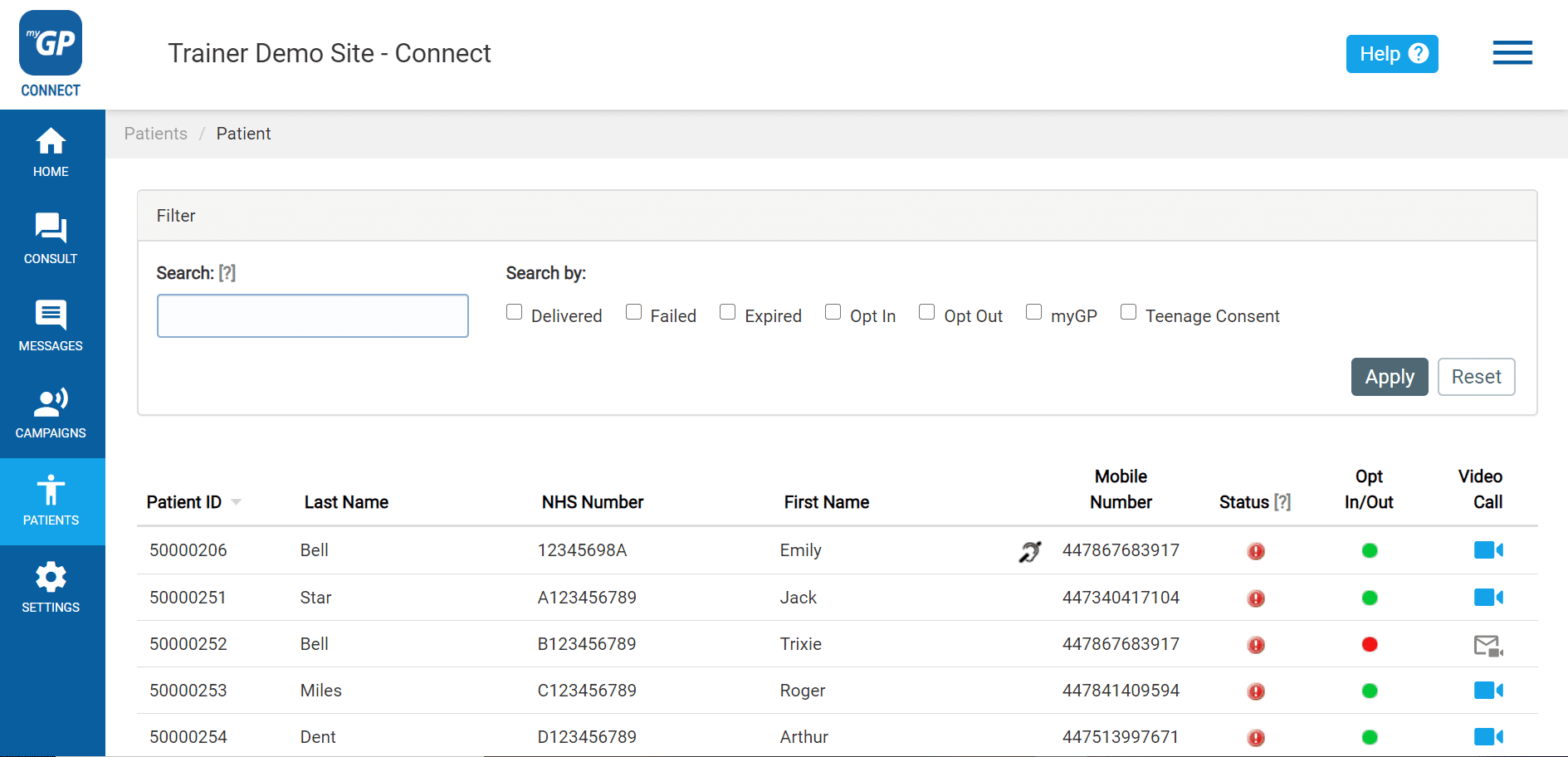
- Search your patient’s name in the Search field
- Click Apply
- Once you have found your patient entry, click on it
- You will be taken to the Patient Detail page

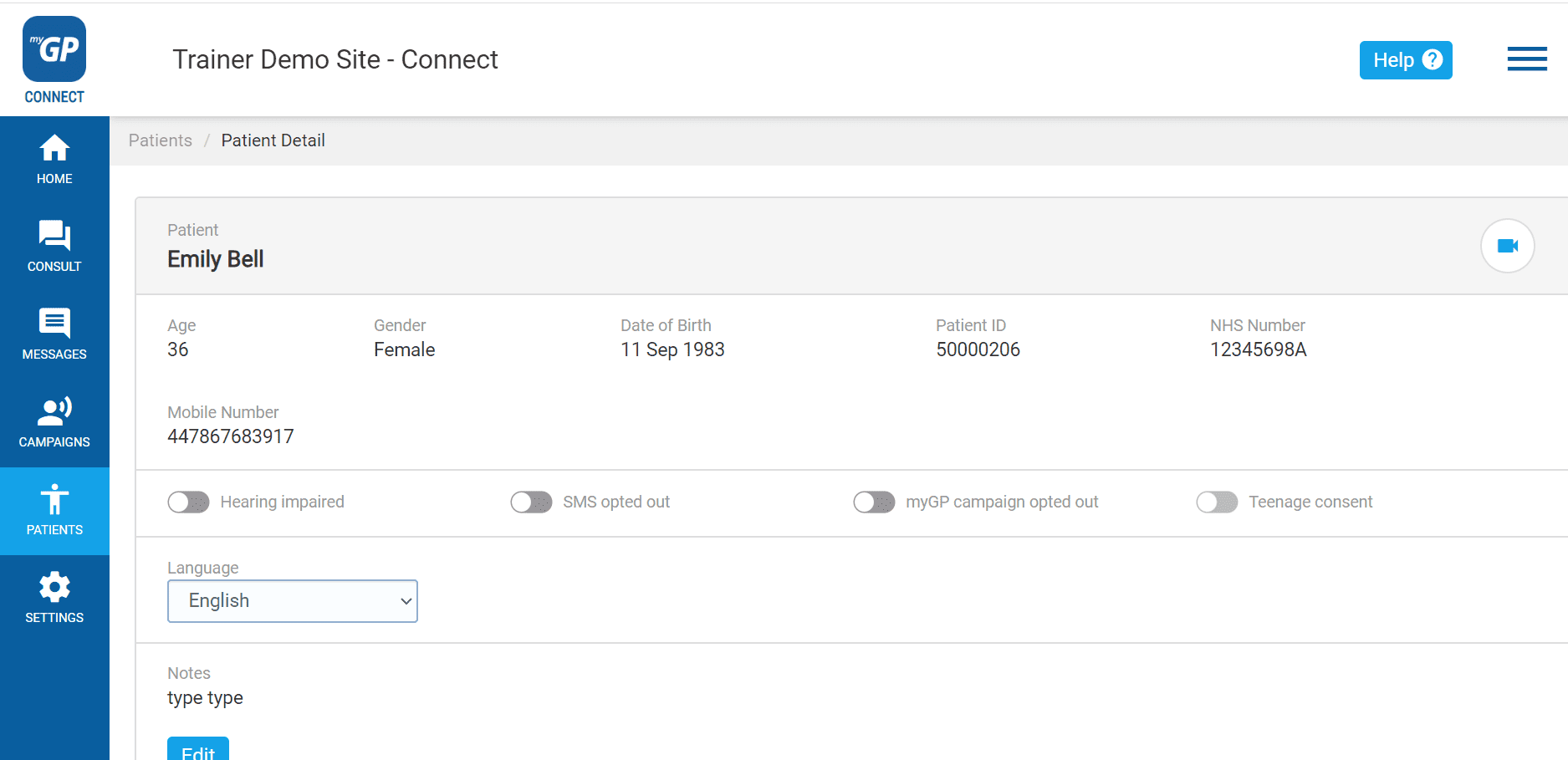
- Refer to the Teenage Consent switch
- Click it on, it will switch from grey to blue
Now the patient will be able to be registered as a Dependent on their guardian’s app.
TOP TIP: You can filter patient’s that fall in the Teenage Consent category on the main Patient List page, by selecting the Teenage Consent box from the Quick Filter, and then pressing Apply.
Please Note: Once a patient turns 16, they will automatically be removed from the Teenage Consent category.
© 2026 iPLATO. All rights reserved