

How to assign the Appointment Settings for the myGP app?
July 3, 2020
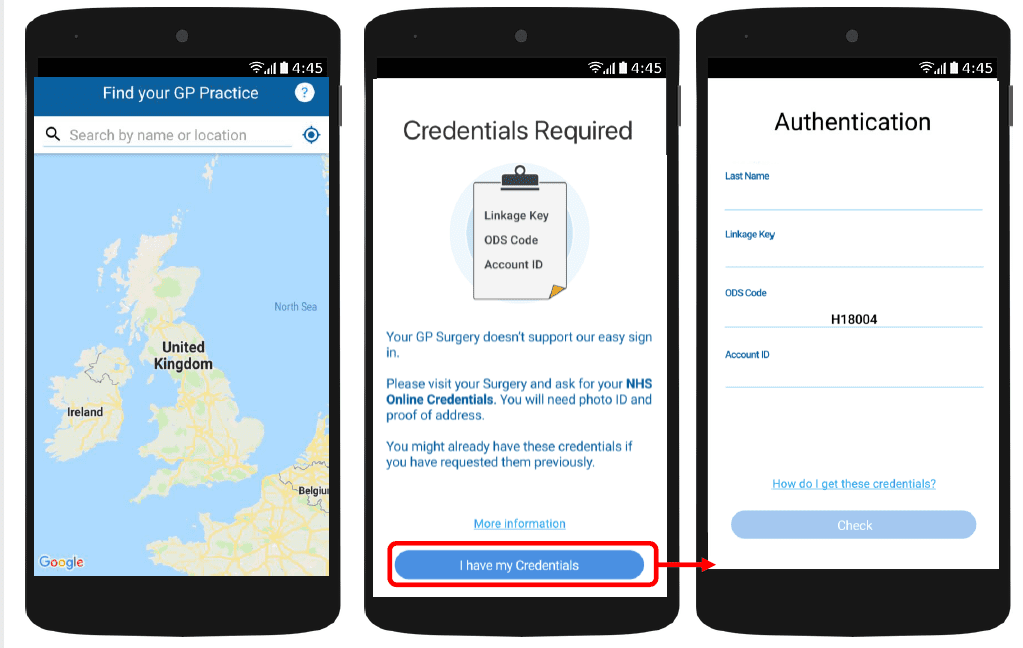
With myGP app Onboarding, after a patient searches for their practice and myGP picks up that they are not
part of the easy sign in (Practice using PCM/Connect). They then will be asked to use their NHS Online Credentials.
Once correctly entered, they can access the myGP app after the following steps:
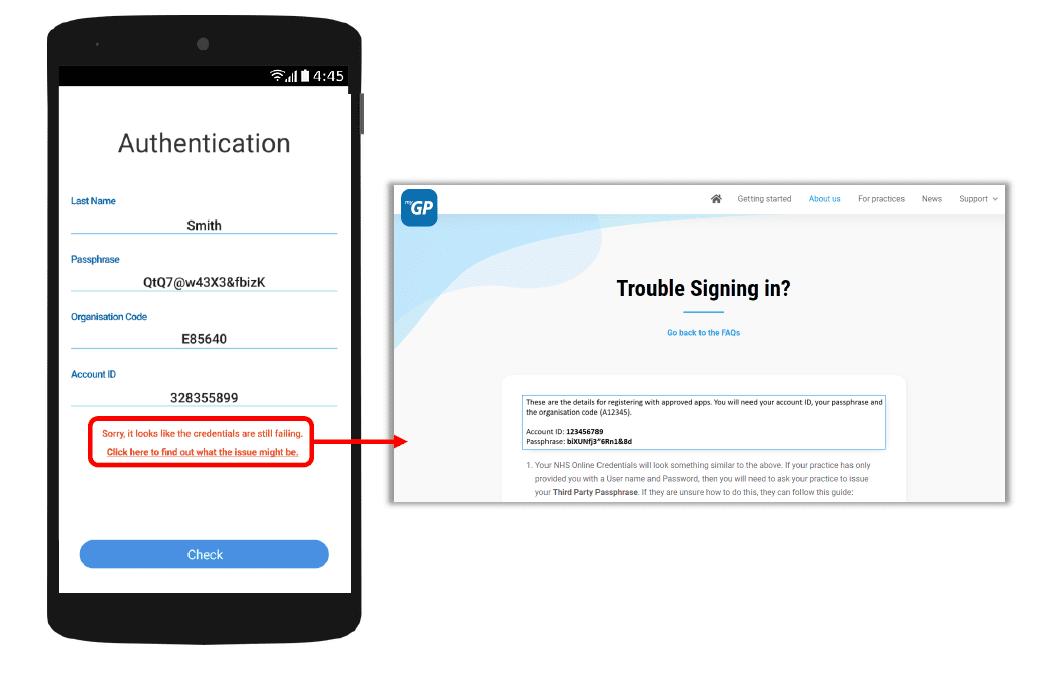
If they have issues entering details, the error response will link them to the myGP FAQ to provide further help.


© 2026 iPLATO. All rights reserved
Practice Area
How to assign the Appointment Settings for the myGP app?
July 3, 2020
With myGP app Onboarding, after a patient searches for their practice and myGP picks up that they are not
part of the easy sign in (Practice using PCM/Connect). They then will be asked to use their NHS Online Credentials.
Once correctly entered, they can access the myGP app after the following steps:
If they have issues entering details, the error response will link them to the myGP FAQ to provide further help.
© 2026 iPLATO. All rights reserved
How to assign the Appointment Settings for the myGP app?
July 3, 2020
Watch video
To adjust how far in advance your online appointments will be available via the myGP app, please do the following steps:
- Log in to your myGP Connect system
- Click on myGP Appointments found on the left-hand side menu
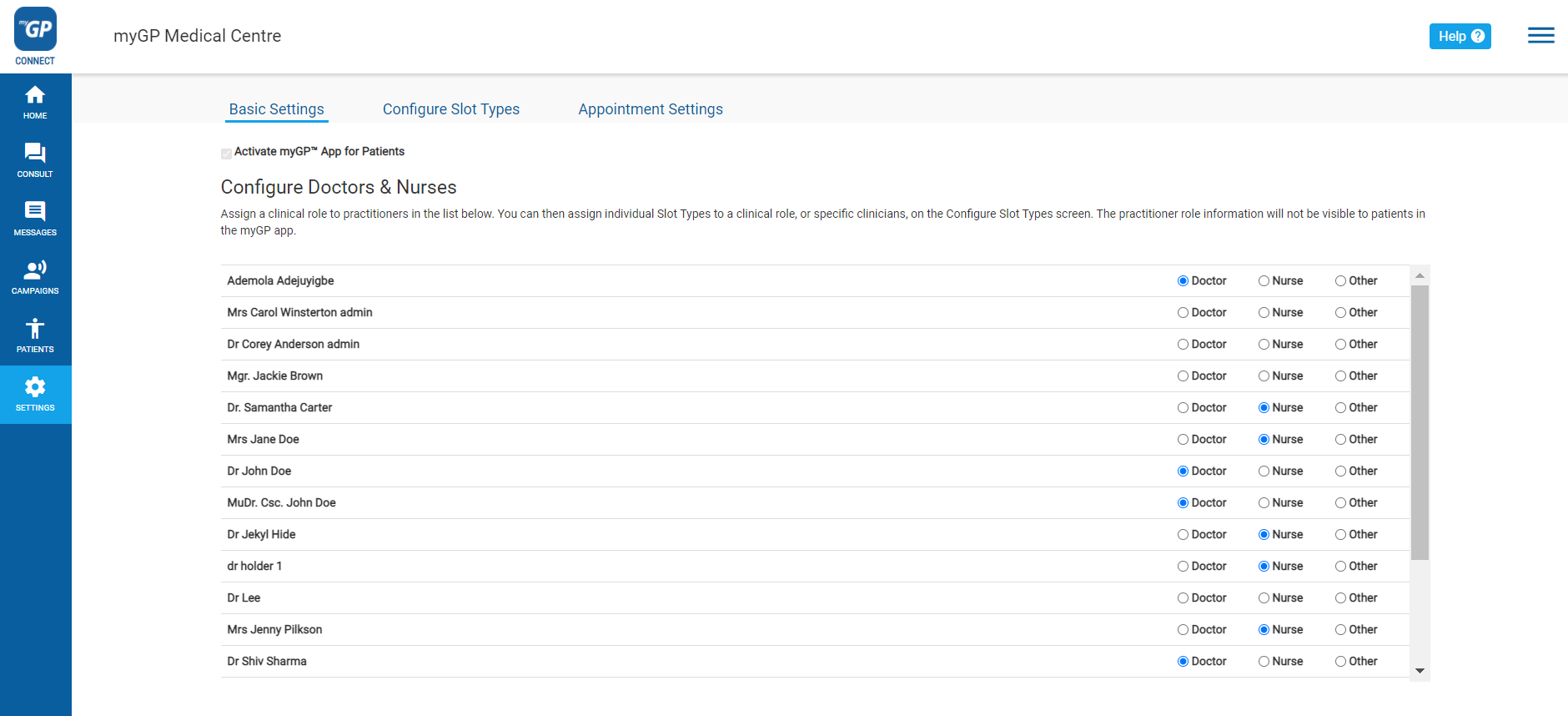
- From the three sub-tabs, click Appointment Settings on the far right
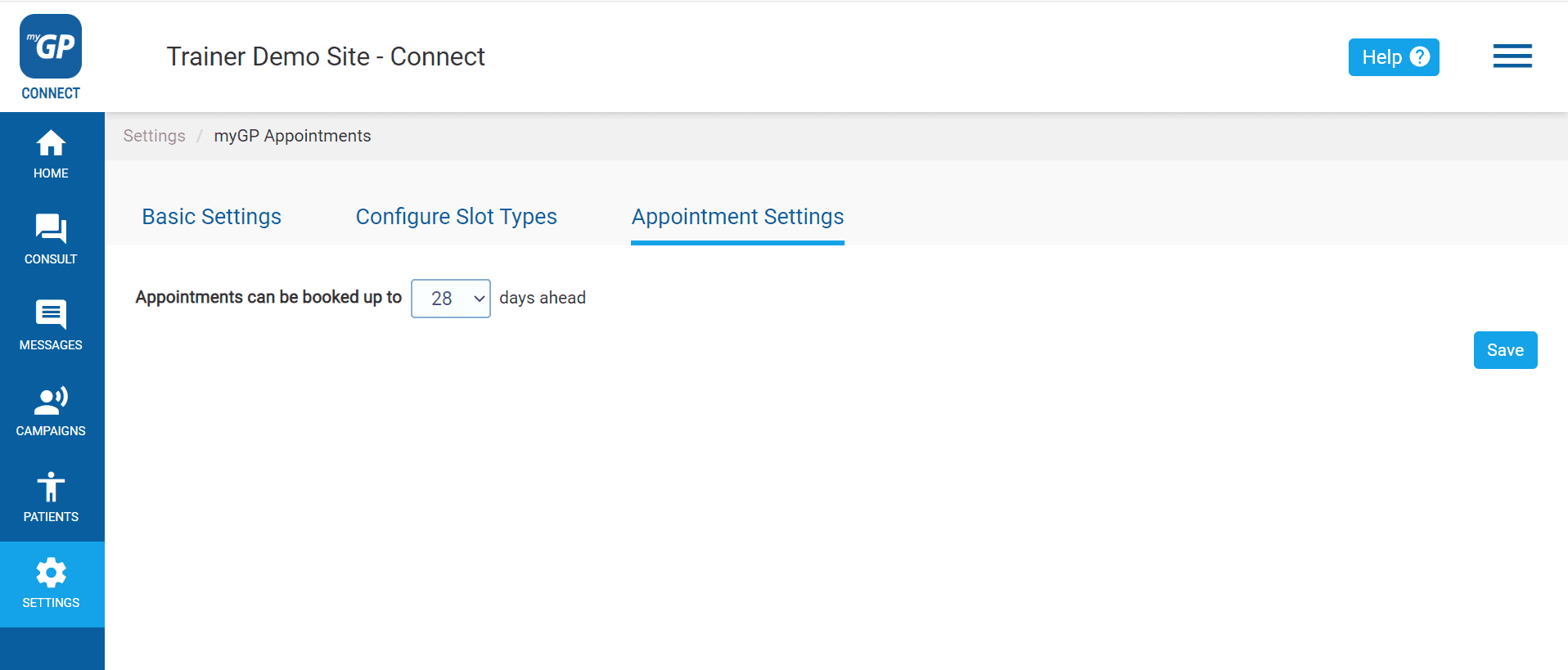
- Click on the number drop-down options
- Choose between 7, 14 and 28 days
- Click Save
Please Note: this option will be for all Slot Types you enable for the myGP app.
© 2026 iPLATO. All rights reserved