

How does the myGP Recruitment Campaign look from a patient view?
July 7, 2020
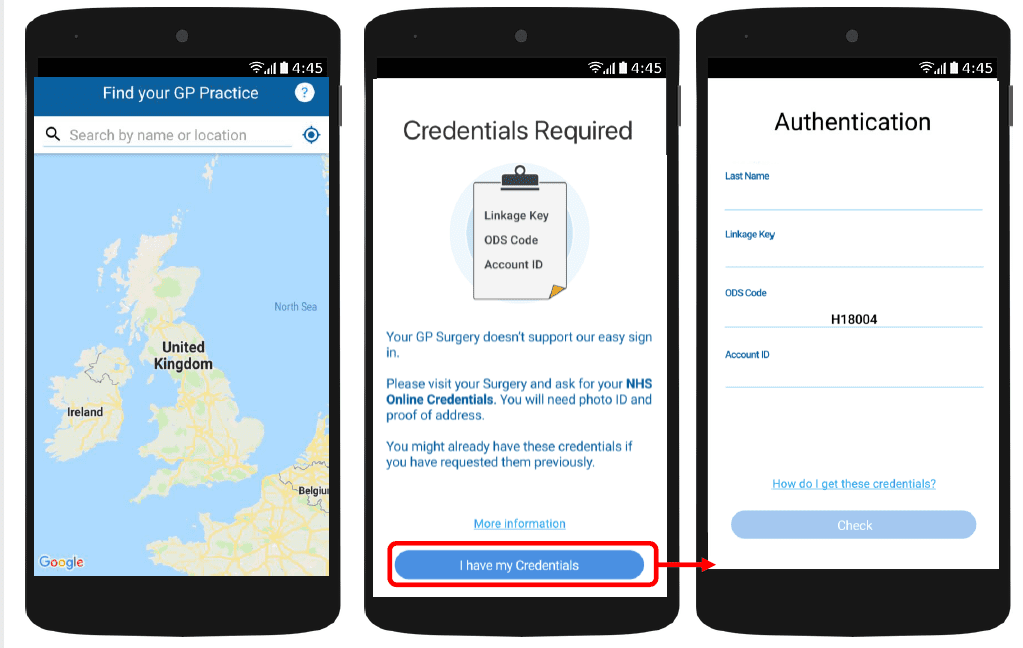
With myGP app Onboarding, after a patient searches for their practice and myGP picks up that they are not
part of the easy sign in (Practice using PCM/Connect). They then will be asked to use their NHS Online Credentials.
Once correctly entered, they can access the myGP app after the following steps:
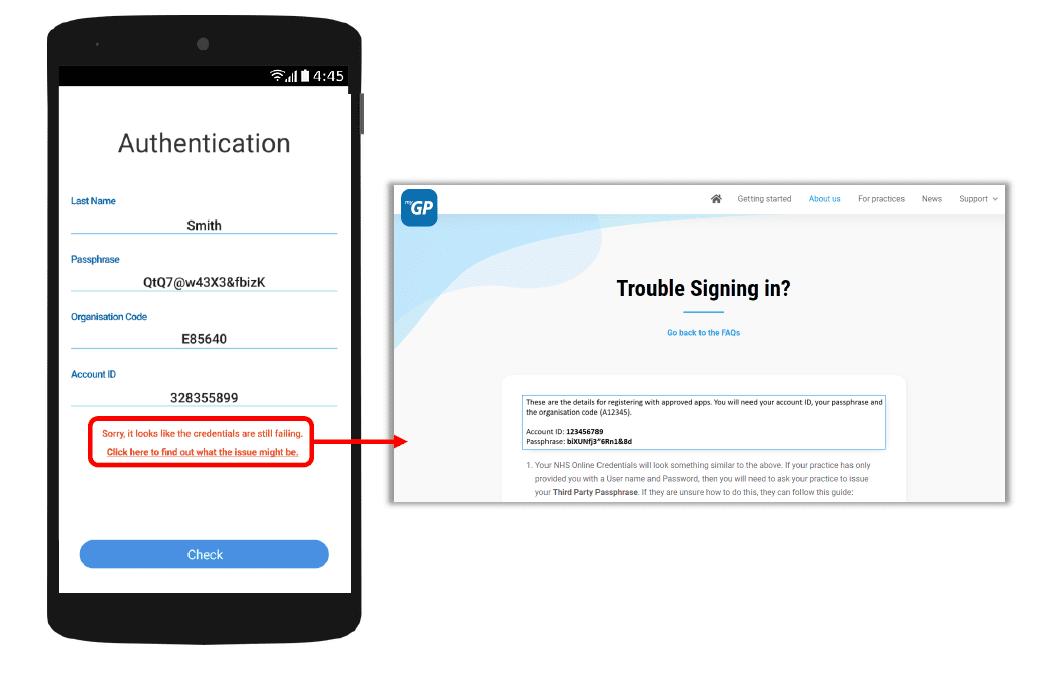
If they have issues entering details, the error response will link them to the myGP FAQ to provide further help.


© 2026 iPLATO. All rights reserved
Practice Area
How does the myGP Recruitment Campaign look from a patient view?
July 7, 2020
With myGP app Onboarding, after a patient searches for their practice and myGP picks up that they are not
part of the easy sign in (Practice using PCM/Connect). They then will be asked to use their NHS Online Credentials.
Once correctly entered, they can access the myGP app after the following steps:
If they have issues entering details, the error response will link them to the myGP FAQ to provide further help.
© 2026 iPLATO. All rights reserved
How does the myGP Recruitment Campaign look from a patient view?
July 7, 2020
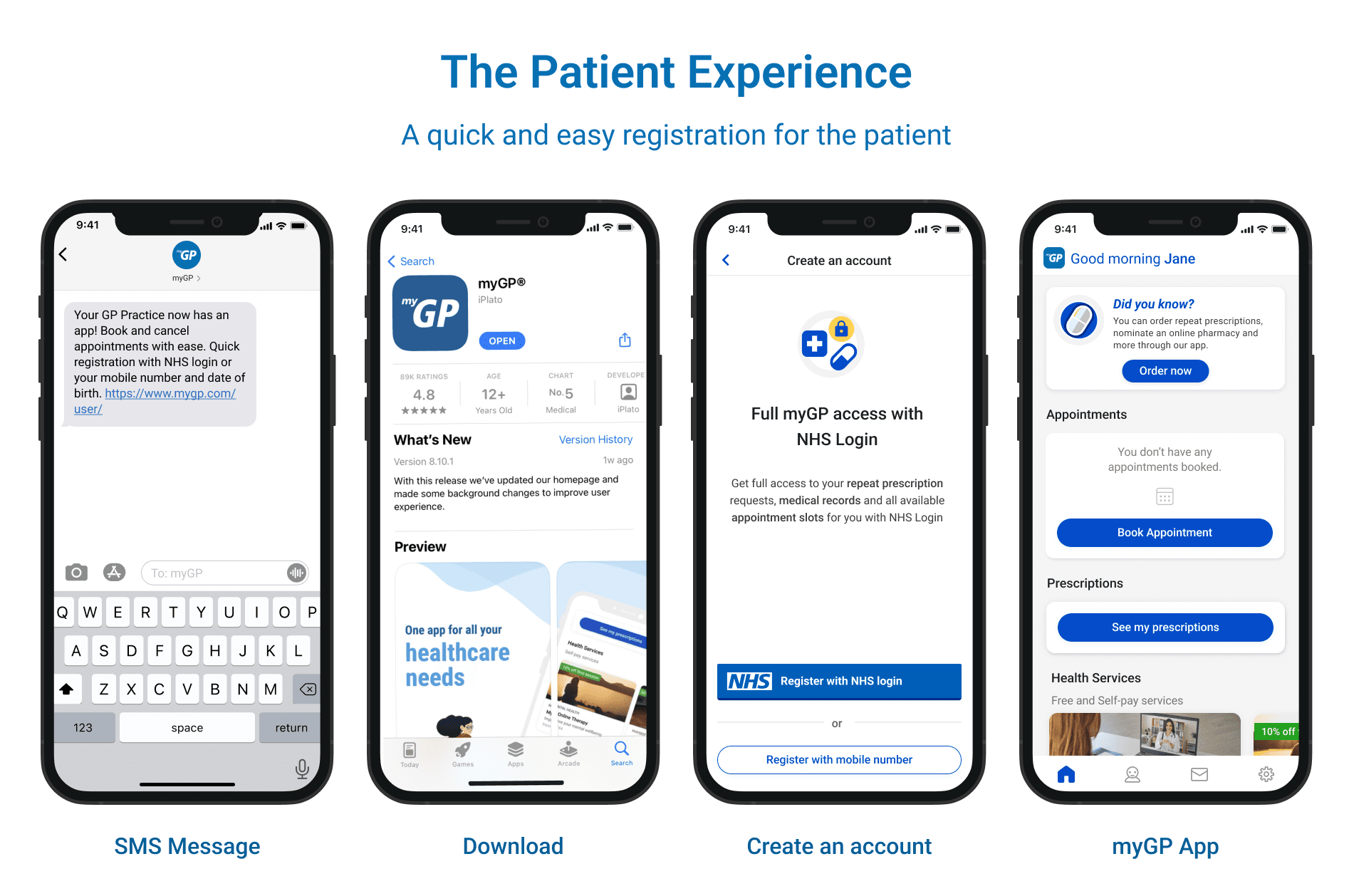
By signing up to your Recruitment Campaign your non-myGP users will receive a message to onboard them to the myGP app.
For your reference, the below visuals will show the process from a patient point of view:
© 2026 iPLATO. All rights reserved