

How do i opt out a patient from receiving the myGP Recruitment Campaign?
January 25, 2021
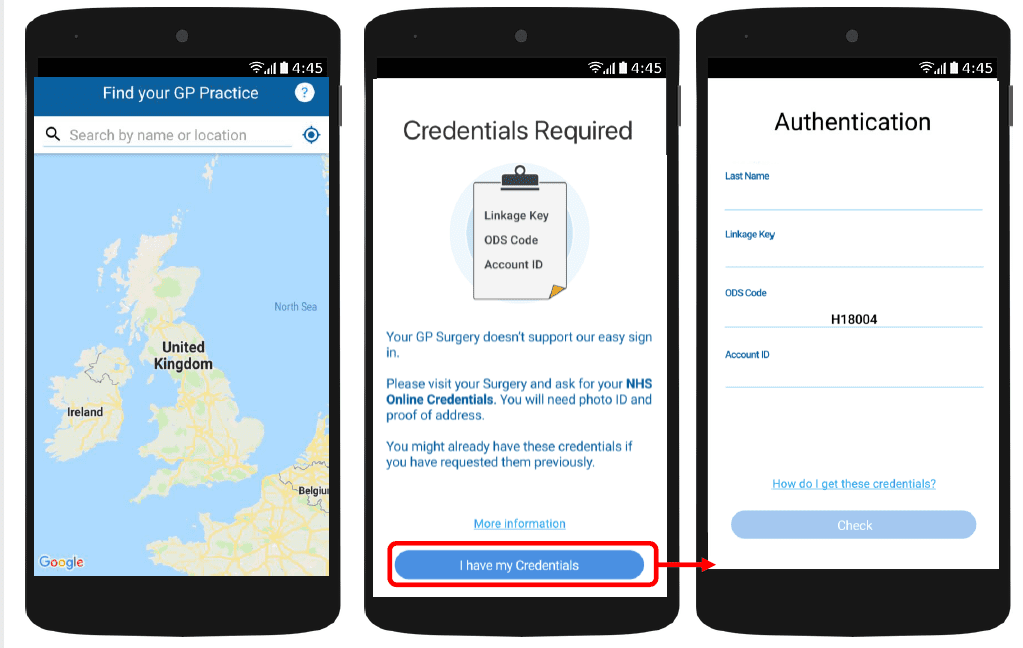
With myGP app Onboarding, after a patient searches for their practice and myGP picks up that they are not
part of the easy sign in (Practice using PCM/Connect). They then will be asked to use their NHS Online Credentials.
Once correctly entered, they can access the myGP app after the following steps:
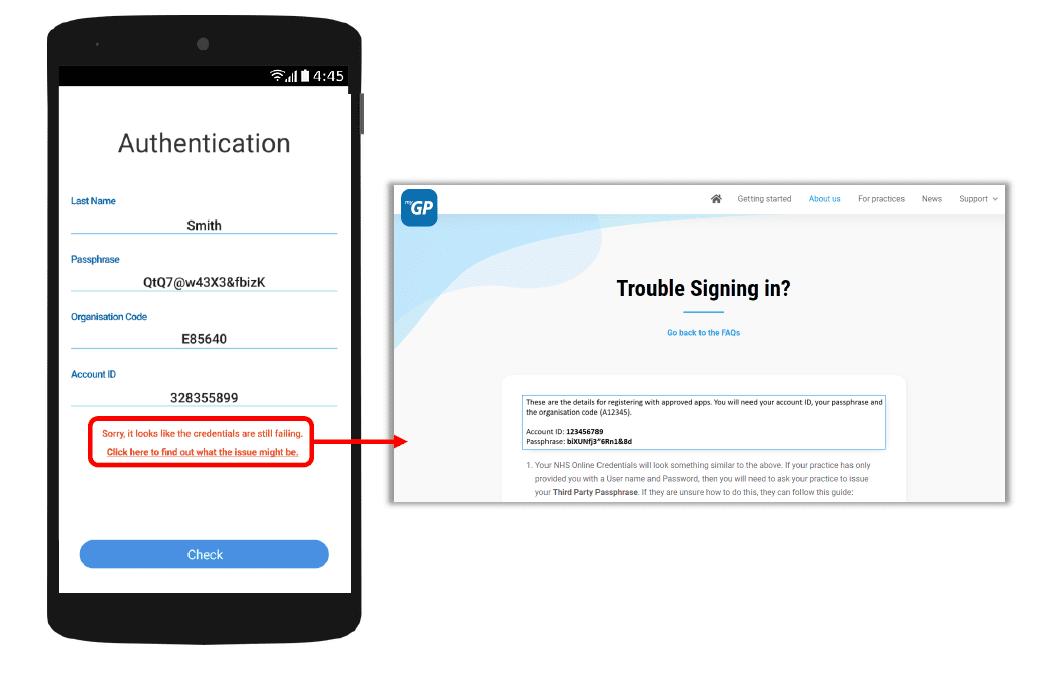
If they have issues entering details, the error response will link them to the myGP FAQ to provide further help.


© 2026 iPLATO. All rights reserved
Practice Area
How do i opt out a patient from receiving the myGP Recruitment Campaign?
January 25, 2021
With myGP app Onboarding, after a patient searches for their practice and myGP picks up that they are not
part of the easy sign in (Practice using PCM/Connect). They then will be asked to use their NHS Online Credentials.
Once correctly entered, they can access the myGP app after the following steps:
If they have issues entering details, the error response will link them to the myGP FAQ to provide further help.
© 2026 iPLATO. All rights reserved
/
myGP overview/
How do i opt out a patient from receiving the myGP Recruitment Campaign?
How do i opt out a patient from receiving the myGP Recruitment Campaign?
January 25, 2021
- Support Centre
- myGP overview
- How do i opt out a patient from receiving the myGP Recruitment Campaign?
By default, all mobile registered Patients that have opted to receiving text messages will receive the myGP Recruitment Campaign if your practice signs up.
If there are patients that wish to receive regular text messages from your practice, however, wish to opt out of the myGP Recruitment messages, please follow these steps:
- Log-in to myGP Connect
- Select Patients from the left-hand side menu
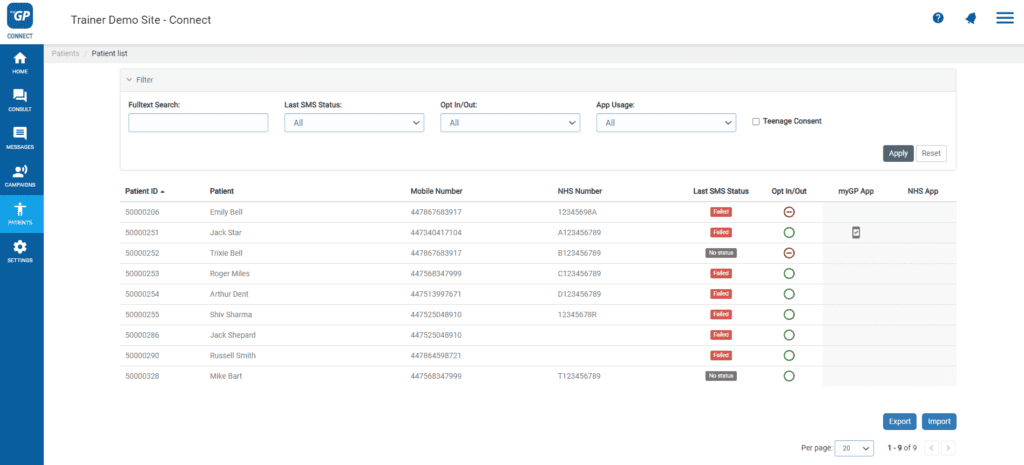
- Now search your specific patient up via the Search Box
- Then click on your patient’s entry
- This will bring you to their Patient Detail page
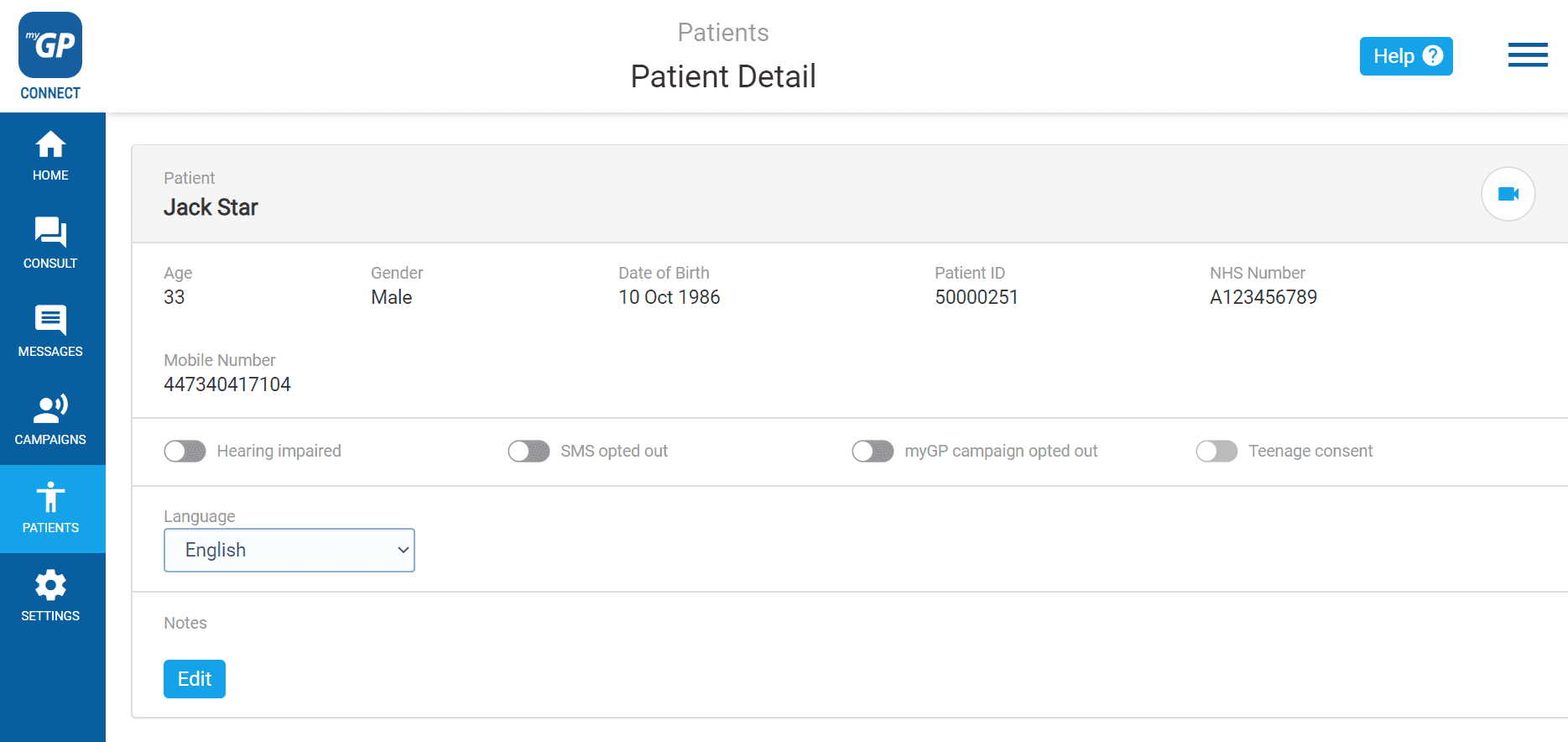
- Flick the myGP campaign opted out switch
- It will switch from grey to blue
© 2026 iPLATO. All rights reserved