

How can a patient order prescriptions on myGP app?
July 7, 2020
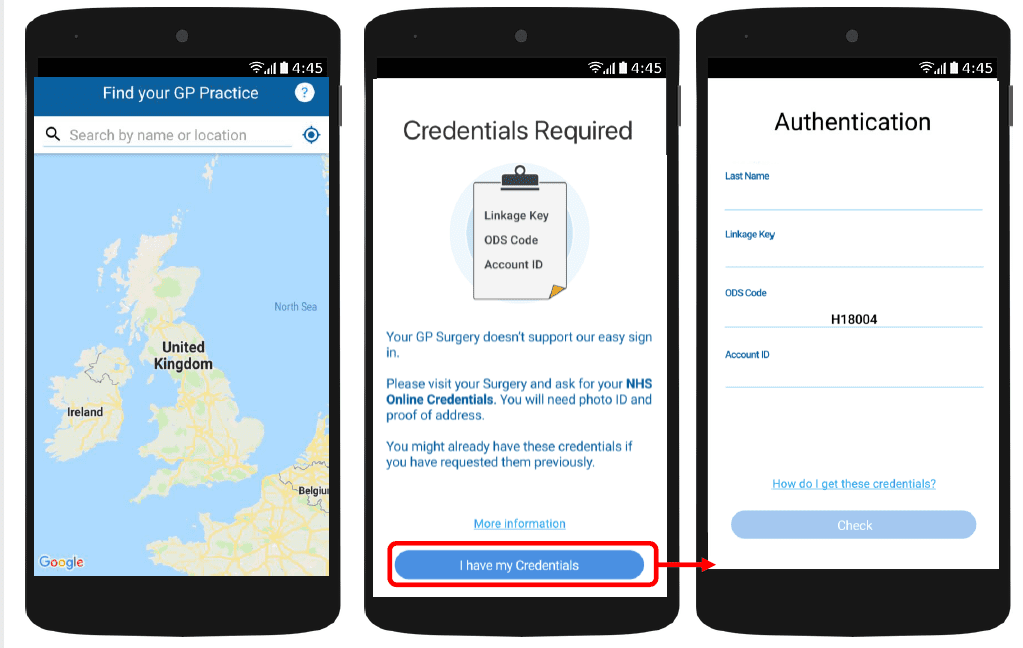
With myGP app Onboarding, after a patient searches for their practice and myGP picks up that they are not
part of the easy sign in (Practice using PCM/Connect). They then will be asked to use their NHS Online Credentials.
Once correctly entered, they can access the myGP app after the following steps:
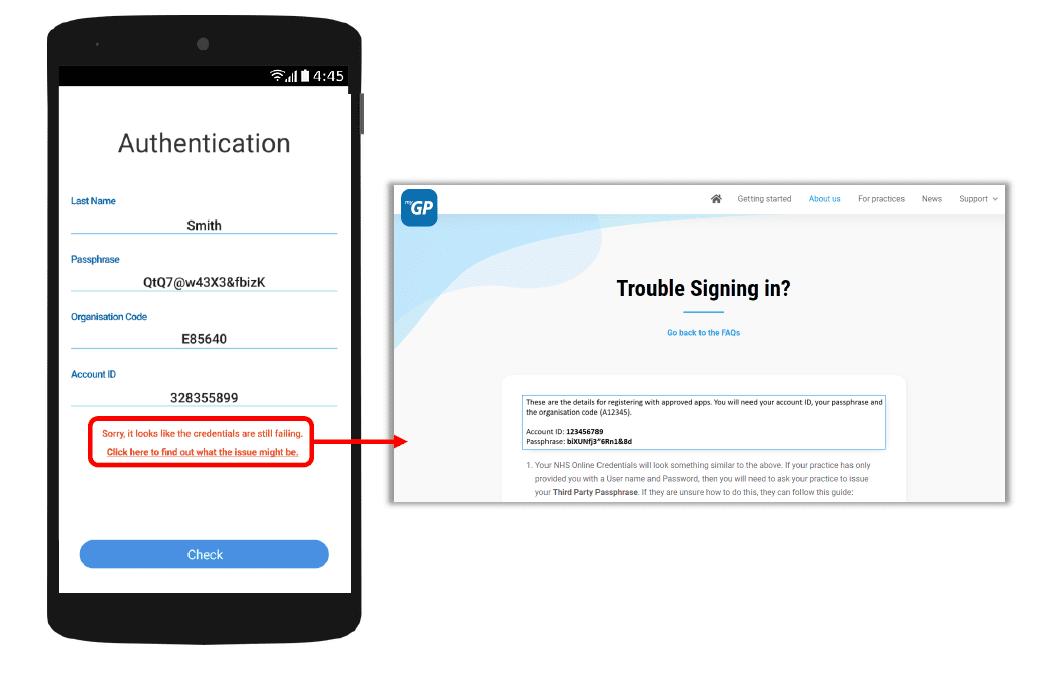
If they have issues entering details, the error response will link them to the myGP FAQ to provide further help.


© 2026 iPLATO. All rights reserved
Practice Area
How can a patient order prescriptions on myGP app?
July 7, 2020
With myGP app Onboarding, after a patient searches for their practice and myGP picks up that they are not
part of the easy sign in (Practice using PCM/Connect). They then will be asked to use their NHS Online Credentials.
Once correctly entered, they can access the myGP app after the following steps:
If they have issues entering details, the error response will link them to the myGP FAQ to provide further help.
© 2026 iPLATO. All rights reserved
How can a patient order prescriptions on myGP app?
July 7, 2020
If your clinical system is Emis or TPP/SystmOne, patients will be able to order prescriptions directly from their myGP app.
The patients’ home screen will initially show a lock-on the prescriptions feature. This can be unlocked
by inserting their NHS Online Credentials, which they can get from your practice.
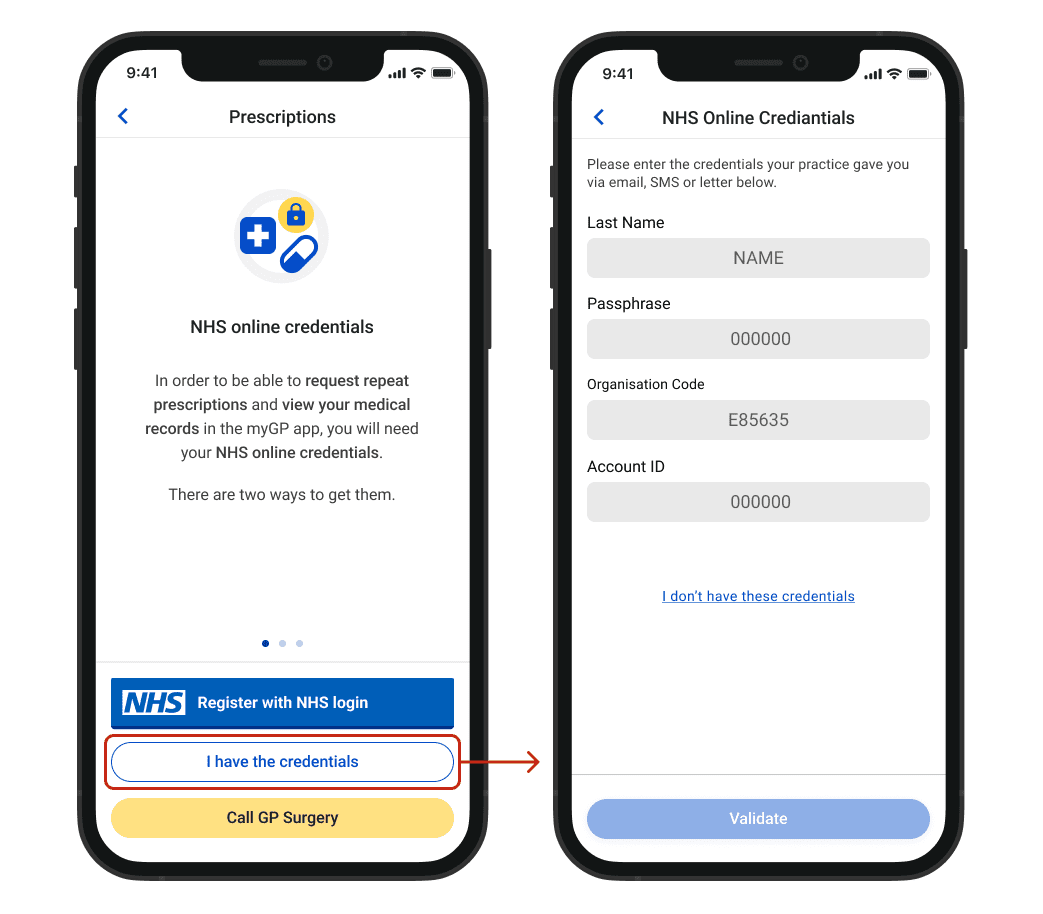
If a patient has registered with myGP using their NHS Online Credentials, this feature will already be unlocked already.
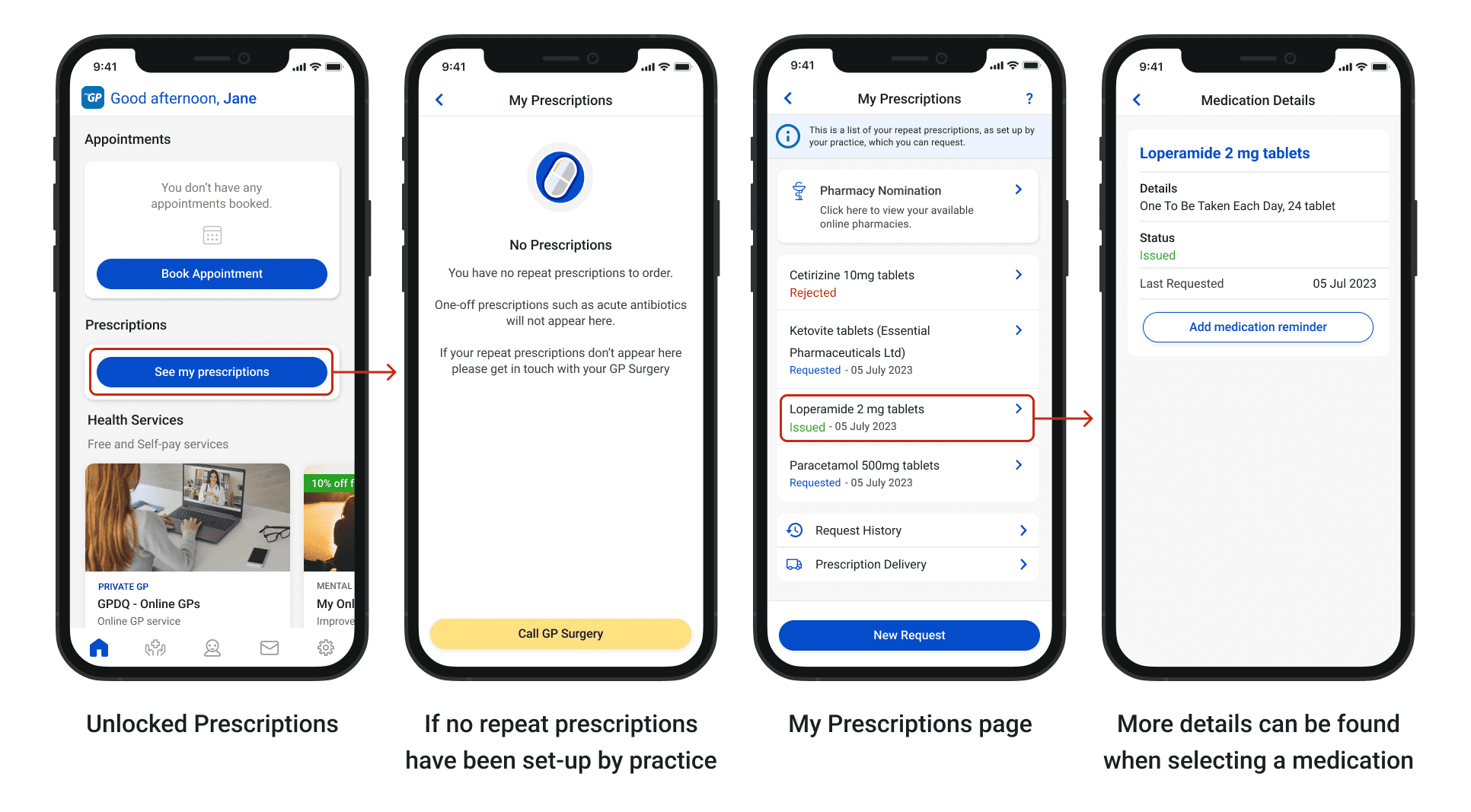
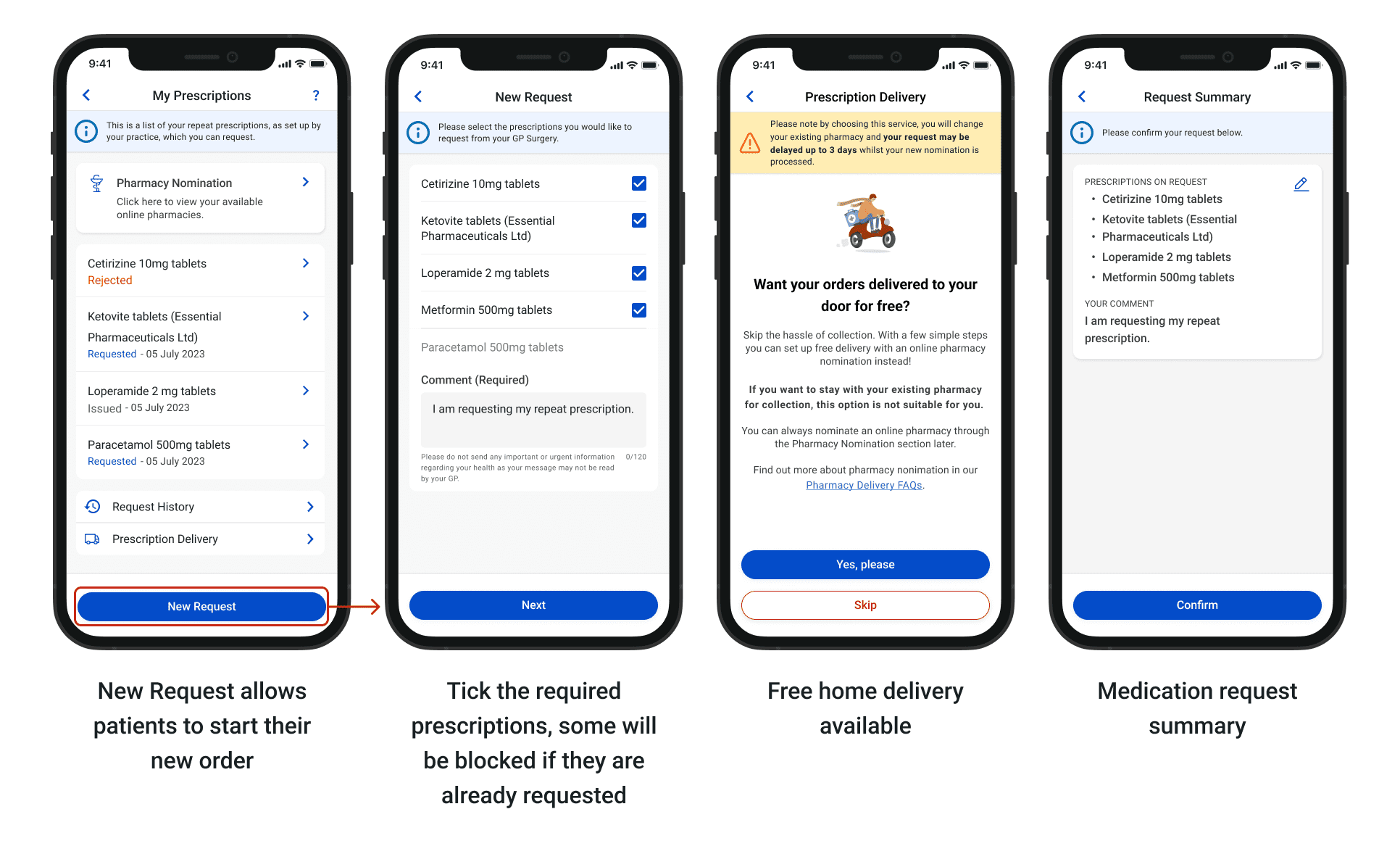
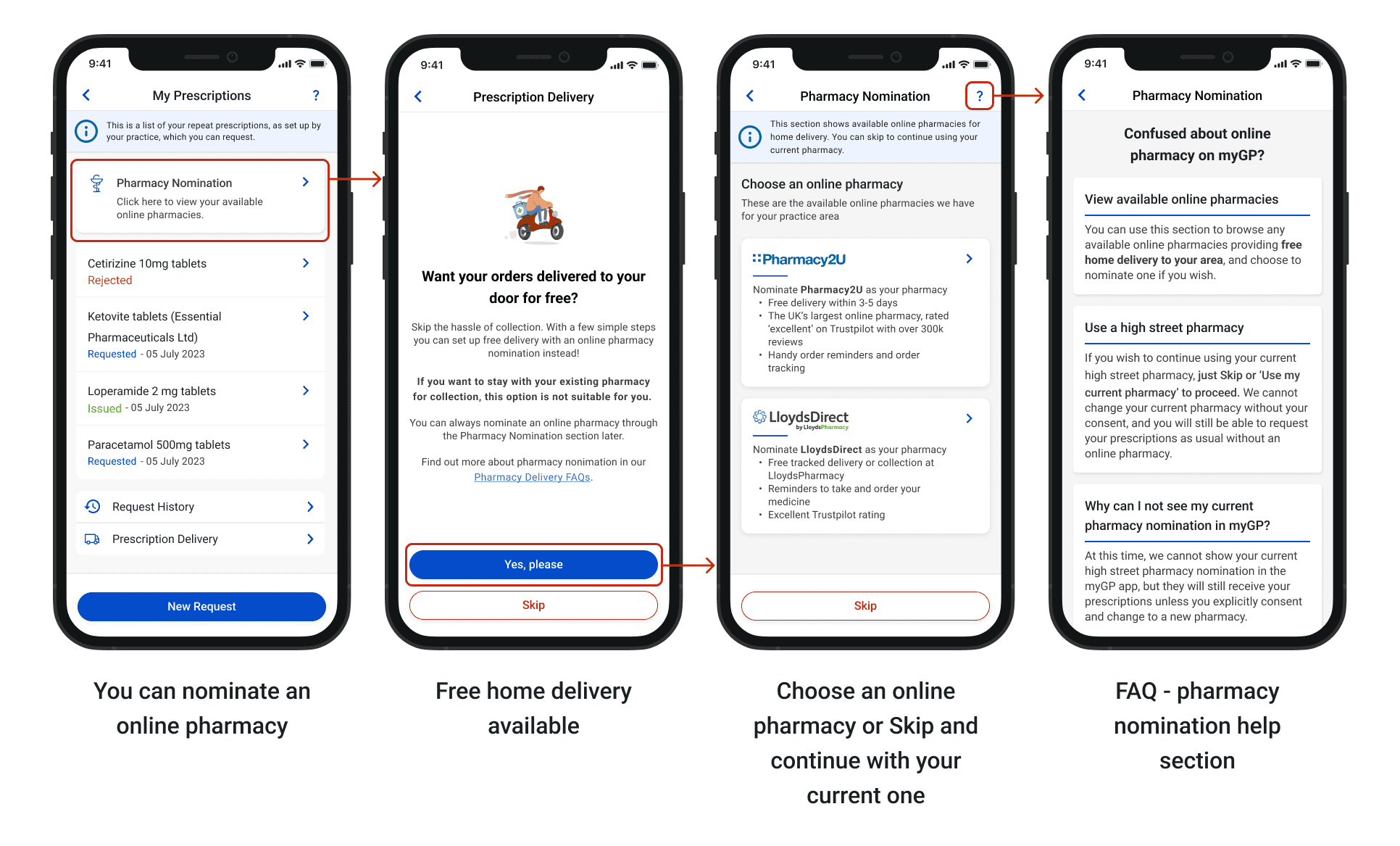
With this step out of the way, patients will be next go to the following screens:
© 2026 iPLATO. All rights reserved