

How can a patient access medical records on myGP app?
July 7, 2020
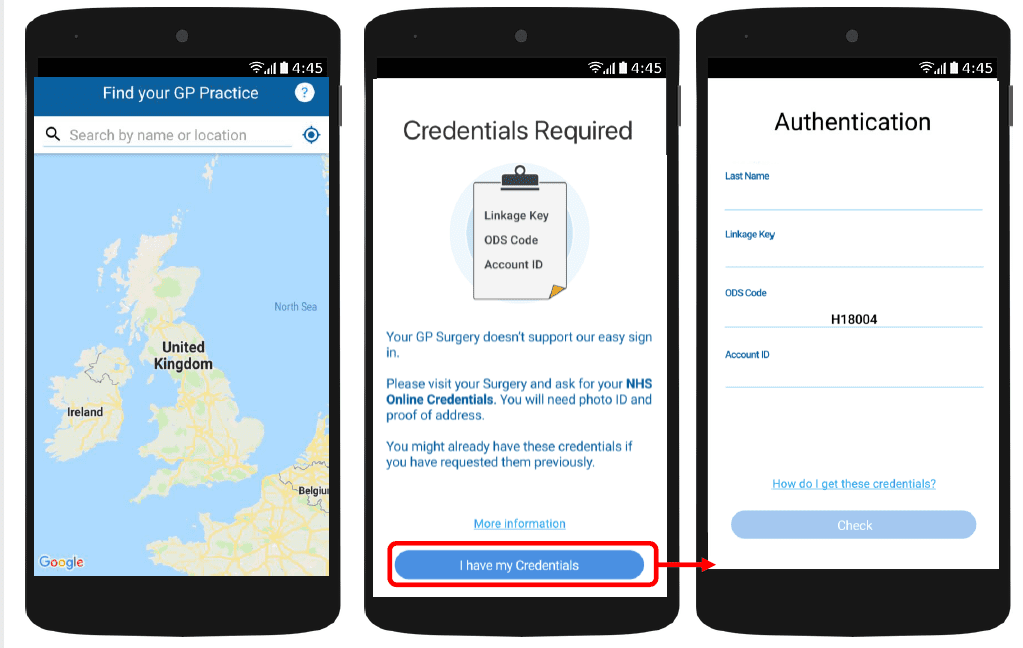
With myGP app Onboarding, after a patient searches for their practice and myGP picks up that they are not
part of the easy sign in (Practice using PCM/Connect). They then will be asked to use their NHS Online Credentials.
Once correctly entered, they can access the myGP app after the following steps:
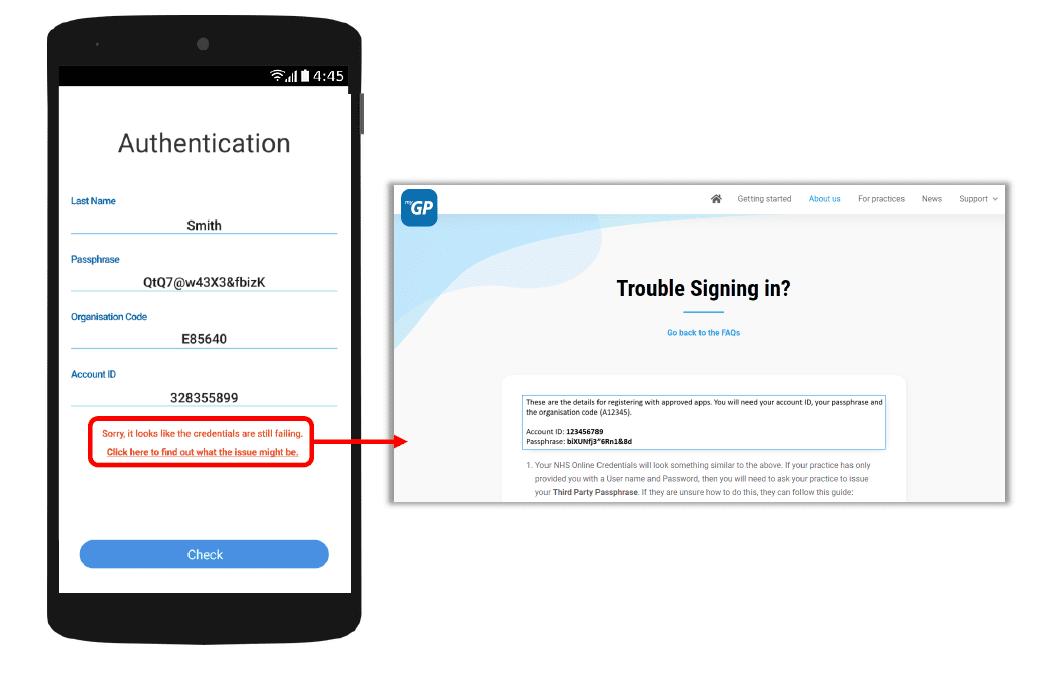
If they have issues entering details, the error response will link them to the myGP FAQ to provide further help.


© 2026 iPLATO. All rights reserved
Practice Area
How can a patient access medical records on myGP app?
July 7, 2020
With myGP app Onboarding, after a patient searches for their practice and myGP picks up that they are not
part of the easy sign in (Practice using PCM/Connect). They then will be asked to use their NHS Online Credentials.
Once correctly entered, they can access the myGP app after the following steps:
If they have issues entering details, the error response will link them to the myGP FAQ to provide further help.
© 2026 iPLATO. All rights reserved
How can a patient access medical records on myGP app?
July 7, 2020
For practices with the clinical system of Emis or TPP/SystmOne, patients will have the option of viewing their medical records via the myGP app.
The patients’ home screen will initially show a lock on the Medical Records feature. This can be unlocked with their NHS Online Credentials which they can get from the practice.
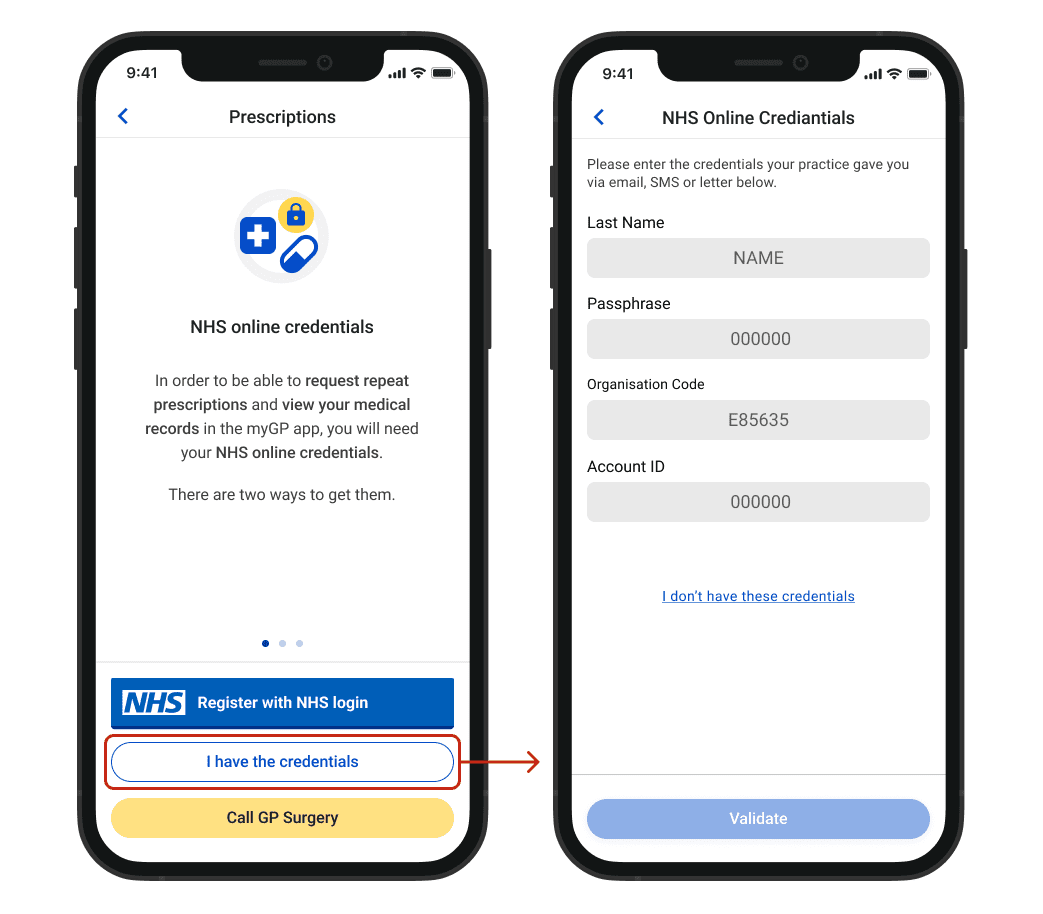
If a patient has registered with myGP using their NHS Online Credentials, this feature will already be unlocked.
When the patient opens the Medical Records feature for the first time, they will be presented with a consent page, which the user has to accept in order to access their medical records.
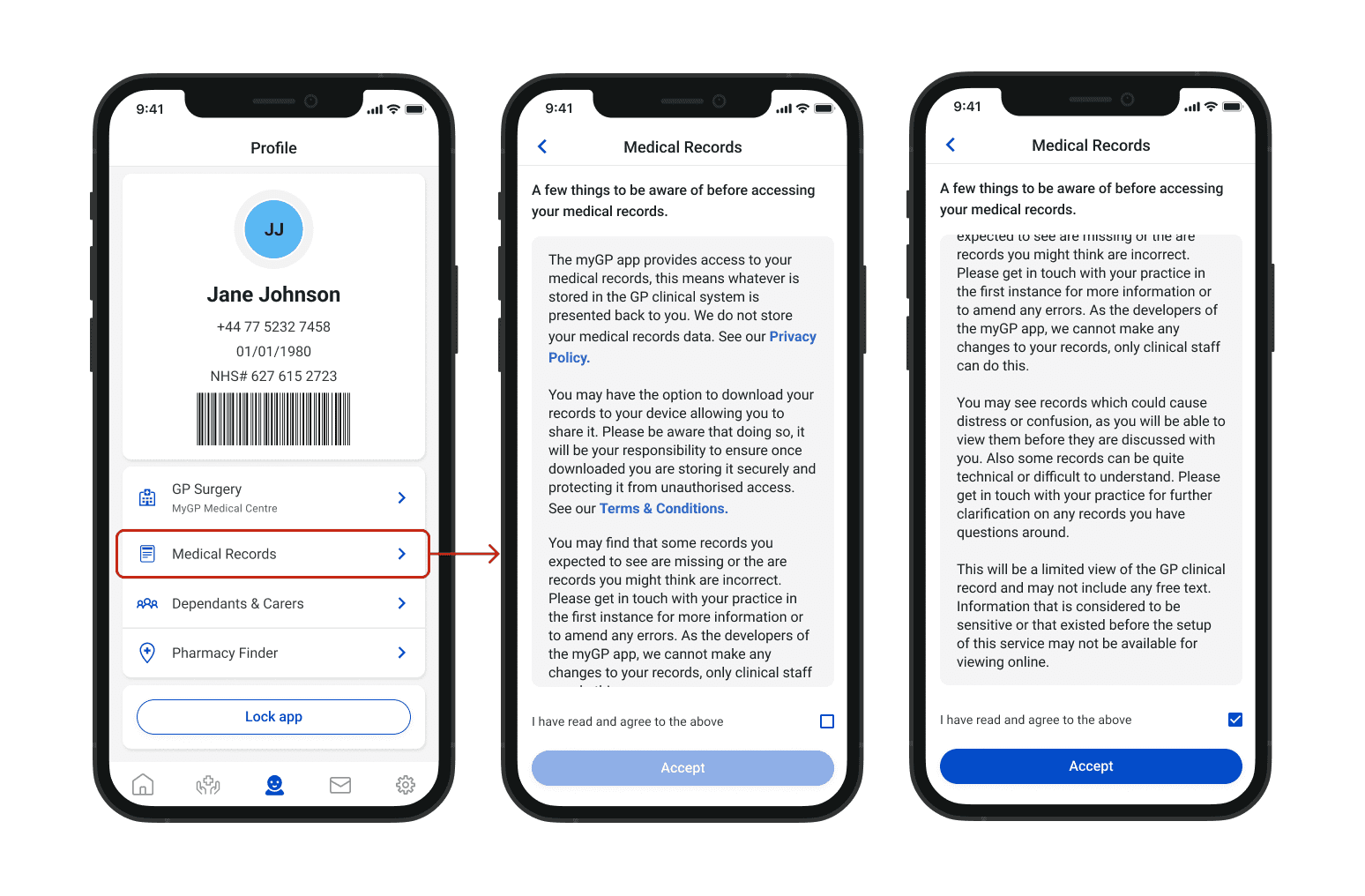
The purpose of this page is to make the patients aware, that the records will be limited in detail and whatever is shown, reflects what has been added to the patient’s records on your practice’s clinical system.
Once on the Medical Records page, patients will see the following layout:
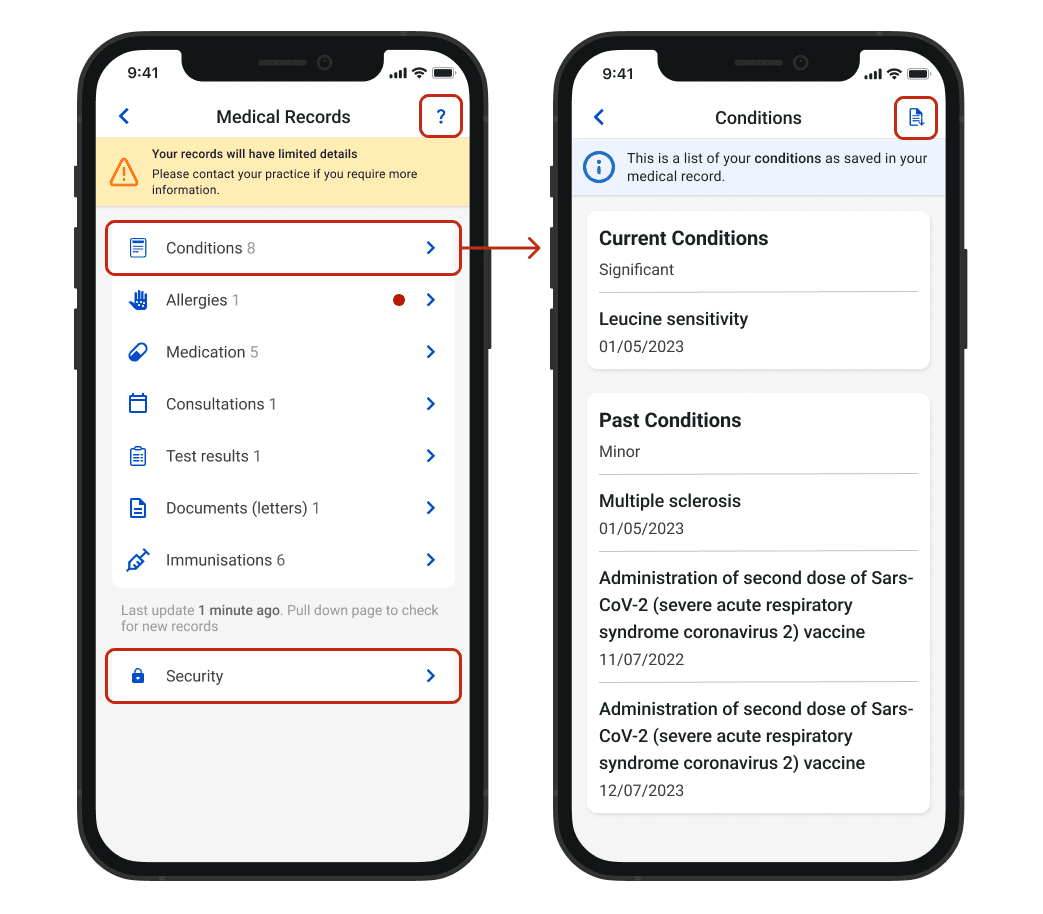
- Each section is structured in a way that allows the patient to find specific record entries by date or
category. - Patients can view a Help page which covers most of the popular concerns a patient might have.
- Consultations has the ability to filter by words or date.
- Documents are previewed as images and can be downloaded in the format they were saved in.
- Patients have the option to set up extra security by being asked for their 4-digit passcode when they access the feature within the Security section.
A practice has the option to disable online access to Medical Records or disable individual sections. This is reflected in the app and the patients will see these screens:
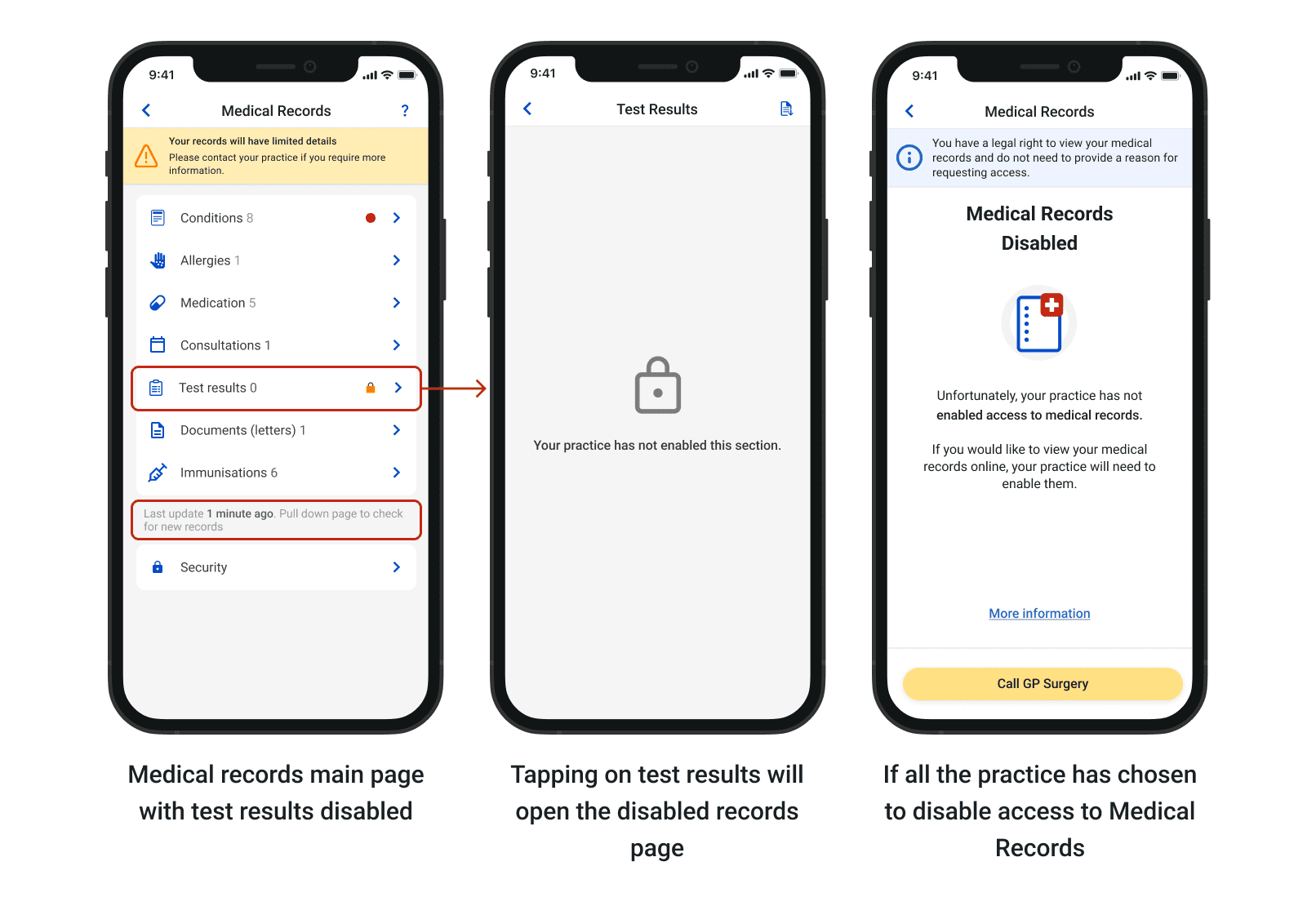
Patients will know when new records have been entered, the app will show a red dot next to the section that has been updated since the last check.
© 2026 iPLATO. All rights reserved