

How a patient can add a dependent in myGP app
July 7, 2020
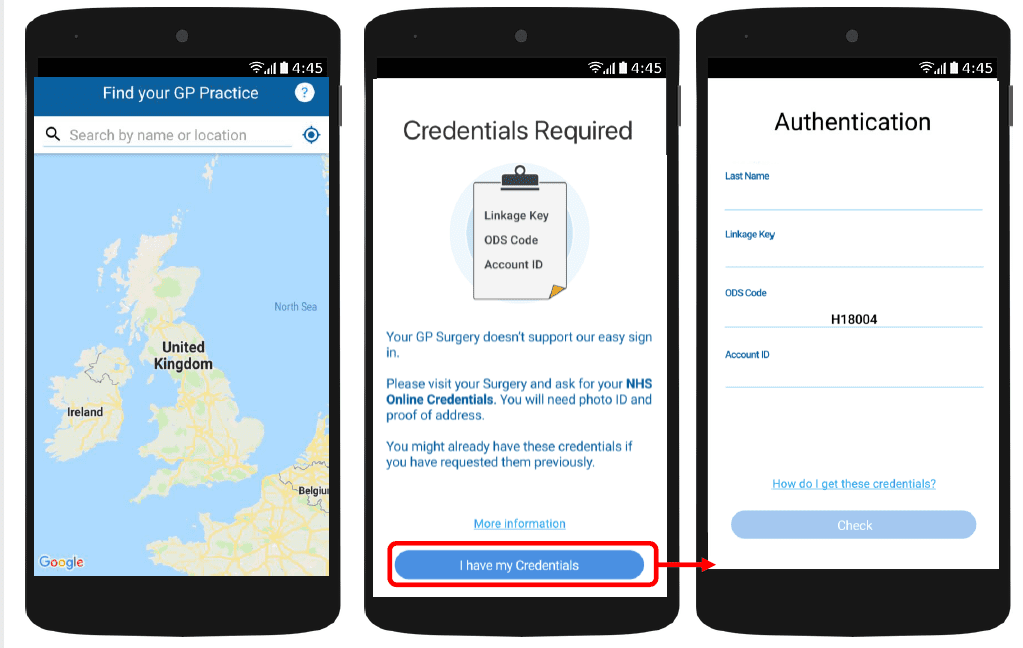
With myGP app Onboarding, after a patient searches for their practice and myGP picks up that they are not
part of the easy sign in (Practice using PCM/Connect). They then will be asked to use their NHS Online Credentials.
Once correctly entered, they can access the myGP app after the following steps:
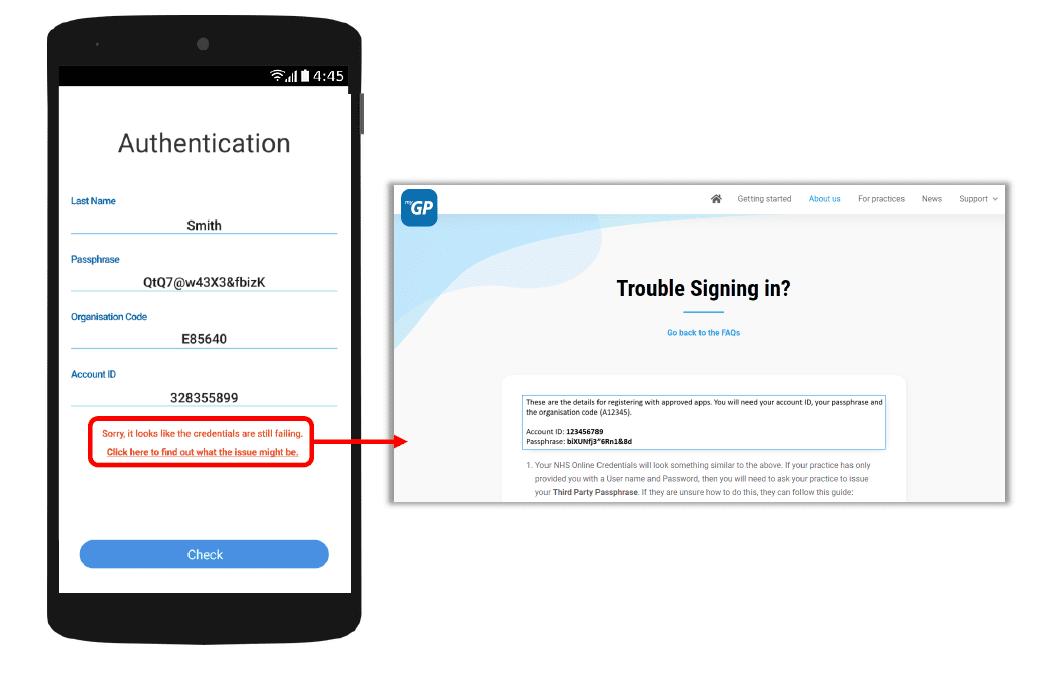
If they have issues entering details, the error response will link them to the myGP FAQ to provide further help.


© 2026 iPLATO. All rights reserved
Practice Area
How a patient can add a dependent in myGP app
July 7, 2020
With myGP app Onboarding, after a patient searches for their practice and myGP picks up that they are not
part of the easy sign in (Practice using PCM/Connect). They then will be asked to use their NHS Online Credentials.
Once correctly entered, they can access the myGP app after the following steps:
If they have issues entering details, the error response will link them to the myGP FAQ to provide further help.
© 2026 iPLATO. All rights reserved
How a patient can add a dependent in myGP app
July 7, 2020
myGP users are able to book and cancel appointments on behalf of another patient. How they are added
depends on the age group they fall into:
- Adults aged 16+
- Teenagers aged 12 15 (via Teenage Consent)
- Children (under the age of 12)
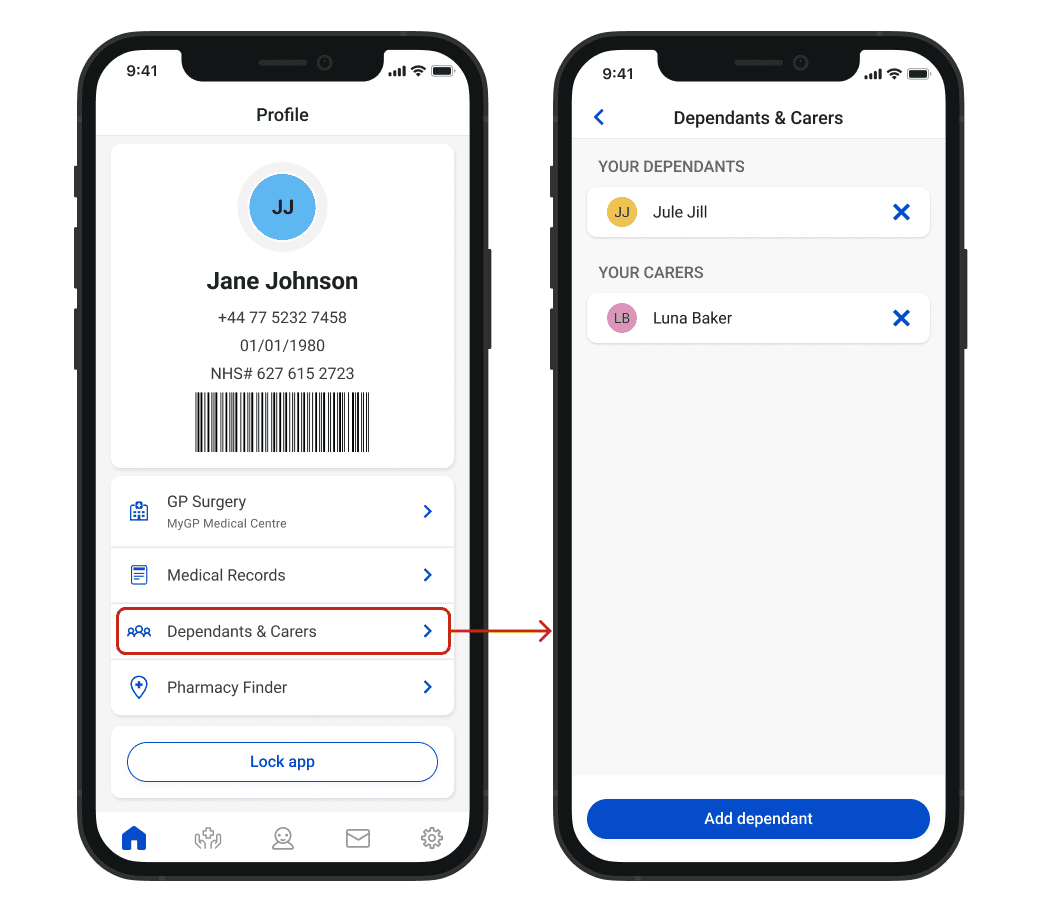
A patient can add a dependant within the Profile section of myGP , from the Dependants & Carers page:
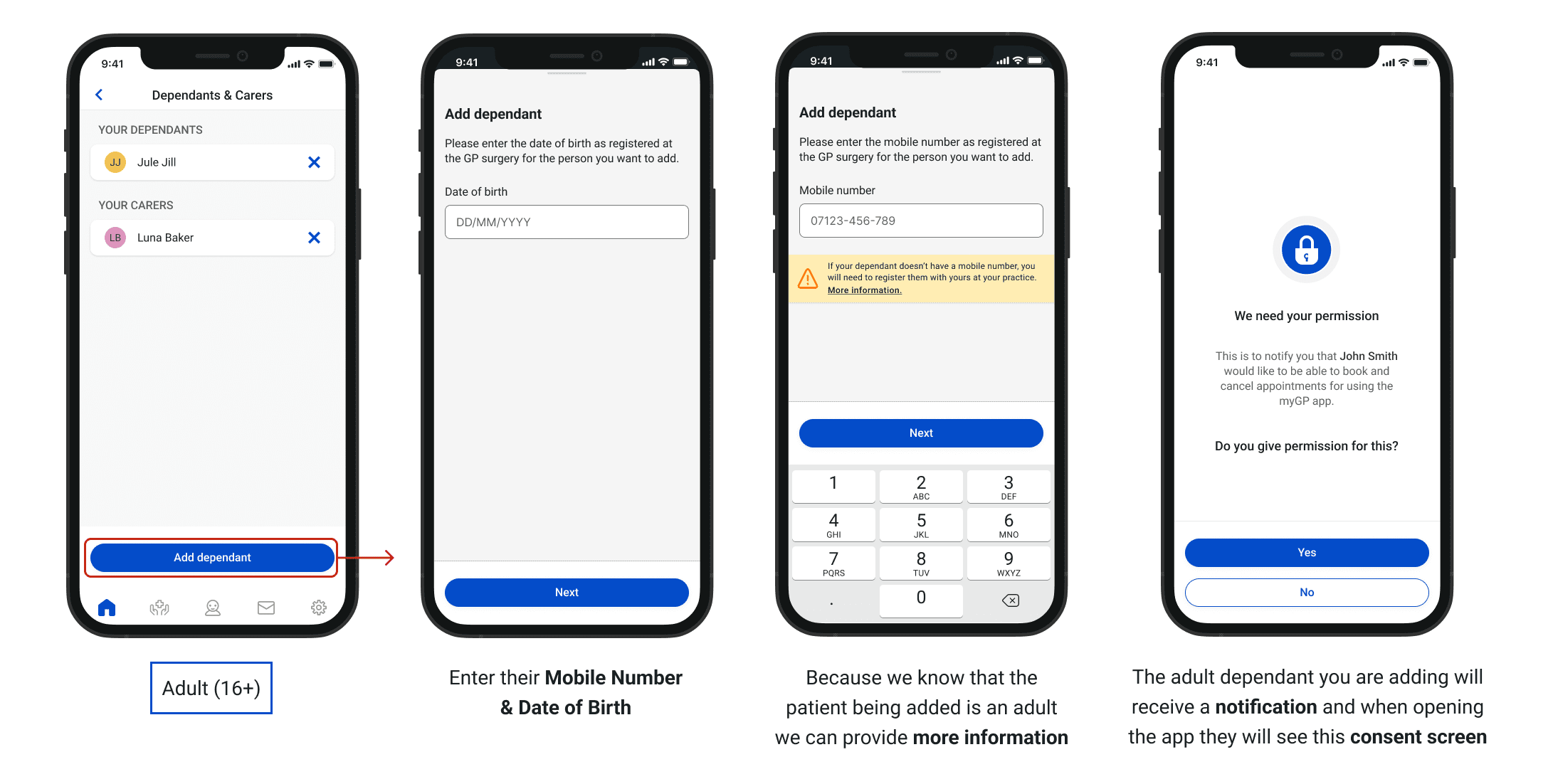
Children can only be added to the myGP app of the parent whose mobile number they are registered with as this is the number that they will enter to add their child.
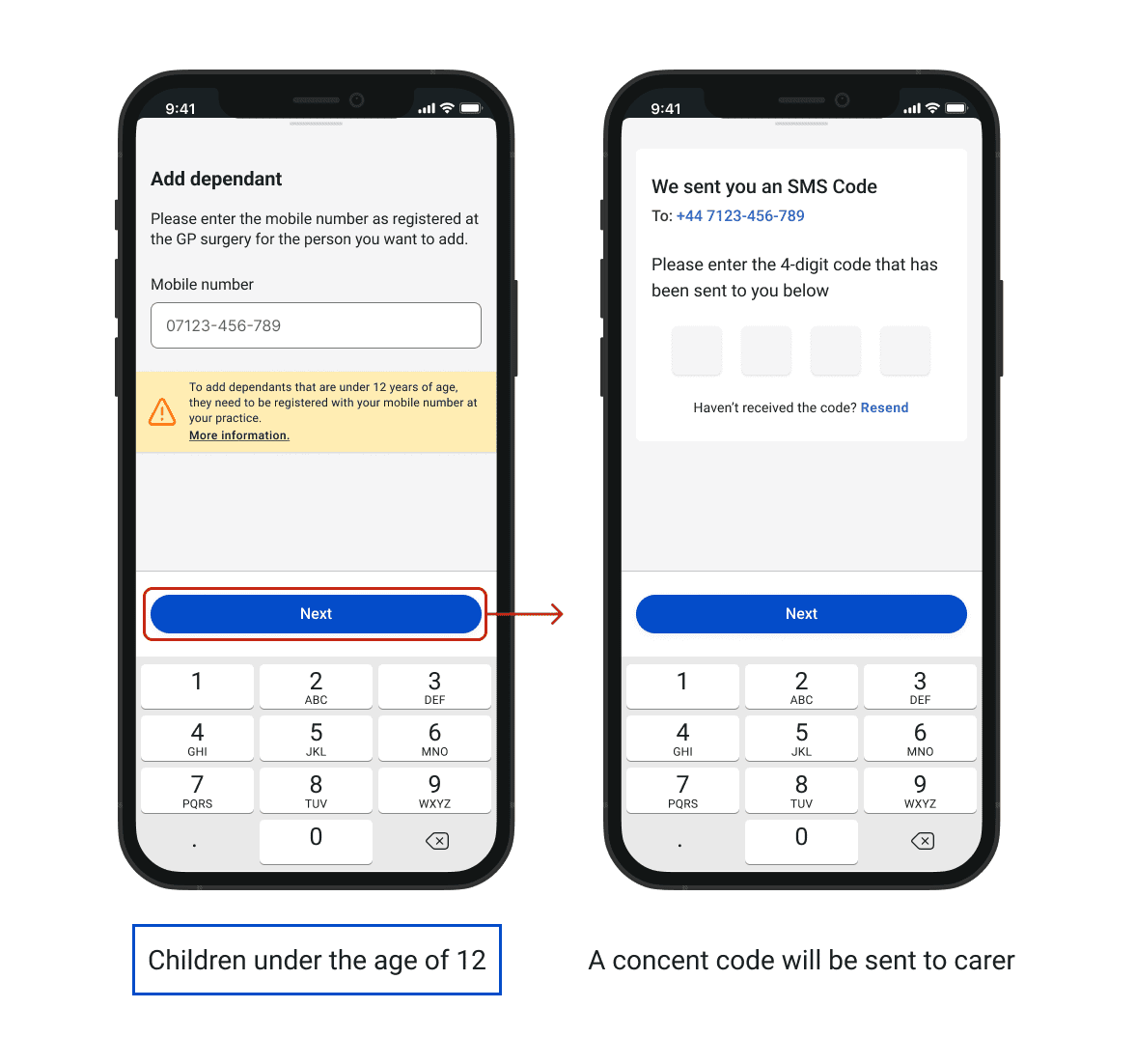
Once this is entered correctly, the app will inform the patient that a child matching that combination of mobile number and DOB on the system has been found and added to their app.
Please Note: Teenagers between the ages 12 to 15 years old, will need to provide consent to be registered as a dependent.
If patients would like to add an adult that does not have a smartphone, they can do so. That dependant has to be registered at the practice with their carer’s mobile number.
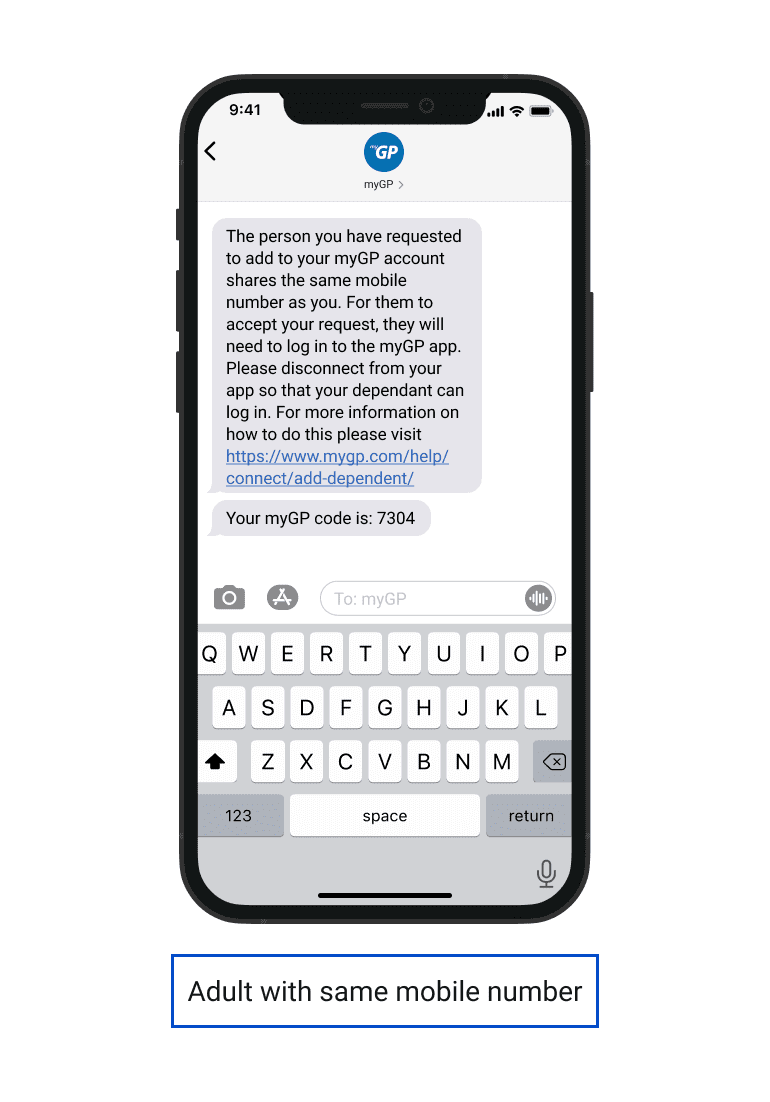
The carer adding the user will then get an SMS message saying what they need to do next. This will be to disconnect from their app and allow the dependant to log in so they can give consent.
© 2026 iPLATO. All rights reserved