

Call/Recall Campaign Help
August 4, 2020
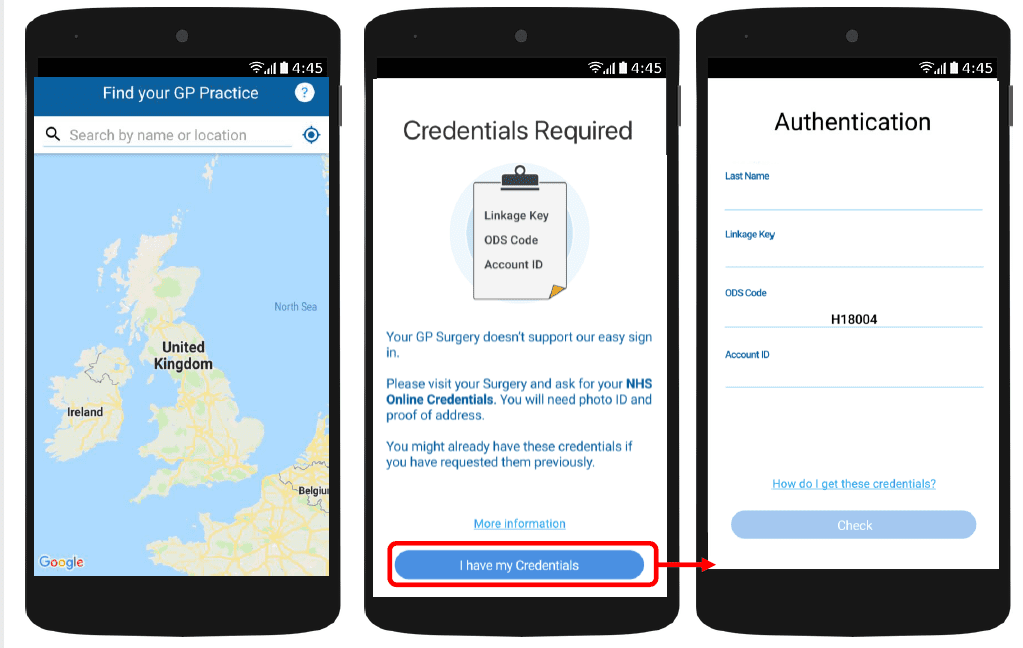
With myGP app Onboarding, after a patient searches for their practice and myGP picks up that they are not
part of the easy sign in (Practice using PCM/Connect). They then will be asked to use their NHS Online Credentials.
Once correctly entered, they can access the myGP app after the following steps:
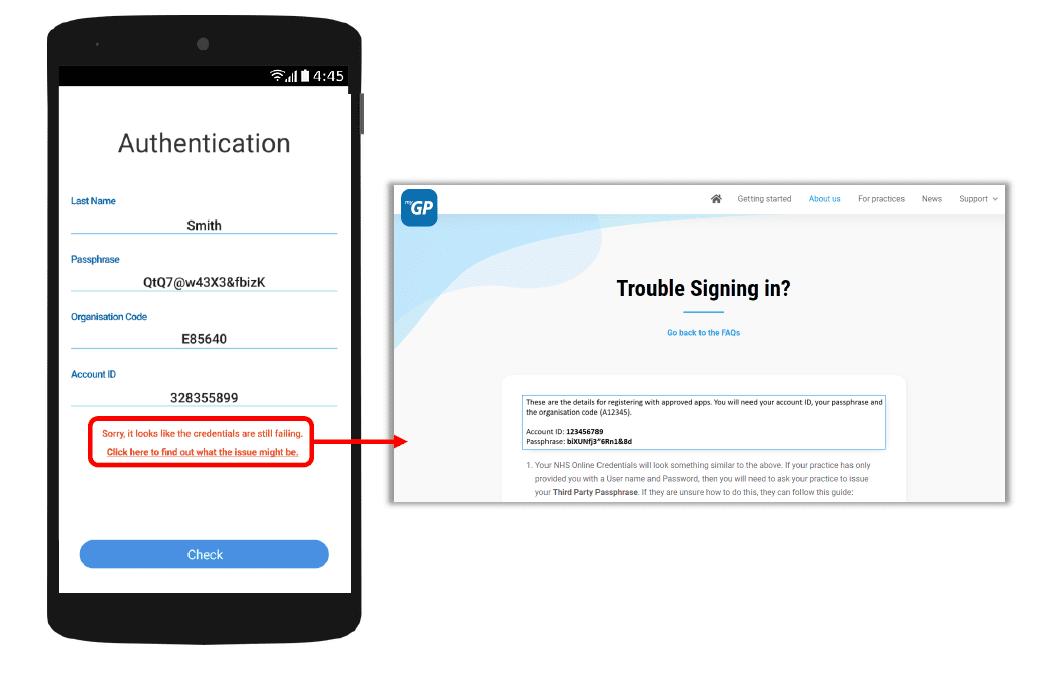
If they have issues entering details, the error response will link them to the myGP FAQ to provide further help.


© 2026 iPLATO. All rights reserved
Practice Area
Call/Recall Campaign Help
August 4, 2020
With myGP app Onboarding, after a patient searches for their practice and myGP picks up that they are not
part of the easy sign in (Practice using PCM/Connect). They then will be asked to use their NHS Online Credentials.
Once correctly entered, they can access the myGP app after the following steps:
If they have issues entering details, the error response will link them to the myGP FAQ to provide further help.
© 2026 iPLATO. All rights reserved
Call/Recall Campaign Help
August 4, 2020
Welcome the Call/Recall Campaign page. Here we will give you a step-by-step guide of sending out a Call/Recall campaign message, as well as general information.
Information
Step-by-Step Guide
- Step 1: Select Campaign Recipients
- Step 2: Create your Campaign Message
- Step 3: Select a Session Type
- Step 4: Choose a send time
- Step 5: Send your message
I have a problem
If you seem to be having technical issues with Appointment Reminders, check out the below links for assistance.
© 2026 iPLATO. All rights reserved