

Where is the message Inbox located?
July 1, 2020
It is important to note that if the patient does confirm a change in contact details, these are not automatically updated on the patients’ record.
Below is the coding that will be shown based on the patients’ answers
New mobile number given
- Snomed: 428481002
- EMIS Read code V2: 915J.
- TPP Read code V3: XaQgn
- Term: Information provided by patient via digital questionnaire.
New landline number given
- Snomed: 184103008
- EMIS Read code V2: 9159.
- TPP Read code V3: .9159
- Term: Information provided by patient via digital questionnaire.
New home address number given
- Snomed: 184097001
- EMIS Read code V2: 9153.
- TPP Read code V3: .9153
- Term: Information provided by patient via digital questionnaire.
New email number given
- Snomed: 424966008
- EMIS Read code V2: 915K.
- TPP Read code V3: XaYak
- Term: Information provided by patient via digital questionnaire.
IMPORTANT – Staff should then update the patients’ details and record themselves with the new information.


© 2026 iPLATO. All rights reserved
Practice Area
Where is the message Inbox located?
July 1, 2020
It is important to note that if the patient does confirm a change in contact details, these are not automatically updated on the patients’ record.
Below is the coding that will be shown based on the patients’ answers
New mobile number given
- Snomed: 428481002
- EMIS Read code V2: 915J.
- TPP Read code V3: XaQgn
- Term: Information provided by patient via digital questionnaire.
New landline number given
- Snomed: 184103008
- EMIS Read code V2: 9159.
- TPP Read code V3: .9159
- Term: Information provided by patient via digital questionnaire.
New home address number given
- Snomed: 184097001
- EMIS Read code V2: 9153.
- TPP Read code V3: .9153
- Term: Information provided by patient via digital questionnaire.
New email number given
- Snomed: 424966008
- EMIS Read code V2: 915K.
- TPP Read code V3: XaYak
- Term: Information provided by patient via digital questionnaire.
IMPORTANT – Staff should then update the patients’ details and record themselves with the new information.
© 2026 iPLATO. All rights reserved
Where is the message Inbox located?
July 1, 2020
ll patient replies to outgoing messages from your myGP Connect system are found in the Inbox section. To find this section, follow the next steps:
- Log in to your myGP Connect system
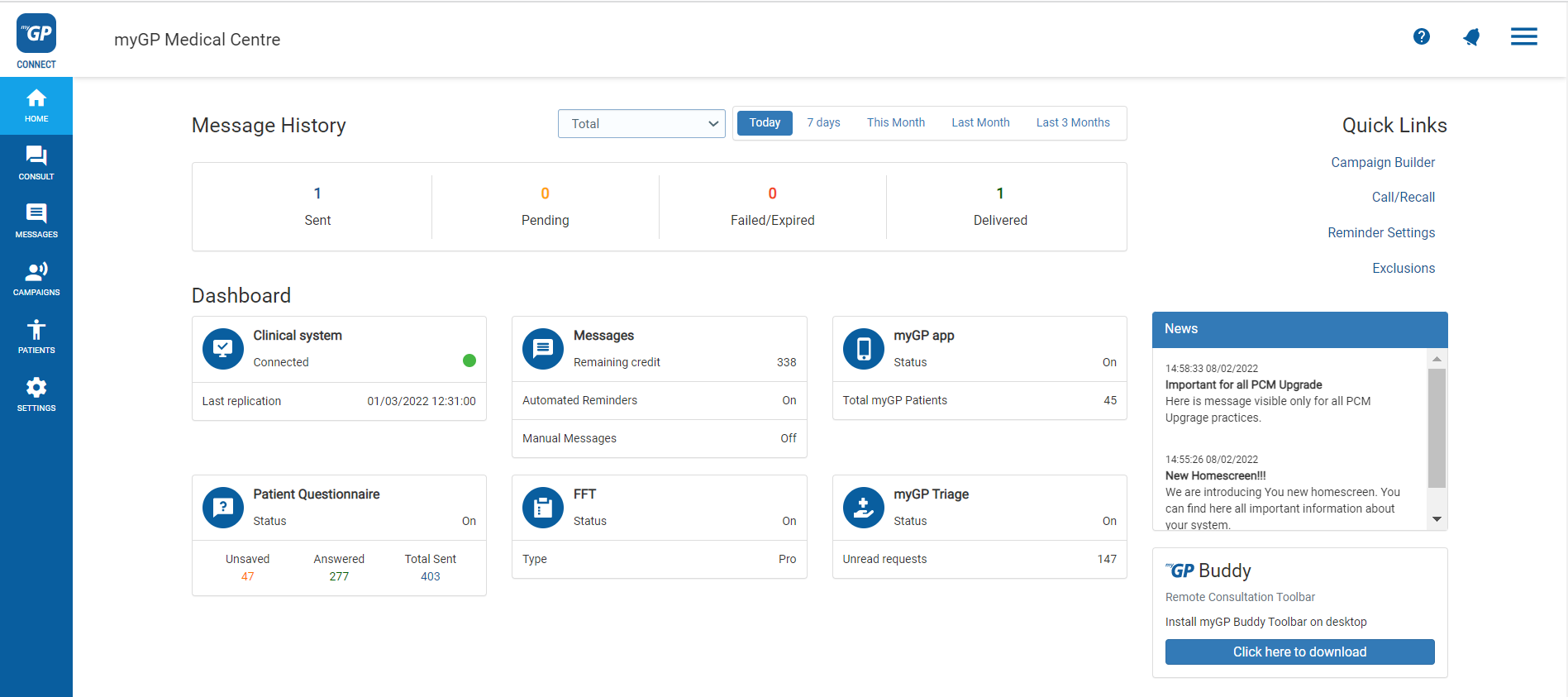
- Click on Messages found on the left-hand side menu
- Then click on Messages within the Inbox subsection via the side tab
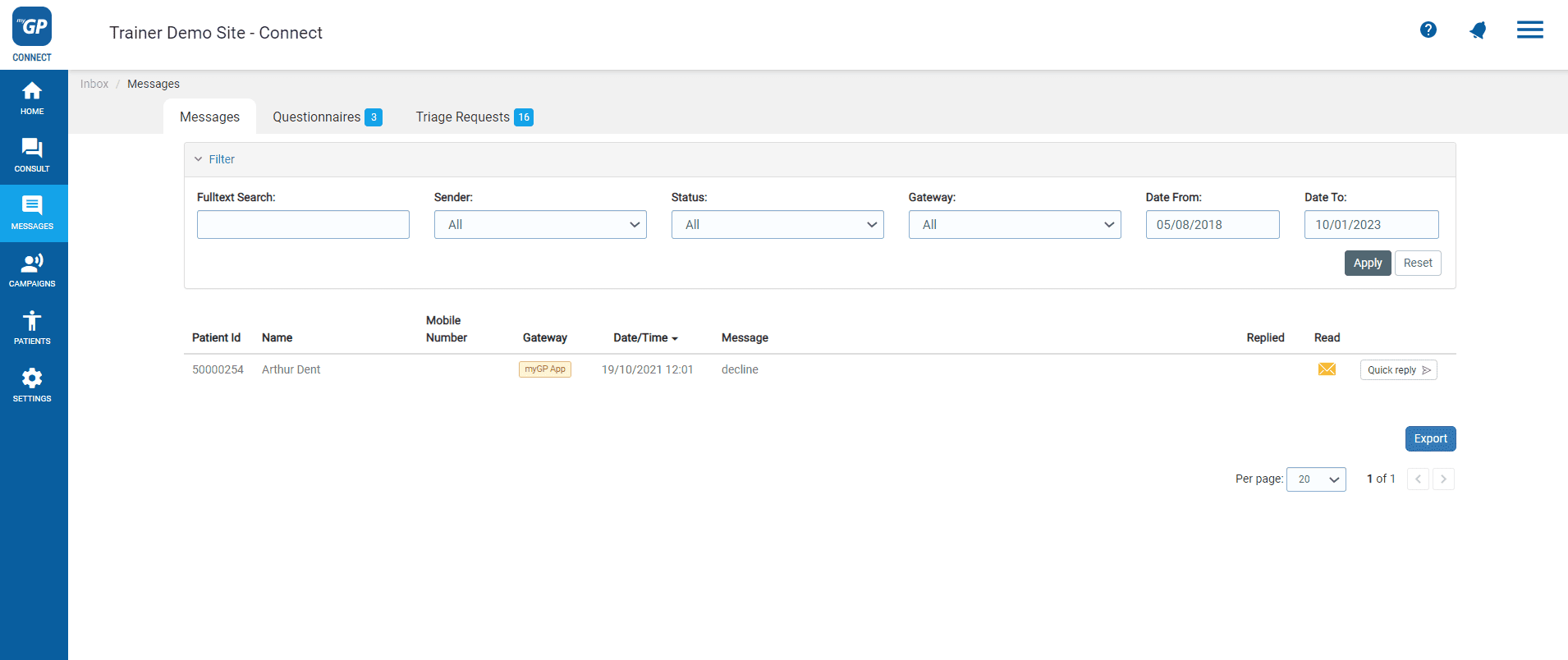
On this page, you will be able to see any patient replies stored below. The message information is split into the following columns:
- Patient ID: the patient’s ID number from your clinical system
- Name: the patient’s first name and last
- Mobile Number: patient’s registered mobile phone number
- Date/Time: the date and time of when the message was received
- Message Received: the patient’s reply message
- Replied: if message was replied to by practice
- Read: if message was read or unopened by practice
Additionally, two buttons are found to the far right of an entry, there functions are:
- History: will display the patients chat history from all conversations
- Quick Reply: this will open a new page with the ability to do a quick reply to the patients message
© 2026 iPLATO. All rights reserved