

How to send a reply from a patient reply within Inbox?
July 1, 2020
It is important to note that if the patient does confirm a change in contact details, these are not automatically updated on the patients’ record.
Below is the coding that will be shown based on the patients’ answers
New mobile number given
- Snomed: 428481002
- EMIS Read code V2: 915J.
- TPP Read code V3: XaQgn
- Term: Information provided by patient via digital questionnaire.
New landline number given
- Snomed: 184103008
- EMIS Read code V2: 9159.
- TPP Read code V3: .9159
- Term: Information provided by patient via digital questionnaire.
New home address number given
- Snomed: 184097001
- EMIS Read code V2: 9153.
- TPP Read code V3: .9153
- Term: Information provided by patient via digital questionnaire.
New email number given
- Snomed: 424966008
- EMIS Read code V2: 915K.
- TPP Read code V3: XaYak
- Term: Information provided by patient via digital questionnaire.
IMPORTANT – Staff should then update the patients’ details and record themselves with the new information.


© 2026 iPLATO. All rights reserved
Practice Area
How to send a reply from a patient reply within Inbox?
July 1, 2020
It is important to note that if the patient does confirm a change in contact details, these are not automatically updated on the patients’ record.
Below is the coding that will be shown based on the patients’ answers
New mobile number given
- Snomed: 428481002
- EMIS Read code V2: 915J.
- TPP Read code V3: XaQgn
- Term: Information provided by patient via digital questionnaire.
New landline number given
- Snomed: 184103008
- EMIS Read code V2: 9159.
- TPP Read code V3: .9159
- Term: Information provided by patient via digital questionnaire.
New home address number given
- Snomed: 184097001
- EMIS Read code V2: 9153.
- TPP Read code V3: .9153
- Term: Information provided by patient via digital questionnaire.
New email number given
- Snomed: 424966008
- EMIS Read code V2: 915K.
- TPP Read code V3: XaYak
- Term: Information provided by patient via digital questionnaire.
IMPORTANT – Staff should then update the patients’ details and record themselves with the new information.
© 2026 iPLATO. All rights reserved
How to send a reply from a patient reply within Inbox?
July 1, 2020
All your patient replies are stored within the Inbox tab.
If you wish to reply directly to a patient’s message, do the following steps:
- Log in to your myGP Connect system
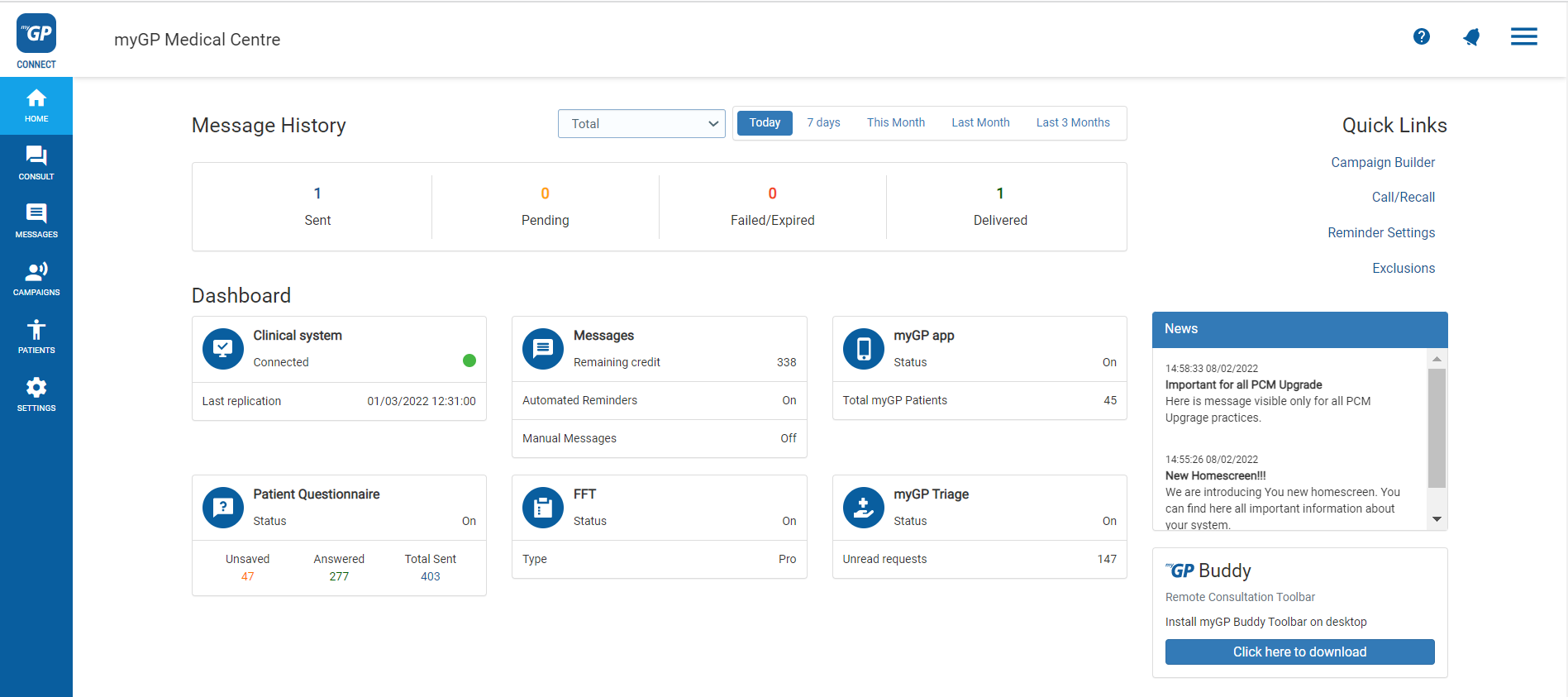
- Click on Messages found on the left-hand side menu
- Click on Messages within Inbox sub section
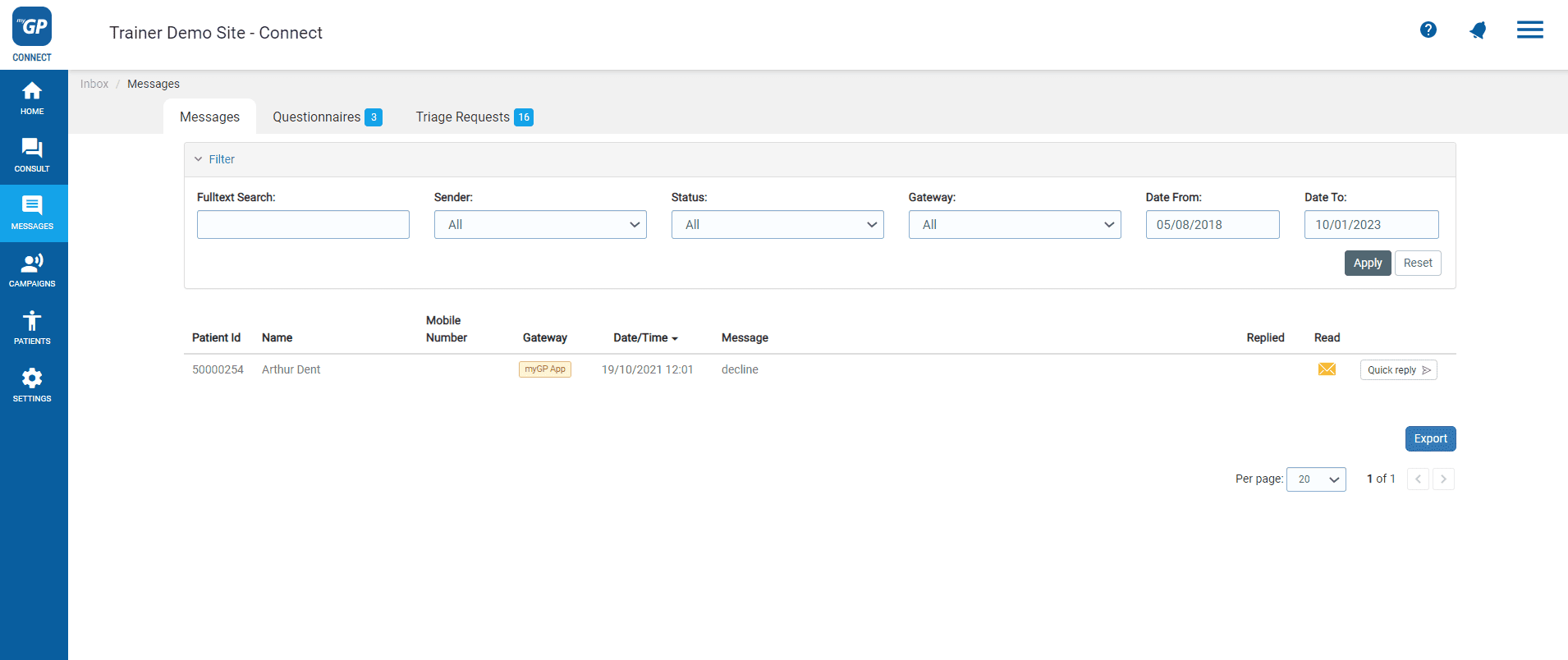
- Refer to the Quick Reply icon to the right side of the message
- Click on the icon
- Type in your text reply within the Message field
- Click Send
What if I need to stop a patient from texting in?
If a patient has become rude or abusive, and you want to stop them from sending an SMS from your iPLATO system, you can action this from the Inbox.
- Click on the message in question
- You will be taken to the info screen and quick reply box
- Above the box, you will see the Blacklist Mobile Number function
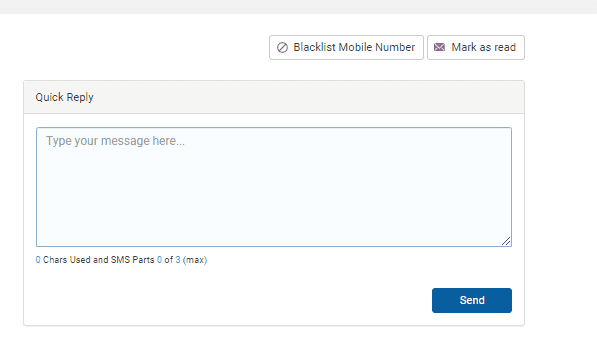
- Click on Blacklist Mobile Number
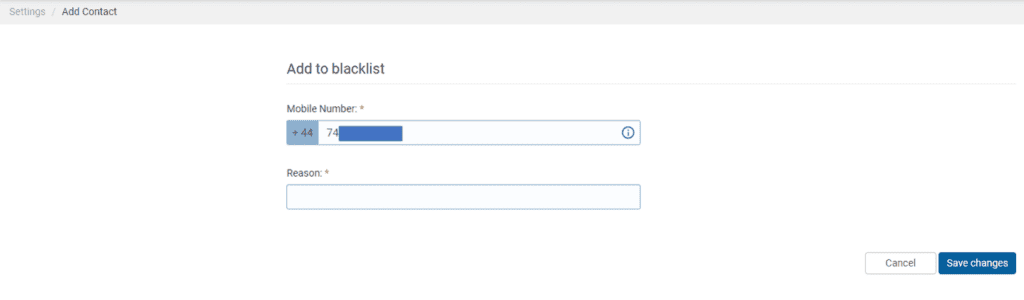
- The number will be pre-populated for you, just enter the reason
- Click Save Changes
© 2026 iPLATO. All rights reserved