

How to send a Campaign Message
June 30, 2020
It is important to note that if the patient does confirm a change in contact details, these are not automatically updated on the patients’ record.
Below is the coding that will be shown based on the patients’ answers
New mobile number given
- Snomed: 428481002
- EMIS Read code V2: 915J.
- TPP Read code V3: XaQgn
- Term: Information provided by patient via digital questionnaire.
New landline number given
- Snomed: 184103008
- EMIS Read code V2: 9159.
- TPP Read code V3: .9159
- Term: Information provided by patient via digital questionnaire.
New home address number given
- Snomed: 184097001
- EMIS Read code V2: 9153.
- TPP Read code V3: .9153
- Term: Information provided by patient via digital questionnaire.
New email number given
- Snomed: 424966008
- EMIS Read code V2: 915K.
- TPP Read code V3: XaYak
- Term: Information provided by patient via digital questionnaire.
IMPORTANT – Staff should then update the patients’ details and record themselves with the new information.


© 2026 iPLATO. All rights reserved
Practice Area
How to send a Campaign Message
June 30, 2020
It is important to note that if the patient does confirm a change in contact details, these are not automatically updated on the patients’ record.
Below is the coding that will be shown based on the patients’ answers
New mobile number given
- Snomed: 428481002
- EMIS Read code V2: 915J.
- TPP Read code V3: XaQgn
- Term: Information provided by patient via digital questionnaire.
New landline number given
- Snomed: 184103008
- EMIS Read code V2: 9159.
- TPP Read code V3: .9159
- Term: Information provided by patient via digital questionnaire.
New home address number given
- Snomed: 184097001
- EMIS Read code V2: 9153.
- TPP Read code V3: .9153
- Term: Information provided by patient via digital questionnaire.
New email number given
- Snomed: 424966008
- EMIS Read code V2: 915K.
- TPP Read code V3: XaYak
- Term: Information provided by patient via digital questionnaire.
IMPORTANT – Staff should then update the patients’ details and record themselves with the new information.
© 2026 iPLATO. All rights reserved
How to send a Campaign Message
June 30, 2020
A campaign message is a message sent out to a large batch of patients. A common example is sending a message out to patients for a Smoking Status, Asthma Review, or Flu Campaign.
In order to action a campaign message using myGP Connect, please do the following steps:
- Log in to your myGP Connect system
- Click on Campaigns found on the left-hand side menu
- Click on New Message
- You will be directed to the Select Recipients page
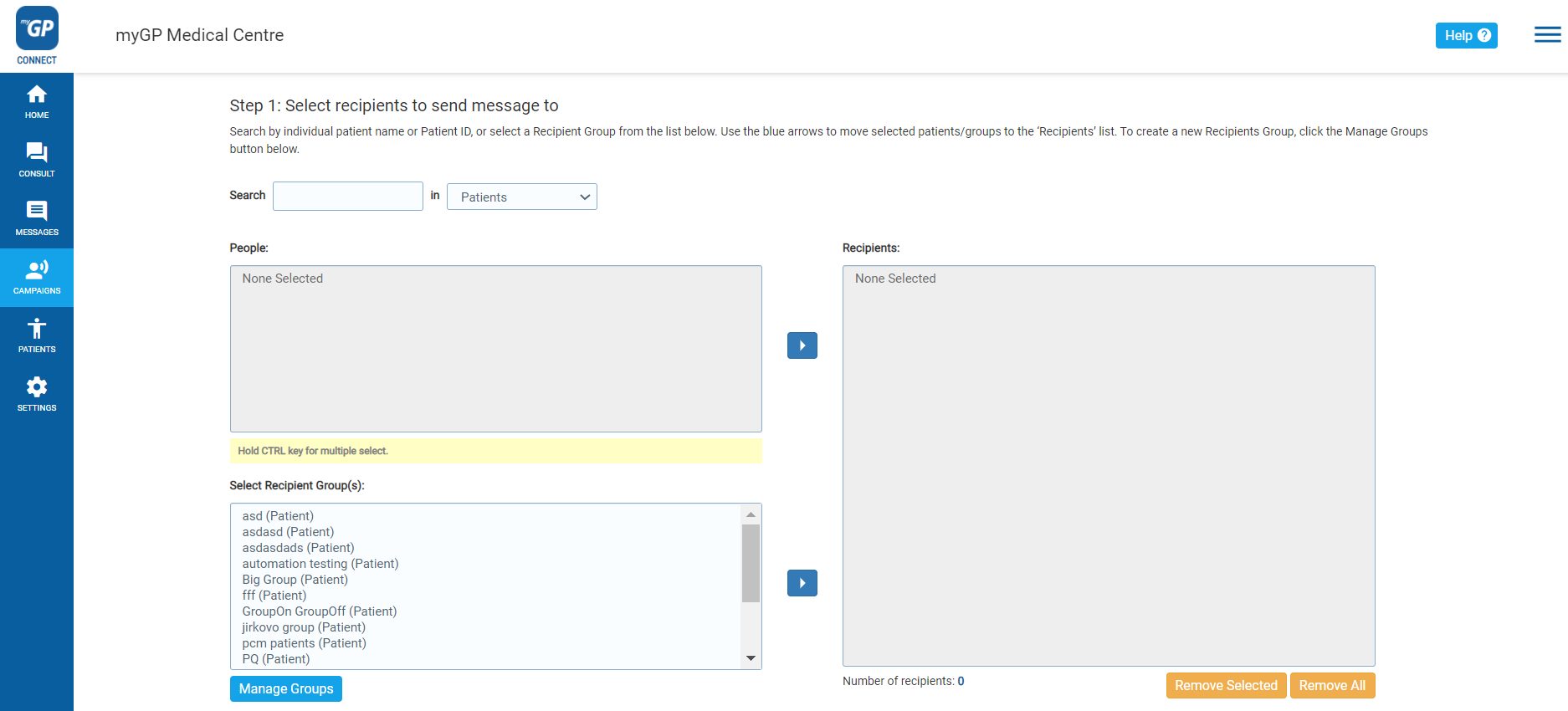
On this page you can select the recipients for your message. To action this for campaign message, do the following steps:
- Refer to the Select Recipient Group(s) box on the bottom left
- Any Group you have created will appear here
- Select your group name and then click the Move Selected arrow to the right
- This will move your group’s names and details to the Recipients box to the right
- Now click Next at the lower right of the page
This will direct you to the Create Message page:
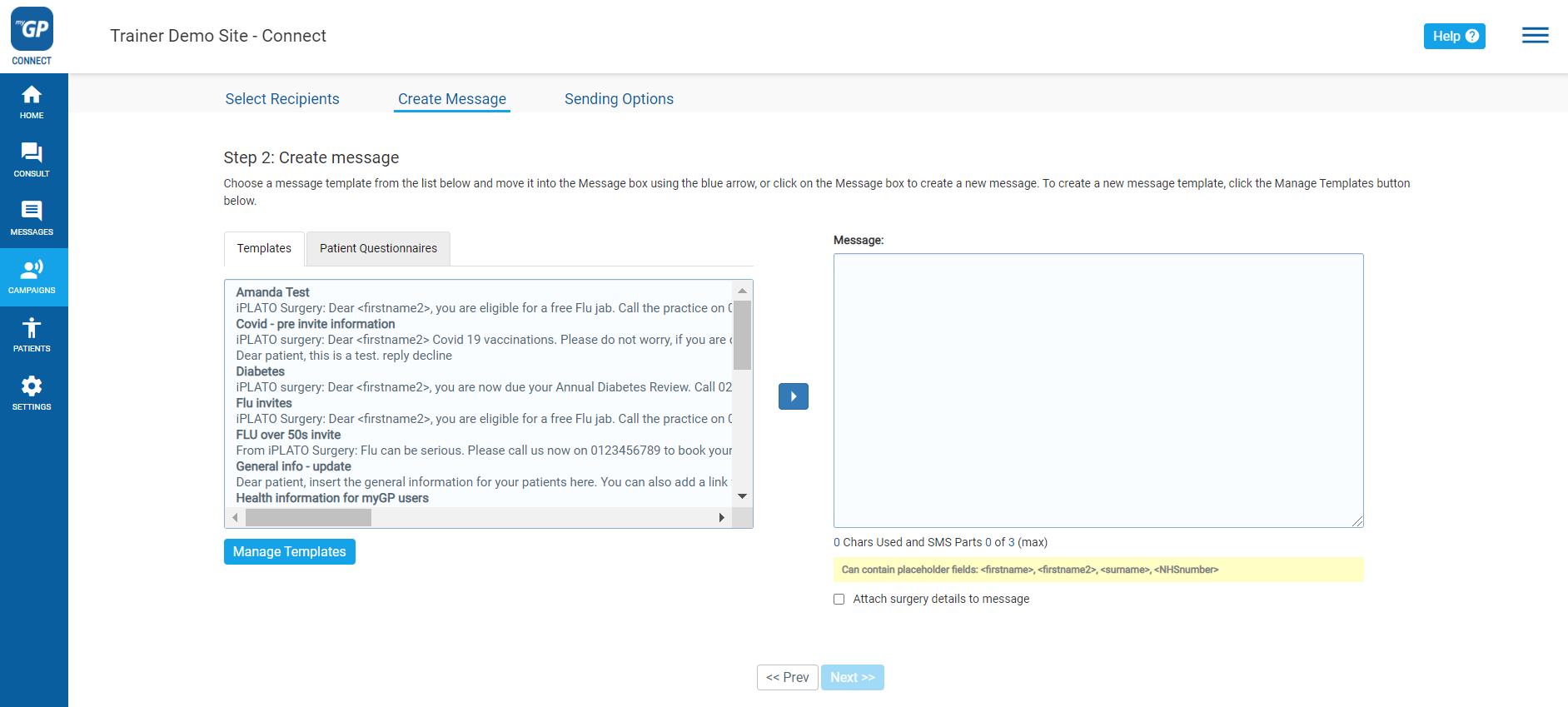
On this page, we will be able to assign the text message that will be sent to our group. In order to action, please follow the next steps: If you wish to use a Template
- Refer to the Templates box on left
- Any Templates created will appear here
- Click the Move Selected arrow
- This will move your Template to the Message box to the right
- Click on Next
If you wish to free-hand type a message
- Click on the Message box to the right
- Free-hand type the message you wish to send
- Click Next
Please Note: If your message exceeds 160 characters, it will cost more then 1 credit to be sent out. A pop-up will appear to notify you of this. Click OK to proceed.
- You will now be brought directly to the Sending Options page. This is the final step to send out the campaign message:
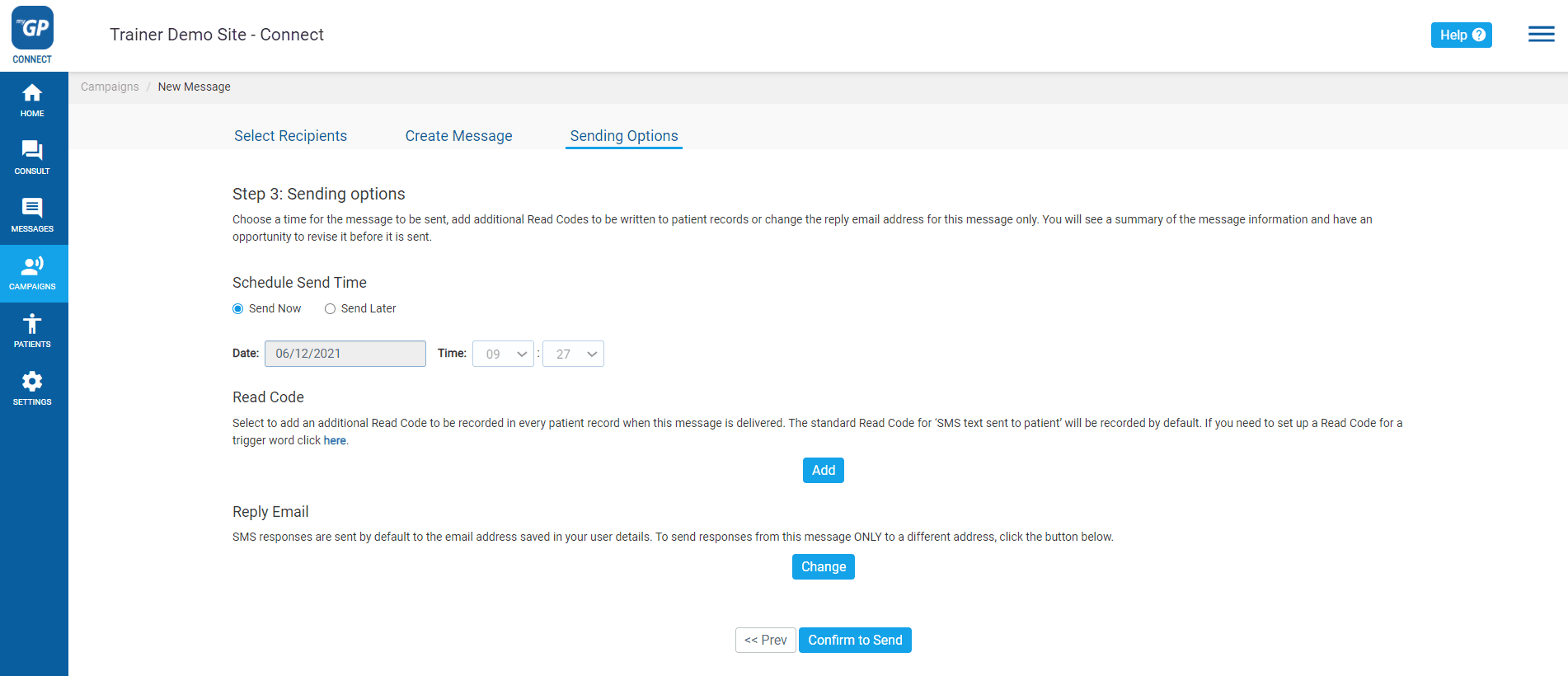
Please do the following:
- Choose your Sending Options
- Assign a clinical code with Read Code if necessary
- Reassign the Reply Email if necessary
- Click Confirm to Send
- You will receive a Message Confirmation Summary
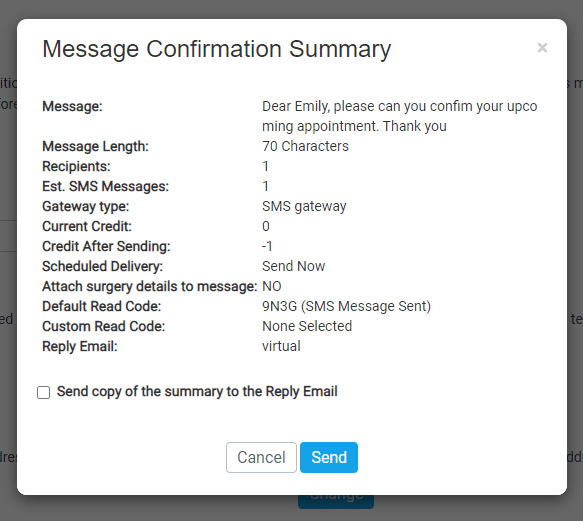
This pop-up will display you Message Confirmation Summary, allowing you to double check that the information is correct before sending. Now to do the final step:
- Click Send
- You will receive a confirmation pop-up message
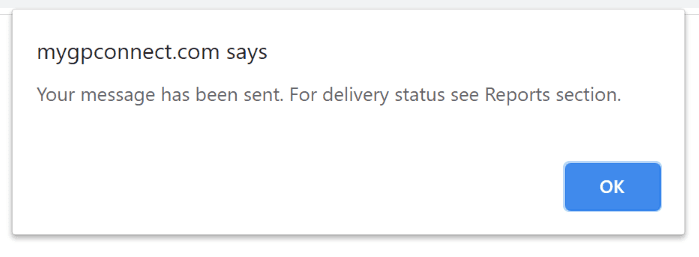
- Click OK
Your campaign message has now been sent.
© 2026 iPLATO. All rights reserved