

How can a patient onboard the myGP app?
July 7, 2020
It is important to note that if the patient does confirm a change in contact details, these are not automatically updated on the patients’ record.
Below is the coding that will be shown based on the patients’ answers
New mobile number given
- Snomed: 428481002
- EMIS Read code V2: 915J.
- TPP Read code V3: XaQgn
- Term: Information provided by patient via digital questionnaire.
New landline number given
- Snomed: 184103008
- EMIS Read code V2: 9159.
- TPP Read code V3: .9159
- Term: Information provided by patient via digital questionnaire.
New home address number given
- Snomed: 184097001
- EMIS Read code V2: 9153.
- TPP Read code V3: .9153
- Term: Information provided by patient via digital questionnaire.
New email number given
- Snomed: 424966008
- EMIS Read code V2: 915K.
- TPP Read code V3: XaYak
- Term: Information provided by patient via digital questionnaire.
IMPORTANT – Staff should then update the patients’ details and record themselves with the new information.


© 2026 iPLATO. All rights reserved
Practice Area
How can a patient onboard the myGP app?
July 7, 2020
It is important to note that if the patient does confirm a change in contact details, these are not automatically updated on the patients’ record.
Below is the coding that will be shown based on the patients’ answers
New mobile number given
- Snomed: 428481002
- EMIS Read code V2: 915J.
- TPP Read code V3: XaQgn
- Term: Information provided by patient via digital questionnaire.
New landline number given
- Snomed: 184103008
- EMIS Read code V2: 9159.
- TPP Read code V3: .9159
- Term: Information provided by patient via digital questionnaire.
New home address number given
- Snomed: 184097001
- EMIS Read code V2: 9153.
- TPP Read code V3: .9153
- Term: Information provided by patient via digital questionnaire.
New email number given
- Snomed: 424966008
- EMIS Read code V2: 915K.
- TPP Read code V3: XaYak
- Term: Information provided by patient via digital questionnaire.
IMPORTANT – Staff should then update the patients’ details and record themselves with the new information.
© 2026 iPLATO. All rights reserved
How can a patient onboard the myGP app?
July 7, 2020
With the myGP app activated, what will it look like from a patient’s point of view once they download and register on the app?
For your reference, you can follow the visual guide below to see this process:
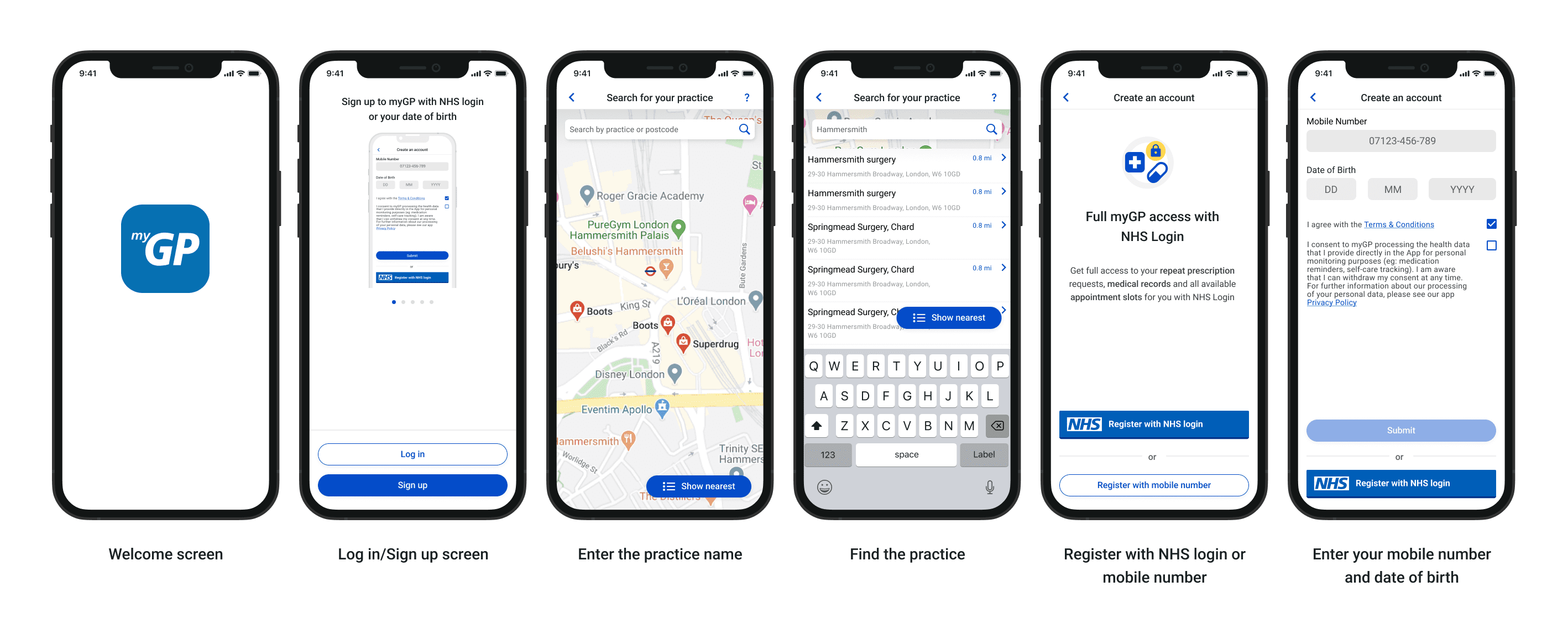
The final steps would consist of:
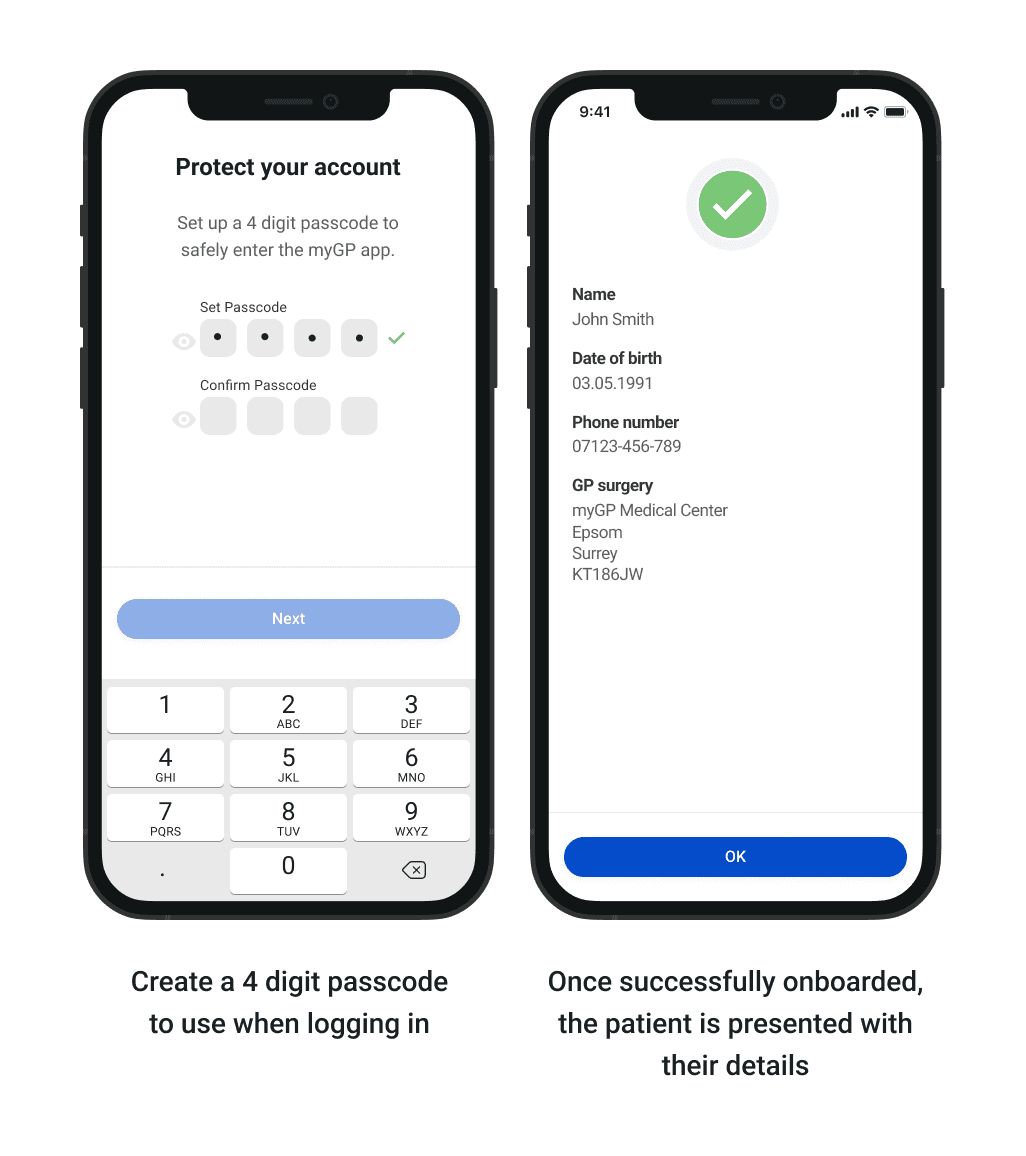
Once these steps are completed, the patient will be ready to start using the myGP app.
© 2026 iPLATO. All rights reserved