

Clinical codes for outgoing messages
July 2, 2020
It is important to note that if the patient does confirm a change in contact details, these are not automatically updated on the patients’ record.
Below is the coding that will be shown based on the patients’ answers
New mobile number given
- Snomed: 428481002
- EMIS Read code V2: 915J.
- TPP Read code V3: XaQgn
- Term: Information provided by patient via digital questionnaire.
New landline number given
- Snomed: 184103008
- EMIS Read code V2: 9159.
- TPP Read code V3: .9159
- Term: Information provided by patient via digital questionnaire.
New home address number given
- Snomed: 184097001
- EMIS Read code V2: 9153.
- TPP Read code V3: .9153
- Term: Information provided by patient via digital questionnaire.
New email number given
- Snomed: 424966008
- EMIS Read code V2: 915K.
- TPP Read code V3: XaYak
- Term: Information provided by patient via digital questionnaire.
IMPORTANT – Staff should then update the patients’ details and record themselves with the new information.


© 2026 iPLATO. All rights reserved
Practice Area
Clinical codes for outgoing messages
July 2, 2020
It is important to note that if the patient does confirm a change in contact details, these are not automatically updated on the patients’ record.
Below is the coding that will be shown based on the patients’ answers
New mobile number given
- Snomed: 428481002
- EMIS Read code V2: 915J.
- TPP Read code V3: XaQgn
- Term: Information provided by patient via digital questionnaire.
New landline number given
- Snomed: 184103008
- EMIS Read code V2: 9159.
- TPP Read code V3: .9159
- Term: Information provided by patient via digital questionnaire.
New home address number given
- Snomed: 184097001
- EMIS Read code V2: 9153.
- TPP Read code V3: .9153
- Term: Information provided by patient via digital questionnaire.
New email number given
- Snomed: 424966008
- EMIS Read code V2: 915K.
- TPP Read code V3: XaYak
- Term: Information provided by patient via digital questionnaire.
IMPORTANT – Staff should then update the patients’ details and record themselves with the new information.
© 2026 iPLATO. All rights reserved
Clinical codes for outgoing messages
July 2, 2020
Watch video
All outgoing SMS messages within myGP Connect, both manual and automated, will have a default clinical code assigned to it. myGP Connect is compatible with both Read Code and Snomed clinical codes.
If a message is sent out to a patient, the default clinical code will be sent forward to the patient’s records on your clinical system in either scenario.
If you wish to reference this exact clinical code, please do the follow steps:
- Log in to your myGP Connect system
- Click on Settings found on the left-hand side menu
- Click on Read Code
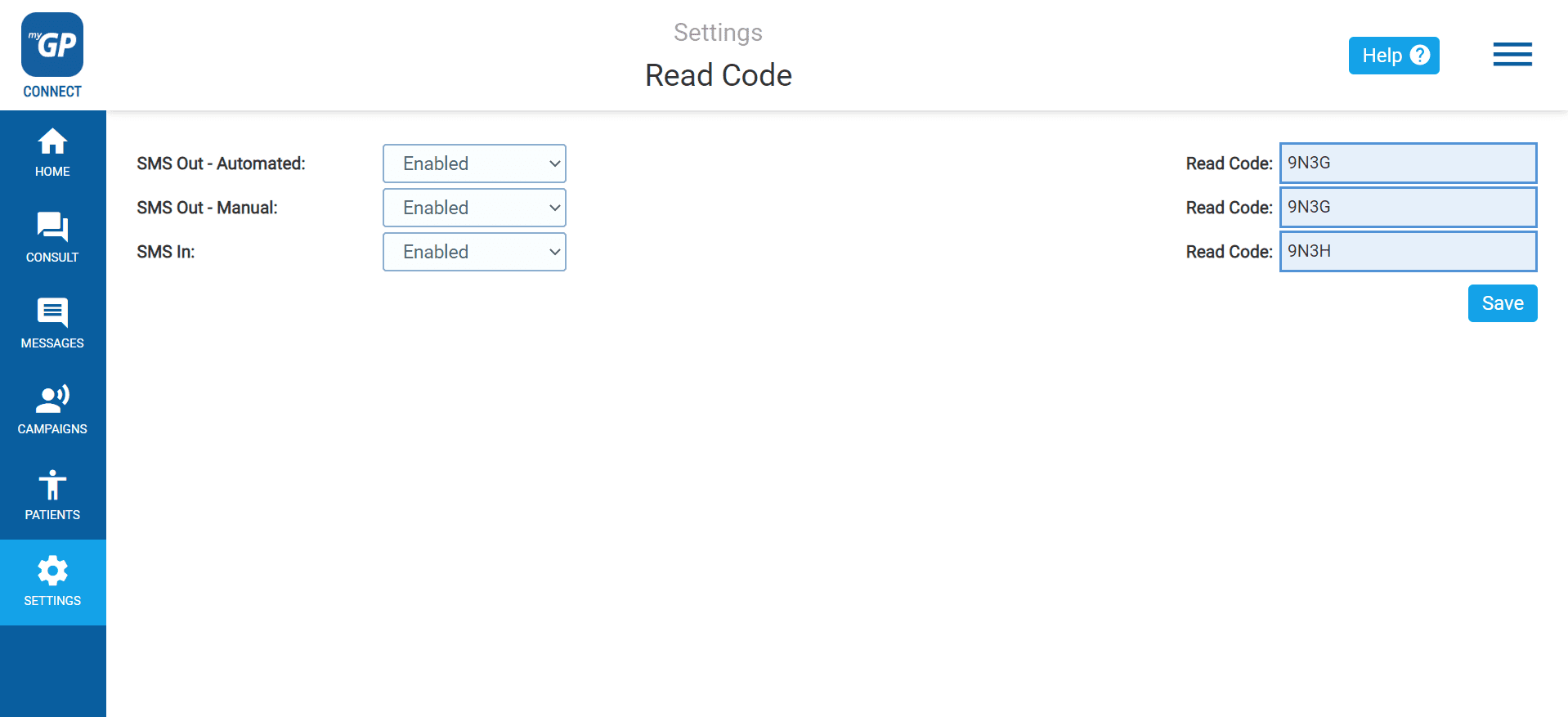
This will bring you to the Read Code page. If you are a Snomed user, this page will read as the Snomed page instead.
To reference the clinical codes for your outgoing messages, view the codes linked to your:
- SMS Out Automated: automated appointment reminder
- SMS Out Manual: any manually generated messages
Both will share the same code between them.
Please Note: if your practice has transitioned to Snomed, please notify our Support Team at help@iplato.com and they will transition your system over.
TOP TIP: If the code is disabled on this page, it will stop the system filing of any clinical codes back into patient records if added for a campaign or manual message.
© 2026 iPLATO. All rights reserved