

How to create a template for Flu Campaign
July 22, 2020
Now to create the actual message for your Coronavirus Vaccination Campaign:
- Click on Campaigns tab found on the left-hand side menu
- Click on Templates
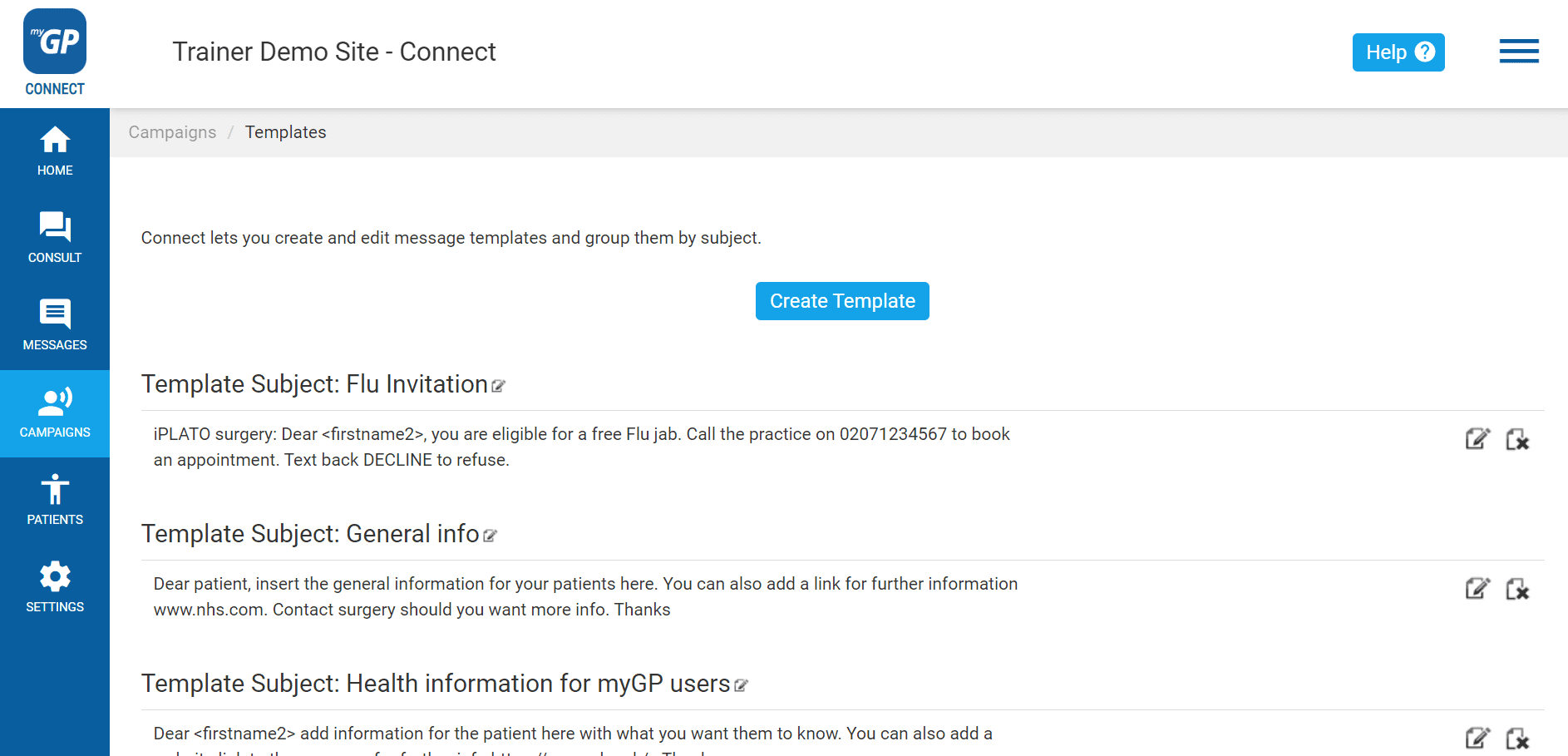
On this page, you will be able to create a template for Invitation message. To create this, do the following steps:
- Click Create Template
- This will bring up the Manual Template Message pop-up box
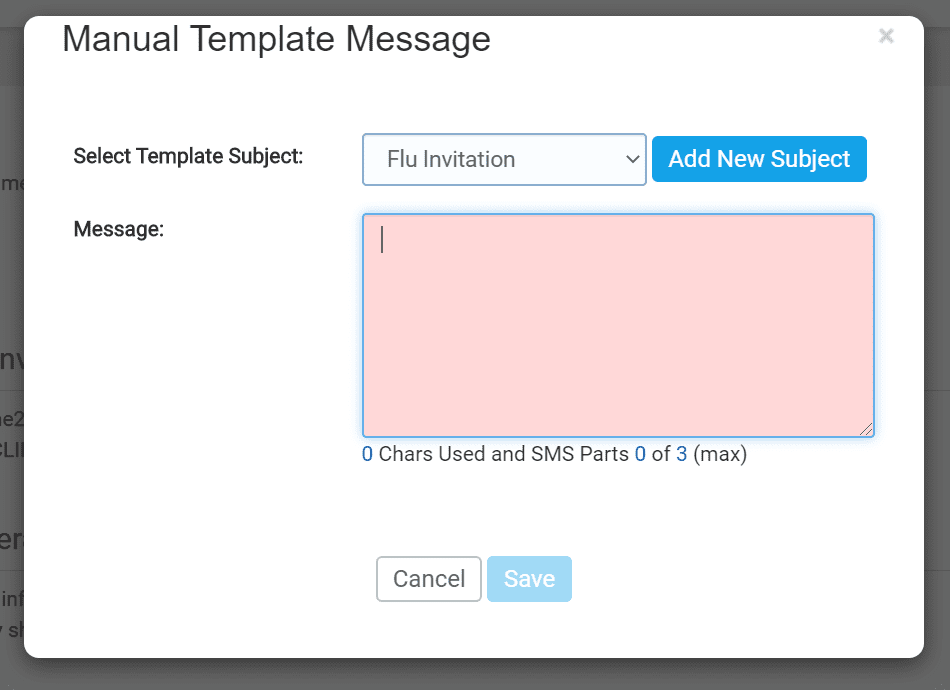
- First click on the Add New Subject button
- This will clear the Select Template Subject field
- Name your template (e.g. Coronavirus Vaccination Campaign)
- Then type your invitation into the Message field
An example of a best practice templates for a Coronavirus Vaccination Campaign is found below (alternatively, you can also create your own):
“From (surgery name): Dear <firstname2>, you are eligible for a free Covid vaccination. Call the practice on xxxxxxxxxx to book an appt. Text back REJECT to refuse .”
REJECT is set up to be the Trigger Word for this template.
- Once text is inserted, click Save
Now your template will be saved as an entry on the page and will be accessible in the New Message section.


© 2026 iPLATO. All rights reserved
Practice Area
How to create a template for Flu Campaign
July 22, 2020
Now to create the actual message for your Coronavirus Vaccination Campaign:
- Click on Campaigns tab found on the left-hand side menu
- Click on Templates
On this page, you will be able to create a template for Invitation message. To create this, do the following steps:
- Click Create Template
- This will bring up the Manual Template Message pop-up box
- First click on the Add New Subject button
- This will clear the Select Template Subject field
- Name your template (e.g. Coronavirus Vaccination Campaign)
- Then type your invitation into the Message field
An example of a best practice templates for a Coronavirus Vaccination Campaign is found below (alternatively, you can also create your own):
“From (surgery name): Dear <firstname2>, you are eligible for a free Covid vaccination. Call the practice on xxxxxxxxxx to book an appt. Text back REJECT to refuse .”
REJECT is set up to be the Trigger Word for this template.
- Once text is inserted, click Save
Now your template will be saved as an entry on the page and will be accessible in the New Message section.
© 2026 iPLATO. All rights reserved
How to create a template for Flu Campaign
July 22, 2020
Watch video
Now to create the actual message for your Flu Campaign:
- Click on Campaigns tab found on the left-hand side menu
- Click on Templates
On this page, you will be able to create a template for Seasonal Flu Invitation message. To create this, do the following steps:
- Click Create Template
- This will bring up the Manual Template Message pop-up box
- First click on the Add New Subject button
- This will clear the Select Template Subject field
- Name your template Season Flu Invitation
- Then type your invitation into the Message field
An example of a best practice templates for a Flu Invite is found below (alternatively, you can also create your own):
“(surgery name): Flu can be serious. Please call us now on xxx xxxx-xxxx to book your
appointment for a FREE flu jab or text back DECLINE to refuse.”
DECLINE is set up to be the Trigger Word for this template.
- Once text is inserted, click Save
Now your template will be saved as an entry on the page and will be accessible in the New Message section.
© 2026 iPLATO. All rights reserved