

How do I activate the Friends and Family Survey?
January 26, 2021
If you have activated FFT PRO, the set amount of Friends and Family Survey responses will be formatted into a downloadable PDF file.
In order to access this document to reference and download, please do the following steps:
- Log in to your myGP Connect system
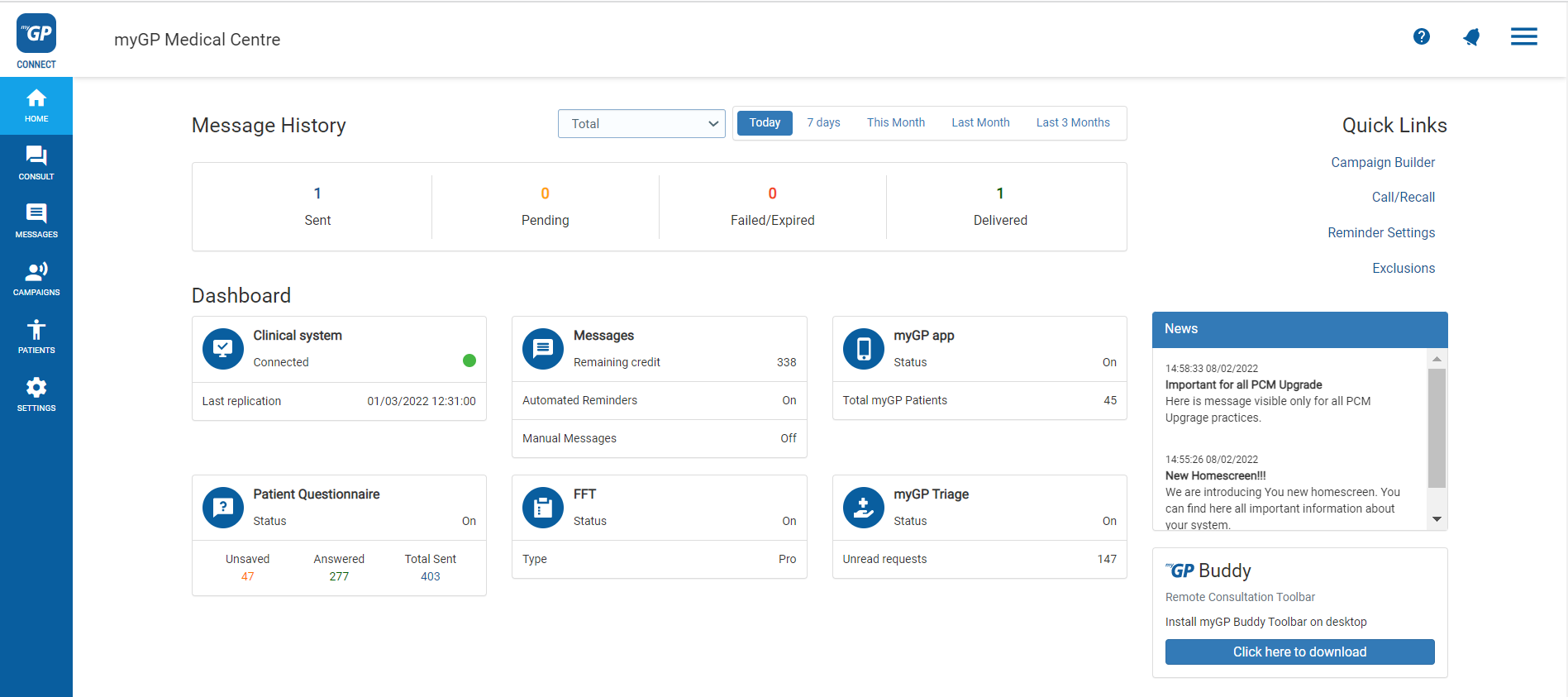
- Click on Home tab found on the left-hand side menu
- Click on Patient Survey Reports
- This page will store any past reports labelled by their month
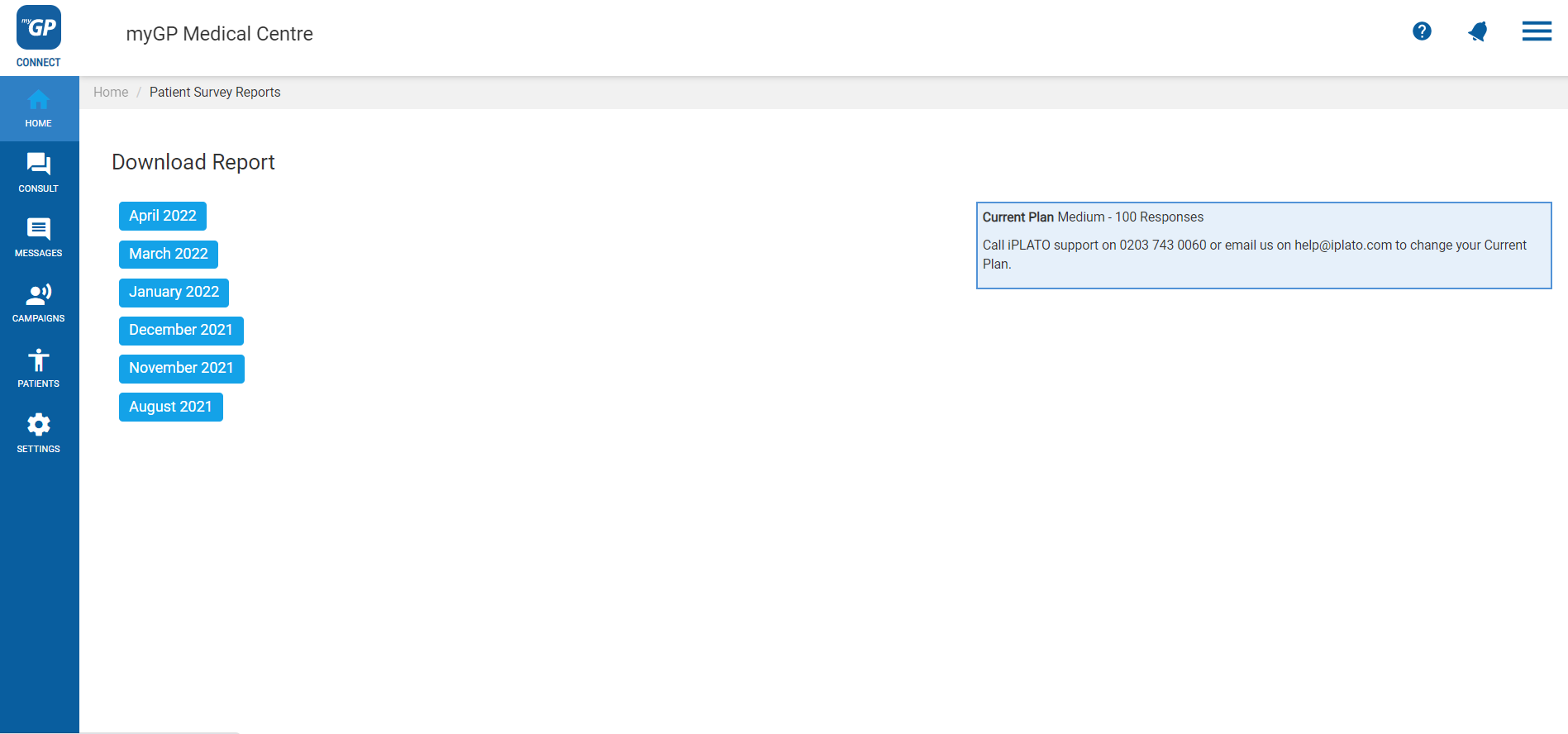
- To download Report, simply click on specific month and it will download automatically as a PDF on your desktop.


© 2026 iPLATO. All rights reserved
Practice Area
How do I activate the Friends and Family Survey?
January 26, 2021
If you have activated FFT PRO, the set amount of Friends and Family Survey responses will be formatted into a downloadable PDF file.
In order to access this document to reference and download, please do the following steps:
- Log in to your myGP Connect system
- Click on Home tab found on the left-hand side menu
- Click on Patient Survey Reports
- This page will store any past reports labelled by their month
- To download Report, simply click on specific month and it will download automatically as a PDF on your desktop.
© 2026 iPLATO. All rights reserved
How do I activate the Friends and Family Survey?
January 26, 2021
In order to activate the regular version of the Friends and Family SMS service that myGP Connect provides, please do the following steps:
- Log-in to myGP Connect
- Select Settings from the left-hand side menu
- Then click on Patient Surveys
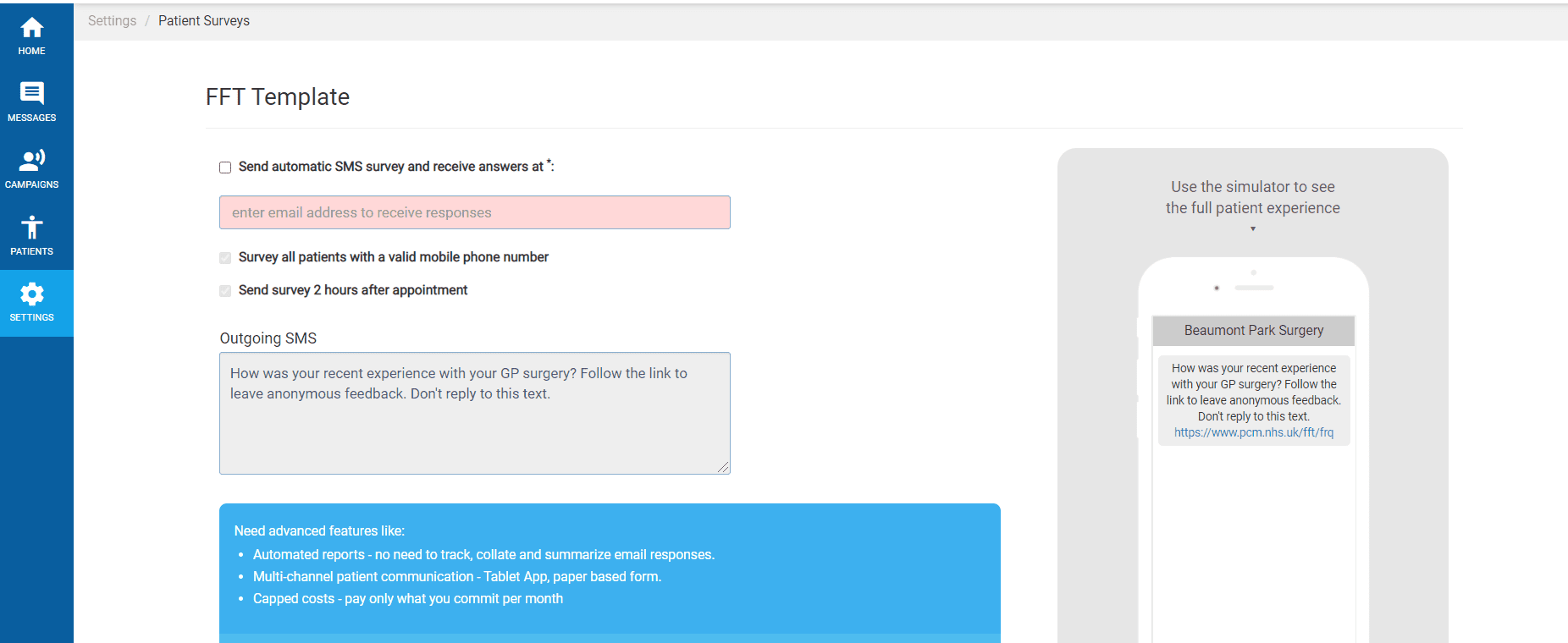
- Input the email address you wish to receive the survey response into the enter email address to receive responses field
- Tick the box Send automatic SMS survey and receive answers at
© 2026 iPLATO. All rights reserved