

How do I activate FFT PRO?
February 1, 2021
If you have activated FFT PRO, the set amount of Friends and Family Survey responses will be formatted into a downloadable PDF file.
In order to access this document to reference and download, please do the following steps:
- Log in to your myGP Connect system
- Click on Home tab found on the left-hand side menu
- Click on Patient Survey Reports
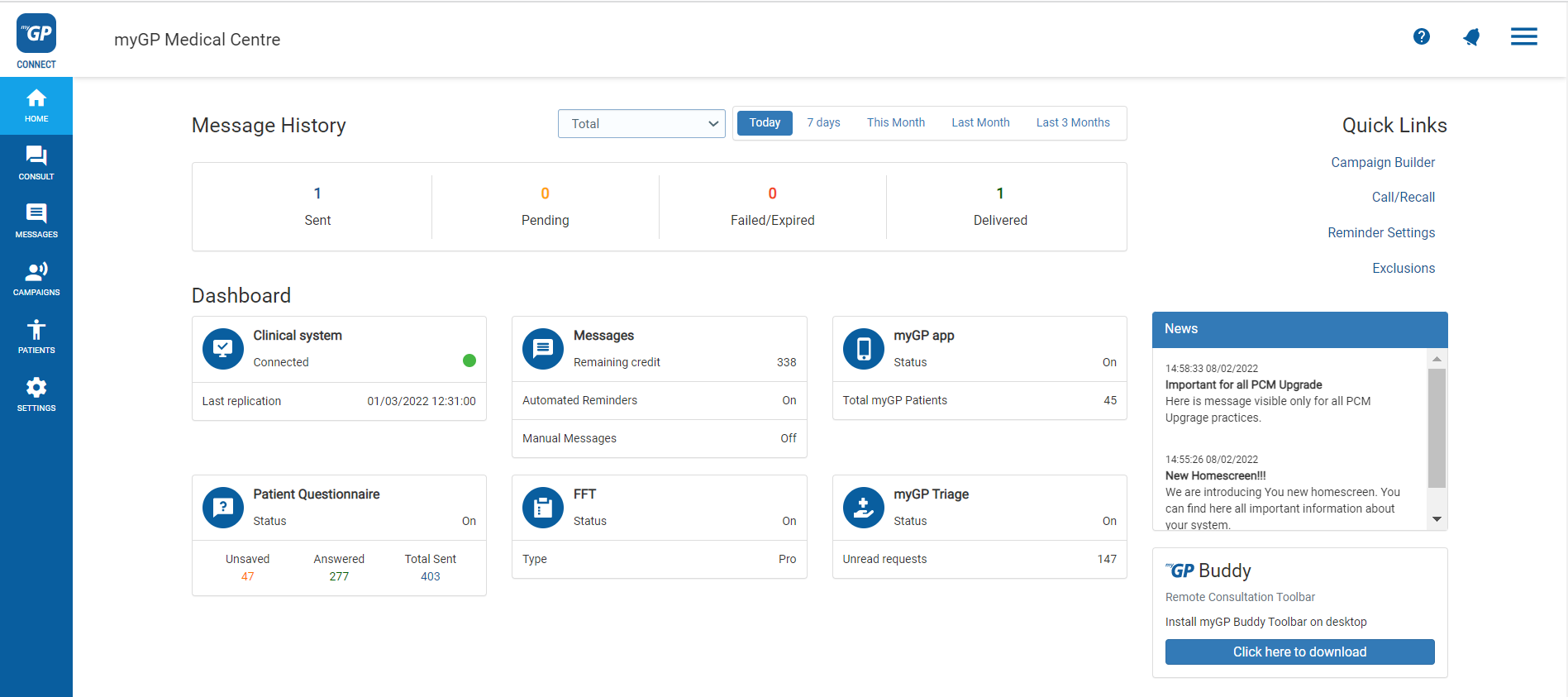
- This page will store any past reports labelled by their month
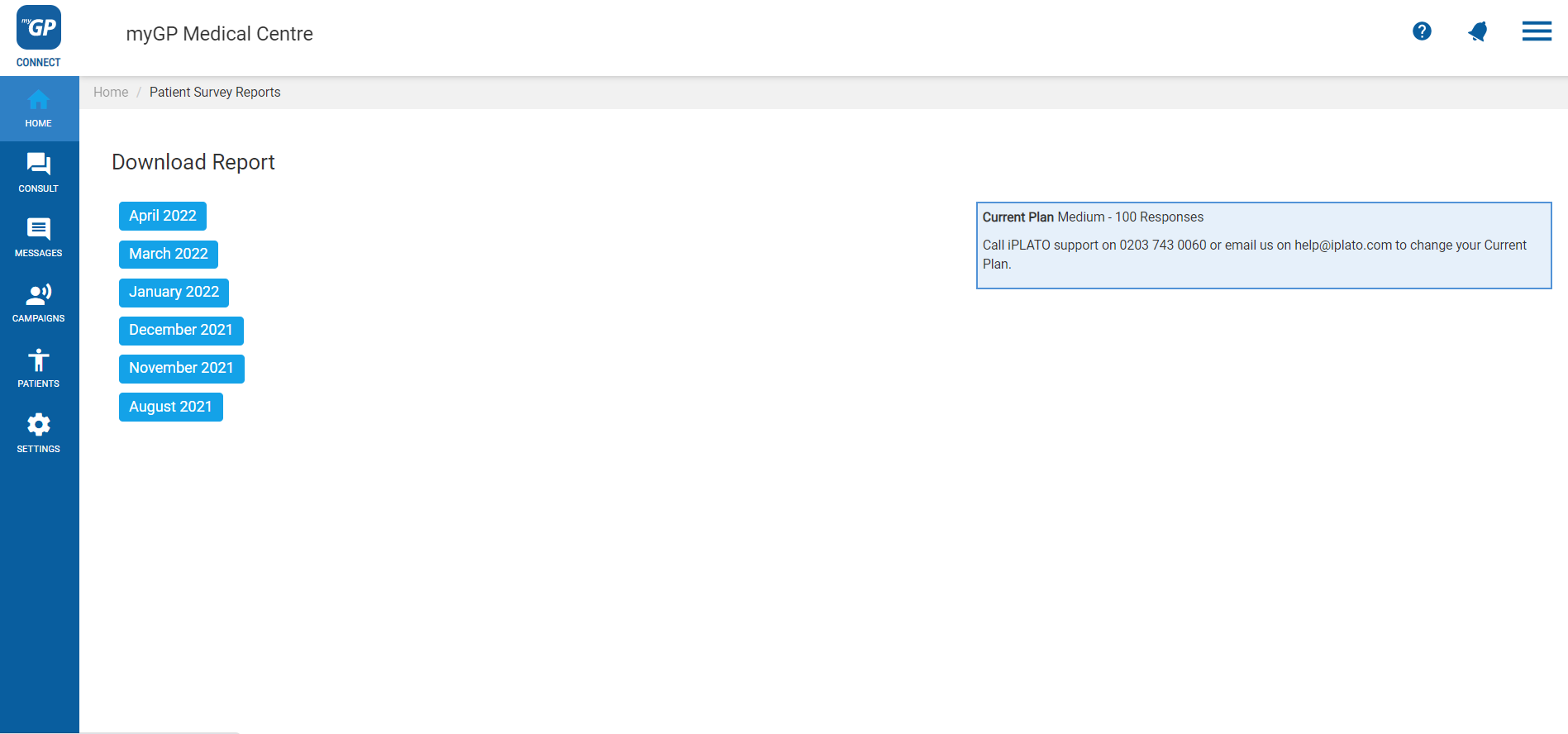
- To download Report, simply click on specific month and it will download automatically as a PDF on your desktop.


© 2026 iPLATO. All rights reserved
Practice Area
How do I activate FFT PRO?
February 1, 2021
If you have activated FFT PRO, the set amount of Friends and Family Survey responses will be formatted into a downloadable PDF file.
In order to access this document to reference and download, please do the following steps:
- Log in to your myGP Connect system
- Click on Home tab found on the left-hand side menu
- Click on Patient Survey Reports
- This page will store any past reports labelled by their month
- To download Report, simply click on specific month and it will download automatically as a PDF on your desktop.
© 2026 iPLATO. All rights reserved
How do I activate FFT PRO?
February 1, 2021
In order to activate the PRO version of the Friends and Family SMS service that myGP Connect provides, please do the following steps:
- Log-in to myGP Connect
- Select Settings from the left-hand side menu
- Then click on Patient Surveys
- Refer to the blue box at the bottom of the screen
- Click Then upgrade to FFT by clicking here
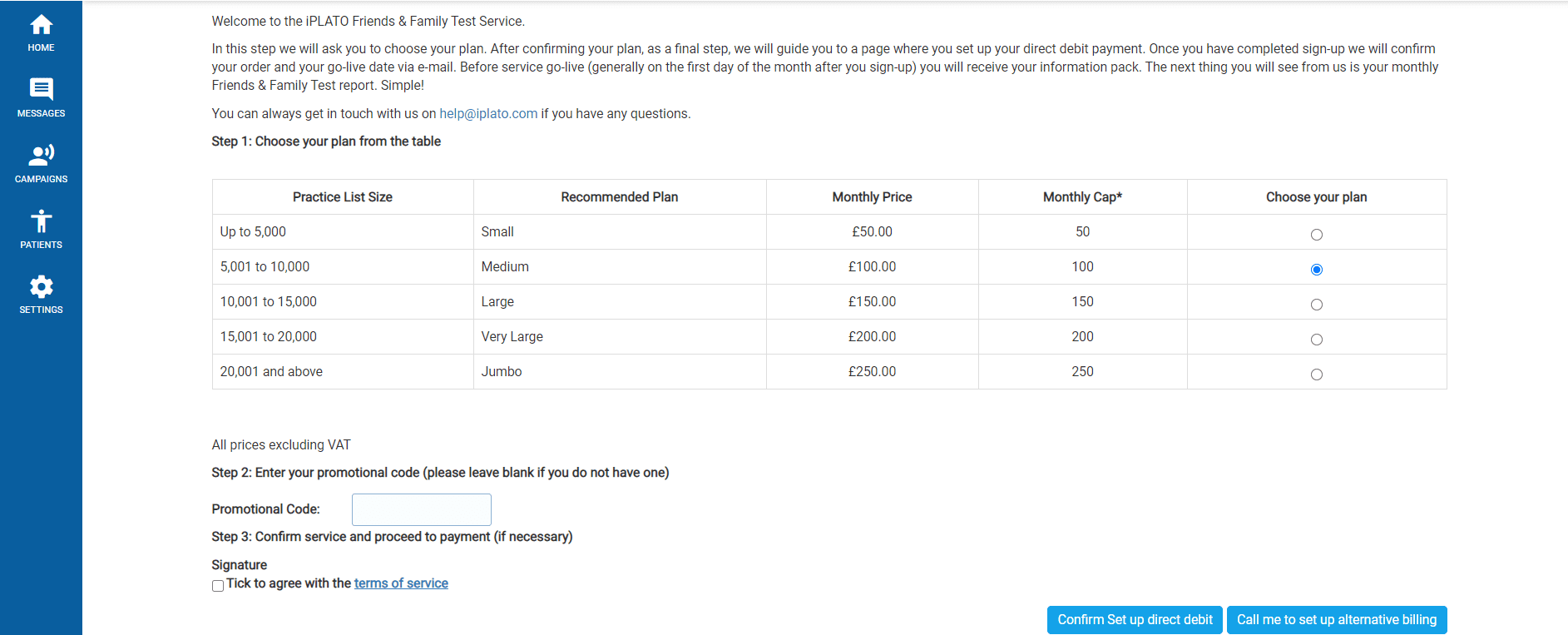
- Step 1: Select the plan and price your practice wishes to action from the Choose your plan column
- Step 2: enter your promotional code if you have one (if not, leave blank)
- Step 3: Tick the box to agree with the terms of service
- Select the option of Confirm Set up direct debit or Call me to set up alternative billing options to complete your payment plan
Please Note: unless your CCG is providing you a version of FFT PRO, you will be billed for the upgrade. If you are uncertain, please contact your CCG to confirm if you are receiving this plan.
© 2026 iPLATO. All rights reserved