

What is the Cancellation Confirmation Message?
June 23, 2020
When a patient has replied back with the trigger word of CANCEL to their appt reminder, how will they be able to confirm that their appointment has been successfully cancelled?
All patients that have cancelled will receive a Cancellation Confirmation message:
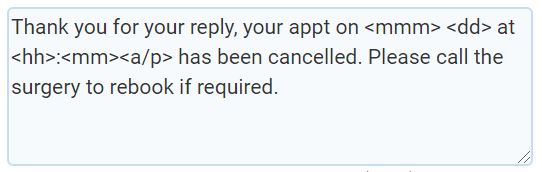
If you wish to reference this text, you can find its location by following these steps:
- Log-in to your myGP Connect system
- Click on Settings on the left-hand menu tab
- Select Cancellation
- From the sub-headers, select Confirmation Message
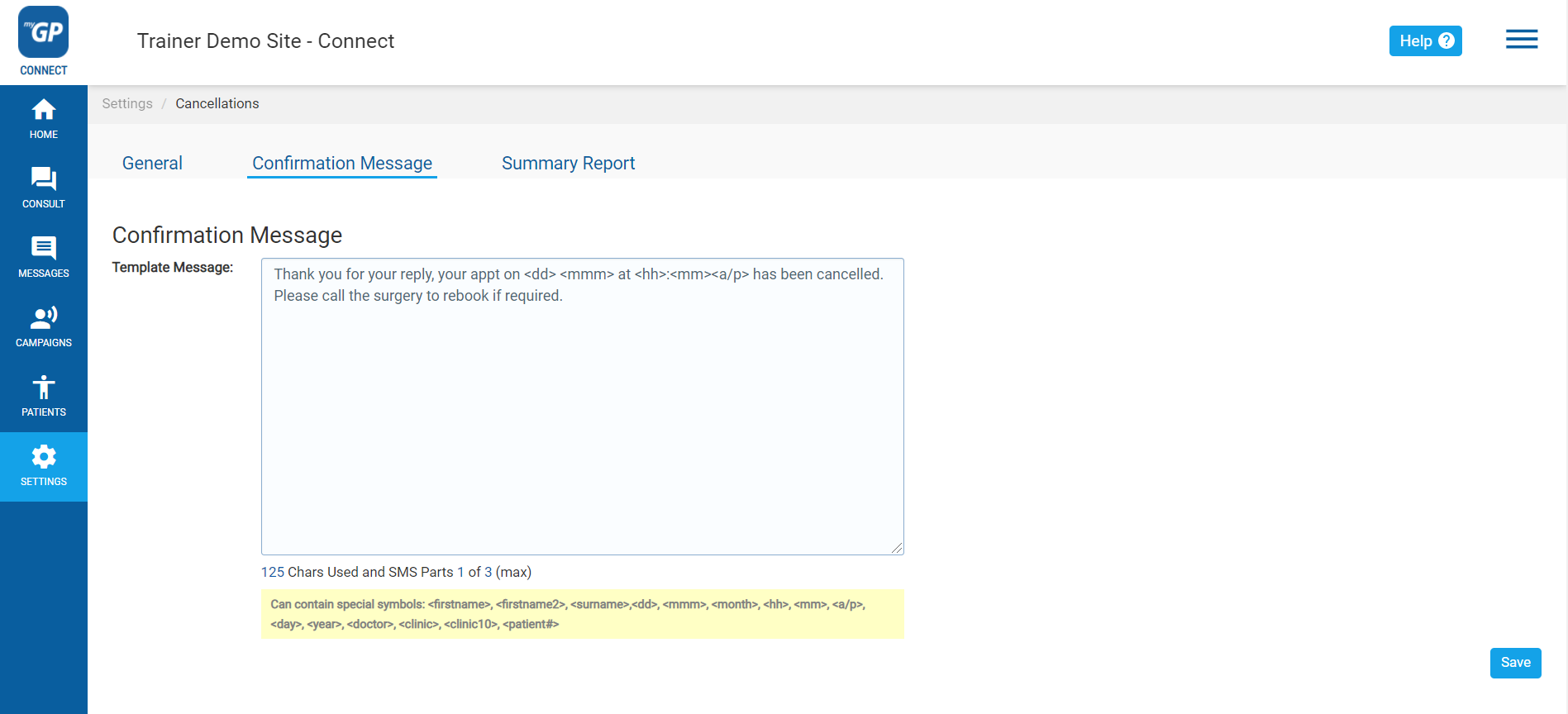
Please Note: You are able to edit this message if necessary, however, keep in mind that if you exceed 160 characters, it will cost your practice more then one credit to send out.


© 2026 iPLATO. All rights reserved
Practice Area
What is the Cancellation Confirmation Message?
June 23, 2020
When a patient has replied back with the trigger word of CANCEL to their appt reminder, how will they be able to confirm that their appointment has been successfully cancelled?
All patients that have cancelled will receive a Cancellation Confirmation message:
If you wish to reference this text, you can find its location by following these steps:
- Log-in to your myGP Connect system
- Click on Settings on the left-hand menu tab
- Select Cancellation
- From the sub-headers, select Confirmation Message
Please Note: You are able to edit this message if necessary, however, keep in mind that if you exceed 160 characters, it will cost your practice more then one credit to send out.
© 2026 iPLATO. All rights reserved
What is the Cancellation Confirmation Message?
June 23, 2020
When a patient has replied back with the trigger word of CANCEL to their appt reminder, how will they be able to confirm that their appointment has been successfully cancelled?
All patients that have cancelled will receive a Cancellation Confirmation message:
If you wish to reference this text, you can find its location by following these steps:
- Log-in to your myGP Connect system
- Click on Settings on the left-hand menu tab
- Select Cancellation
- From the sub-headers, select Confirmation Message
Please Note: You are able to edit this message if necessary, however, keep in mind that if you exceed 160 characters, it will cost your practice more then one credit to send out.
© 2026 iPLATO. All rights reserved