

How to create an Automatic Reminder in a different language
August 18, 2020
Watch video
Your default Automated Appointment Reminder is set to the English language. You are able to set up a reminder in an alternative language as well, to do so, please follow these steps:
- Log in to your myGP Connect system
- Click on Settings found on the left-hand side menu
- Click on Automatic Reminders
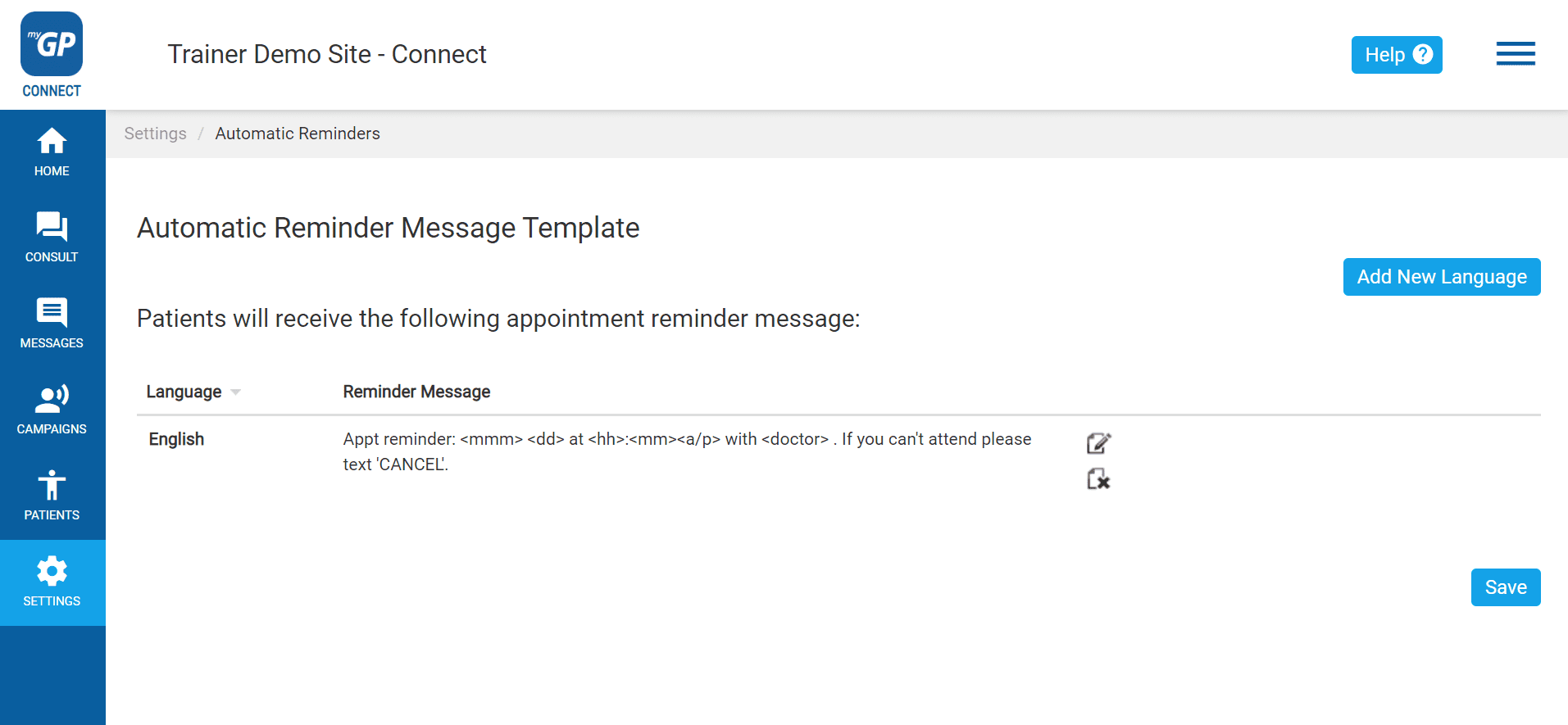
- Click Add New Language in the upper right corner
- You will see the Create New Language pop-up box
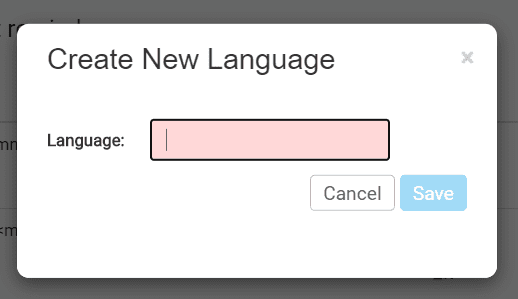
- Type in the specific language name in the Language field
- Click Save
This will save your New Language Reminder as an entry below the English Appointment Reminder.
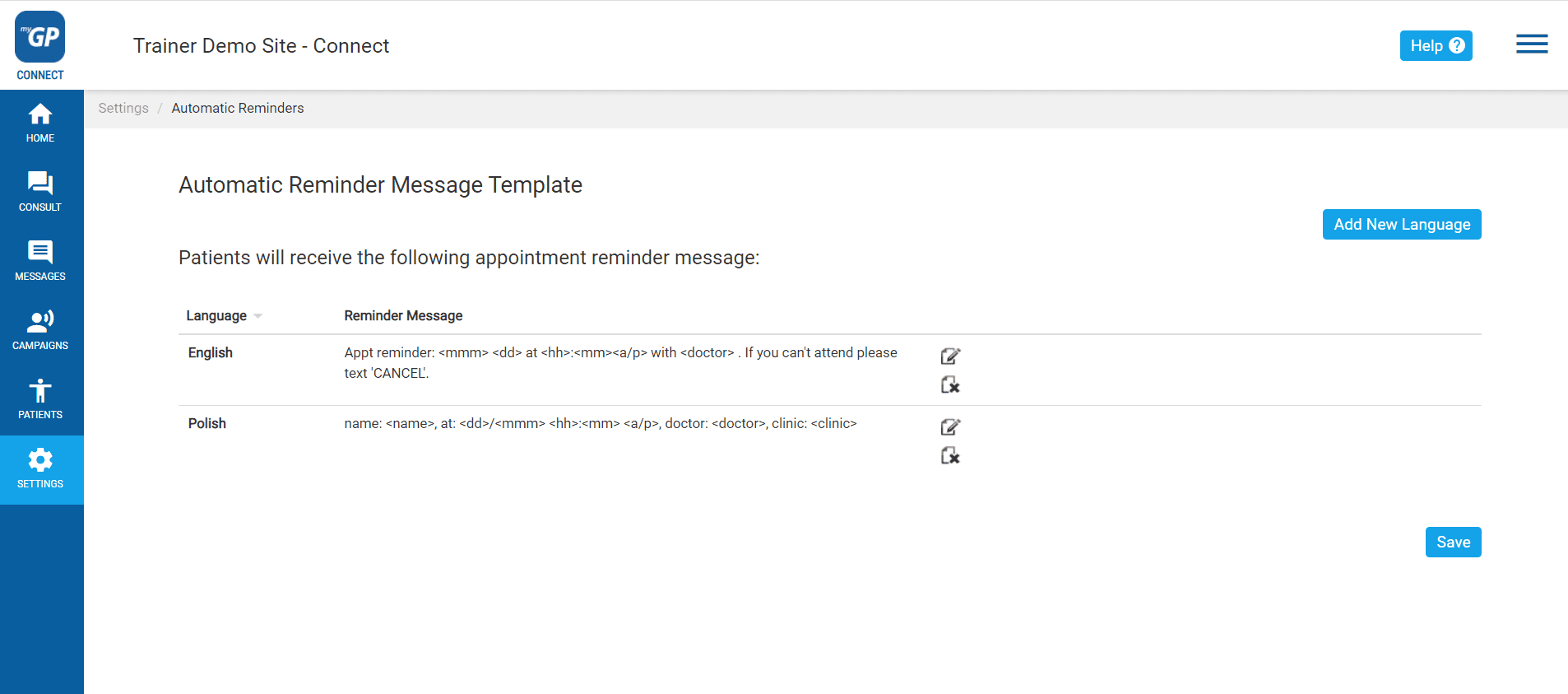
It automatically inputs helpful Mail Merges into the message, however it does not automatically translate the text into the selected language, you will need to translate and add it in yourself.
In order to do this, please do the following:
- Refer to your New Language entry
- Click the pen-and-paper Edit icon to the right of entry
- This opens up the Edit Reminder Message pop-up for this entry
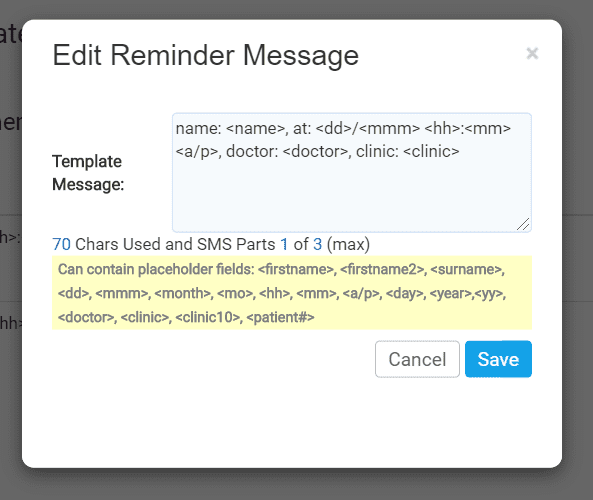
- Click on the Template Message box and add in your translated text, keep necessary Mail Merges
- Click Save
Your New Language Reminder has now been created. In order for it to pick up for a specific patient, you will need to assign the New Language to them.
Please Note: In order for the Trigger Word of CANCEL to function, the spelling will need to remain in English, do not translate it in the New Language Reminder if you want this feature to work.


© 2026 iPLATO. All rights reserved
Practice Area
How to create an Automatic Reminder in a different language
August 18, 2020
Watch video
Your default Automated Appointment Reminder is set to the English language. You are able to set up a reminder in an alternative language as well, to do so, please follow these steps:
- Log in to your myGP Connect system
- Click on Settings found on the left-hand side menu
- Click on Automatic Reminders
- Click Add New Language in the upper right corner
- You will see the Create New Language pop-up box
- Type in the specific language name in the Language field
- Click Save
This will save your New Language Reminder as an entry below the English Appointment Reminder.
It automatically inputs helpful Mail Merges into the message, however it does not automatically translate the text into the selected language, you will need to translate and add it in yourself.
In order to do this, please do the following:
- Refer to your New Language entry
- Click the pen-and-paper Edit icon to the right of entry
- This opens up the Edit Reminder Message pop-up for this entry
- Click on the Template Message box and add in your translated text, keep necessary Mail Merges
- Click Save
Your New Language Reminder has now been created. In order for it to pick up for a specific patient, you will need to assign the New Language to them.
Please Note: In order for the Trigger Word of CANCEL to function, the spelling will need to remain in English, do not translate it in the New Language Reminder if you want this feature to work.
© 2026 iPLATO. All rights reserved
How to create an Automatic Reminder in a different language
August 18, 2020
Watch video
Your default Automated Appointment Reminder is set to the English language. You are able to set up a reminder in an alternative language as well, to do so, please follow these steps:
- Log in to your myGP Connect system
- Click on Settings found on the left-hand side menu
- Click on Automatic Reminders
- Click Add New Language in the upper right corner
- You will see the Create New Language pop-up box
- Type in the specific language name in the Language field
- Click Save
This will save your New Language Reminder as an entry below the English Appointment Reminder.
It automatically inputs helpful Mail Merges into the message, however it does not automatically translate the text into the selected language, you will need to translate and add it in yourself.
In order to do this, please do the following:
- Refer to your New Language entry
- Click the pen-and-paper Edit icon to the right of entry
- This opens up the Edit Reminder Message pop-up for this entry
- Click on the Template Message box and add in your translated text, keep necessary Mail Merges
- Click Save
Your New Language Reminder has now been created. In order for it to pick up for a specific patient, you will need to assign the New Language to them.
Please Note: In order for the Trigger Word of CANCEL to function, the spelling will need to remain in English, do not translate it in the New Language Reminder if you want this feature to work.
© 2026 iPLATO. All rights reserved