

How to Blacklist a patient’s number
August 18, 2020
Watch video
myGP Connect is a 2-way messaging service, if you need to block a patient from sending your practice messages, you can Blacklist them. To action this, do the following:
- Log in to your myGP Connect system
- Click on Settings found on the left-hand side menu
- Click on Blacklist
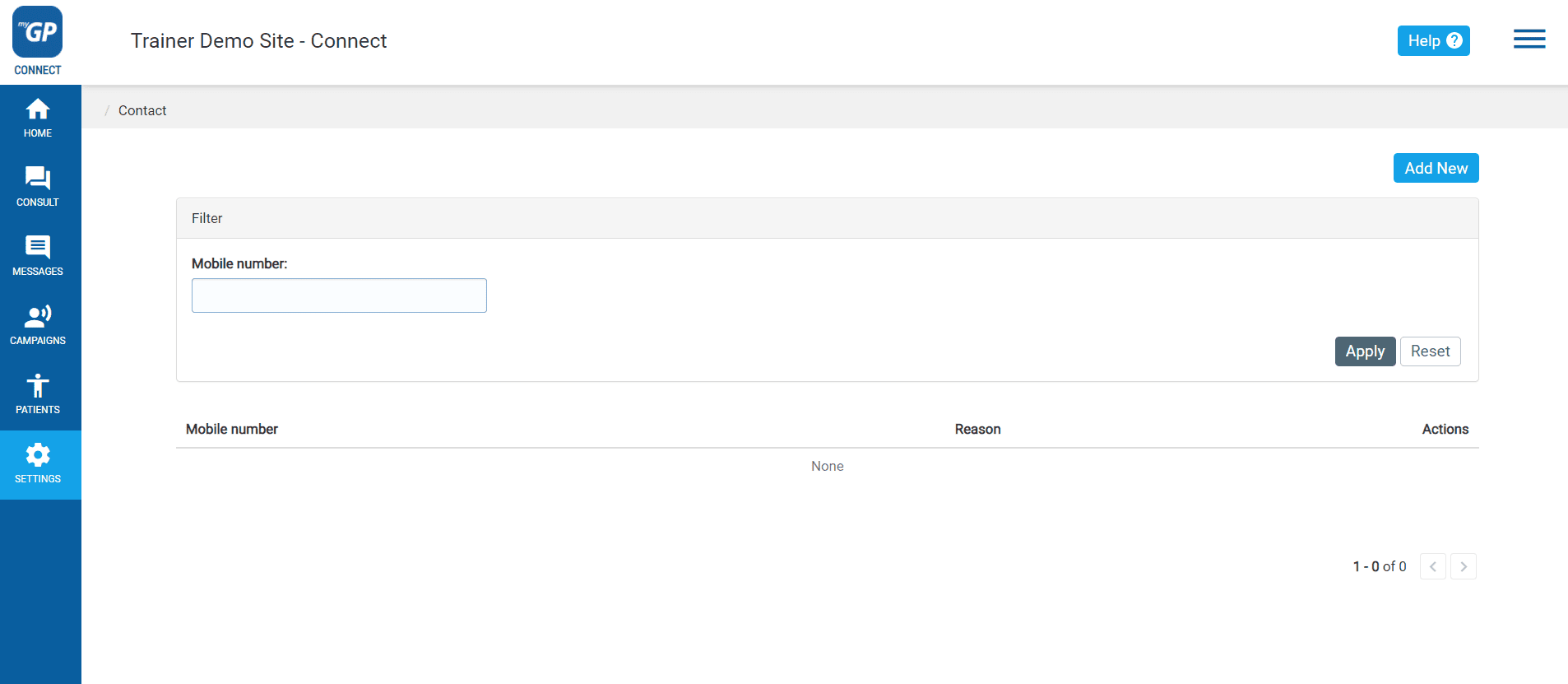
On this page you can select a patient to block from sending messages. To do so, action the following:
- Click Add New in the top right corner
- This will bring you to the Add Contact page
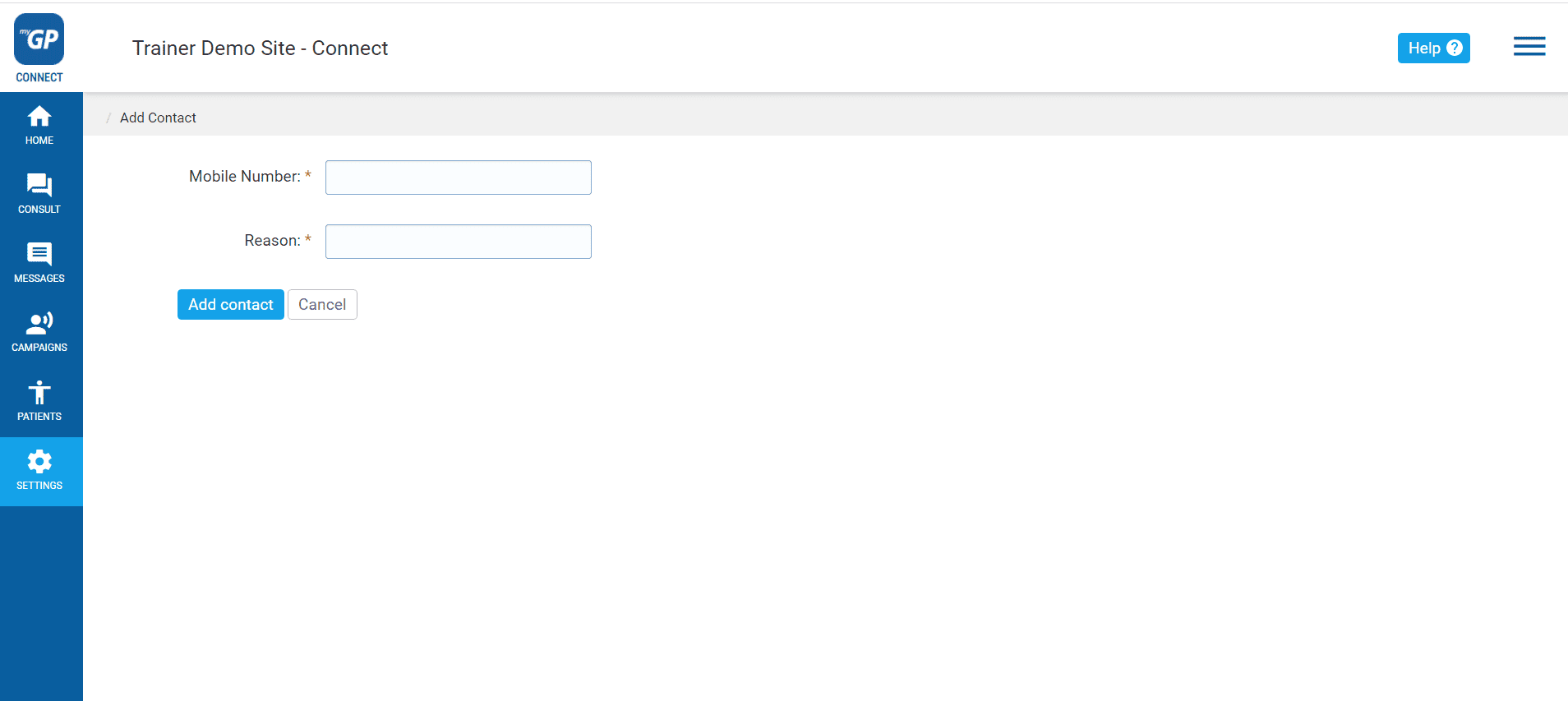
- Fill in the Mobile Number of the specific patient
- Fill in the reason for Blacklisting in the Reason field
- Click Add contact button
This will now save this mobile number as a Blacklist entry on the main page.
How to Blacklist a number from the Messages Inbox
If a patient has become rude or abusive, and you want to stop them from sending or receiving SMS from your iPLATO system, you can action this from the Inbox.
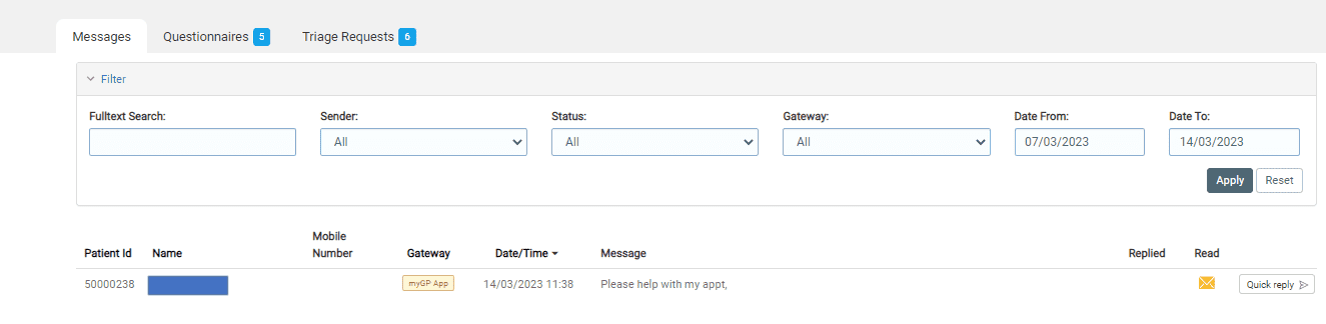
- Click on the message in question
- You will be taken to the info screen and quick reply box
- Above the box, you will see the Blacklist Mobile Number function
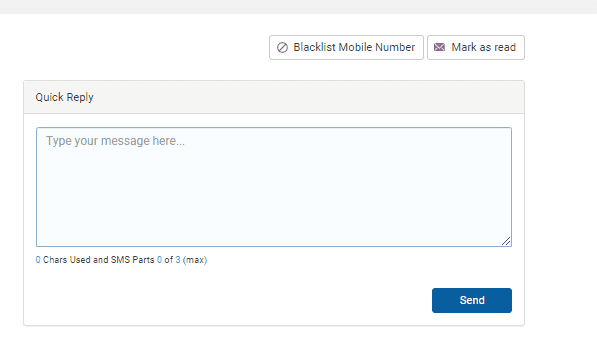
- Click on Blacklist Mobile Number
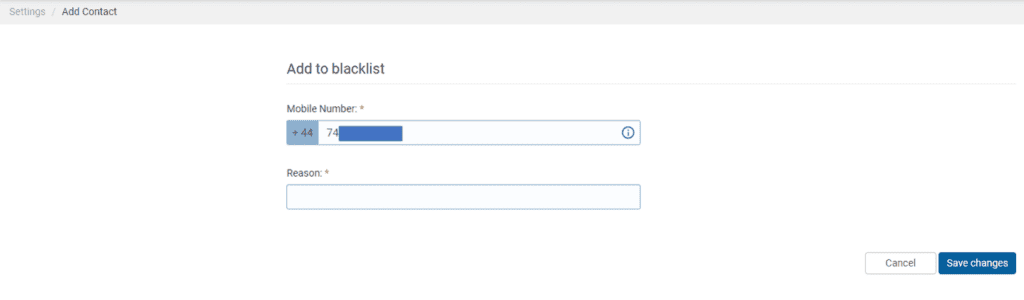
- The number will be pre-populated for you, just enter the reason
- Click Save Changes
Please Note: Patients will not be notified that their messages are being blocked from being received by your practice. In order to make them aware, you can notify them.
TOP TIP: If you need to unblock the mobile number, simply delete the entry from the main page by clicking the Delete icon to the right of the entry.


© 2026 iPLATO. All rights reserved
Practice Area
How to Blacklist a patient’s number
August 18, 2020
Watch video
myGP Connect is a 2-way messaging service, if you need to block a patient from sending your practice messages, you can Blacklist them. To action this, do the following:
- Log in to your myGP Connect system
- Click on Settings found on the left-hand side menu
- Click on Blacklist
On this page you can select a patient to block from sending messages. To do so, action the following:
- Click Add New in the top right corner
- This will bring you to the Add Contact page
- Fill in the Mobile Number of the specific patient
- Fill in the reason for Blacklisting in the Reason field
- Click Add contact button
This will now save this mobile number as a Blacklist entry on the main page.
How to Blacklist a number from the Messages Inbox
If a patient has become rude or abusive, and you want to stop them from sending or receiving SMS from your iPLATO system, you can action this from the Inbox.
- Click on the message in question
- You will be taken to the info screen and quick reply box
- Above the box, you will see the Blacklist Mobile Number function
- Click on Blacklist Mobile Number
- The number will be pre-populated for you, just enter the reason
- Click Save Changes
Please Note: Patients will not be notified that their messages are being blocked from being received by your practice. In order to make them aware, you can notify them.
TOP TIP: If you need to unblock the mobile number, simply delete the entry from the main page by clicking the Delete icon to the right of the entry.
© 2026 iPLATO. All rights reserved
How to Blacklist a patient’s number
August 18, 2020
Watch video
myGP Connect is a 2-way messaging service, if you need to block a patient from sending your practice messages, you can Blacklist them. To action this, do the following:
- Log in to your myGP Connect system
- Click on Settings found on the left-hand side menu
- Click on Blacklist
On this page you can select a patient to block from sending messages. To do so, action the following:
- Click Add New in the top right corner
- This will bring you to the Add Contact page
- Fill in the Mobile Number of the specific patient
- Fill in the reason for Blacklisting in the Reason field
- Click Add contact button
This will now save this mobile number as a Blacklist entry on the main page.
How to Blacklist a number from the Messages Inbox
If a patient has become rude or abusive, and you want to stop them from sending or receiving SMS from your iPLATO system, you can action this from the Inbox.
- Click on the message in question
- You will be taken to the info screen and quick reply box
- Above the box, you will see the Blacklist Mobile Number function
- Click on Blacklist Mobile Number
- The number will be pre-populated for you, just enter the reason
- Click Save Changes
Please Note: Patients will not be notified that their messages are being blocked from being received by your practice. In order to make them aware, you can notify them.
TOP TIP: If you need to unblock the mobile number, simply delete the entry from the main page by clicking the Delete icon to the right of the entry.
© 2026 iPLATO. All rights reserved