

/
Appointment Reminder
/
How to assign a patient with an Automatic Reminder in a different language
How to assign a patient with an Automatic Reminder in a different language
August 18, 2020
Watch video
If you have created a New Language Reminder, patients will still receive the default English Appointment Reminder until you assign the new language to them. To action this, please do the following:
- Log in to your myGP Connect system
- Click on Patients found on the left-hand side menu
- Click on Patient List
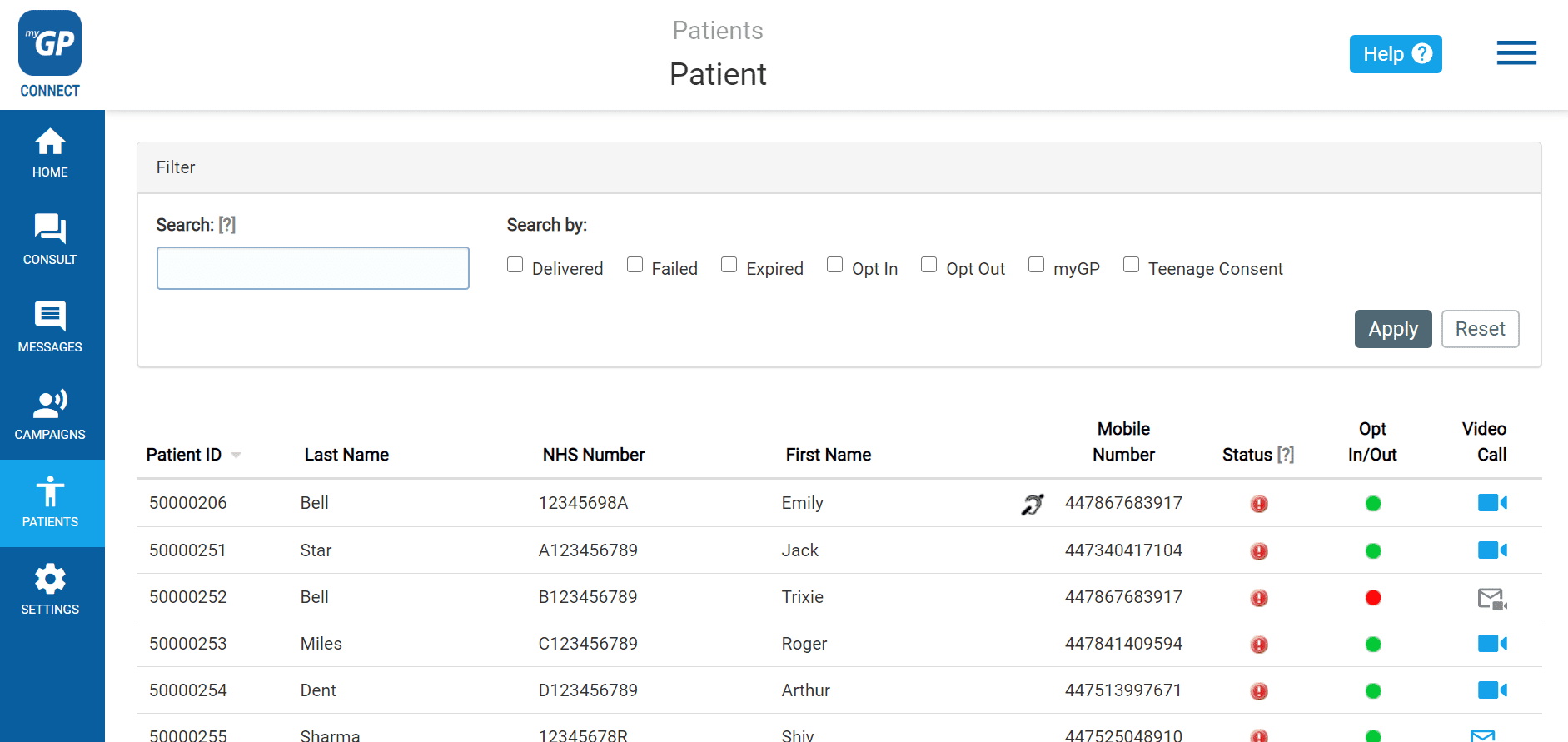
- Now search your specific patient up via the Search Box
- Then click on your patient’s entry
- This will bring you to their Patient Detail page
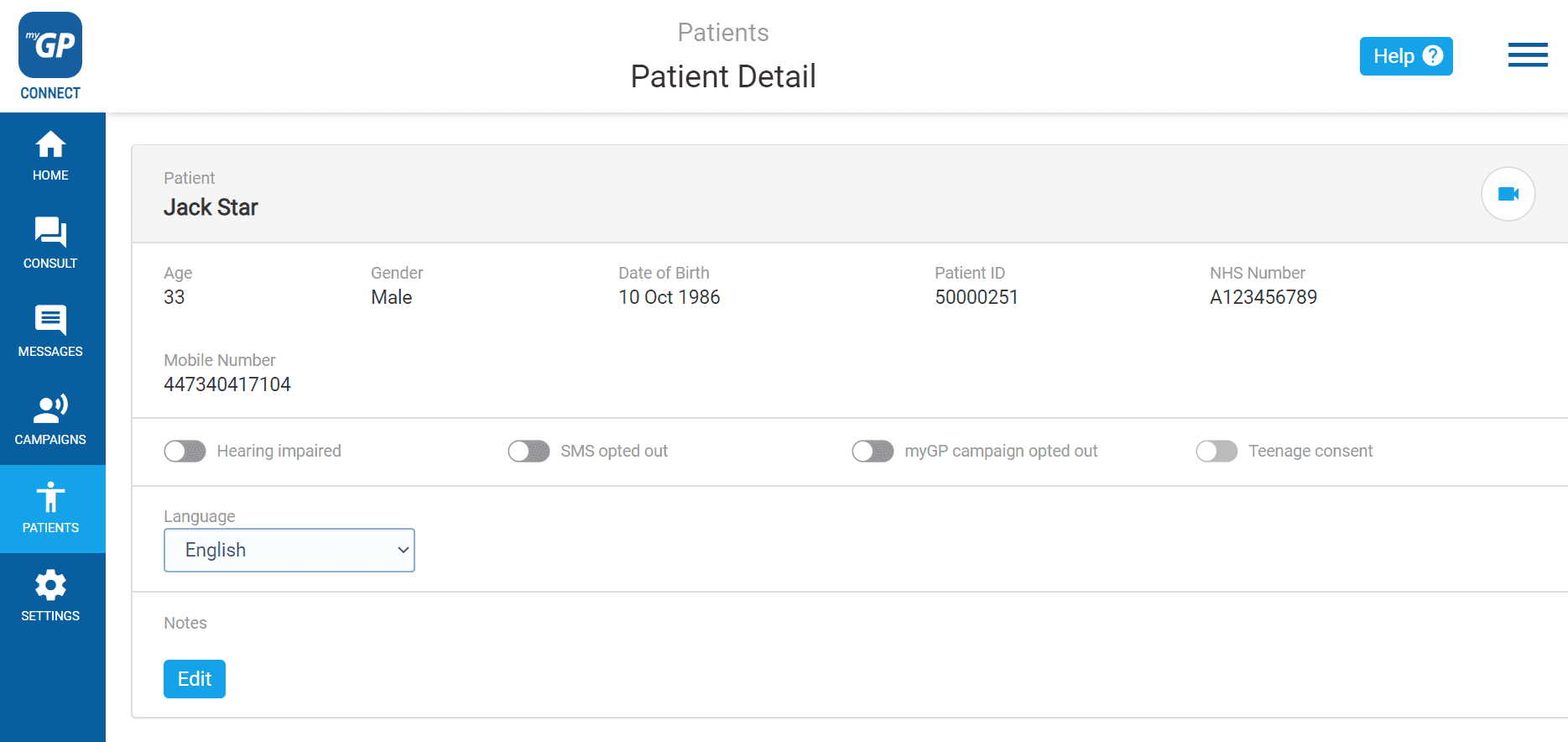
- Refer to the Language section
- Click on English
- Any New Language options saved will appear here, select it
Now this patient will receive the New Language Reminder instead of the default English Appointment Reminder.


© 2026 iPLATO. All rights reserved
Practice Area
/
Appointment Reminder
/
How to assign a patient with an Automatic Reminder in a different language
How to assign a patient with an Automatic Reminder in a different language
August 18, 2020
Watch video
If you have created a New Language Reminder, patients will still receive the default English Appointment Reminder until you assign the new language to them. To action this, please do the following:
- Log in to your myGP Connect system
- Click on Patients found on the left-hand side menu
- Click on Patient List
- Now search your specific patient up via the Search Box
- Then click on your patient’s entry
- This will bring you to their Patient Detail page
- Refer to the Language section
- Click on English
- Any New Language options saved will appear here, select it
Now this patient will receive the New Language Reminder instead of the default English Appointment Reminder.
© 2026 iPLATO. All rights reserved
/
Appointment Reminder/
How to assign a patient with an Automatic Reminder in a different language
How to assign a patient with an Automatic Reminder in a different language
August 18, 2020
Watch video
If you have created a New Language Reminder, patients will still receive the default English Appointment Reminder until you assign the new language to them. To action this, please do the following:
- Log in to your myGP Connect system
- Click on Patients found on the left-hand side menu
- Click on Patient List
- Now search your specific patient up via the Search Box
- Then click on your patient’s entry
- This will bring you to their Patient Detail page
- Refer to the Language section
- Click on English
- Any New Language options saved will appear here, select it
Now this patient will receive the New Language Reminder instead of the default English Appointment Reminder.
© 2026 iPLATO. All rights reserved